Selecionar uma organização
"Invalid Session ID" Error with OAuth 2.0 connection to Salesforce
Data da publicação: Feb 24, 2025
Resolução
PROBLEM
With the Salesforce OAuth 2.0 connection, Salesforce operations fail with below error intermittently -
Message: Invalid Session ID found in SessionHeader: Illegal Session. Session not found, missing session hash.
CAUSE:
Salesforce Connector starts throwing error "Invalid Session ID" when the OAuth 2.0 session from Salesforce gets deleted for some reason.
Ideally, it should not fail even if the session gets deleted from Salesforce. Below are possible causes.
- Patch SE-13371 is not applied
- Please refer to the documentation - OAuth 2.0 Web Server Flow for Web App Integration Connected application in Salesforce uses the refresh token to obtain access/session token. This parameter is returned only if the connected application is set up with a refresh token scope. If the connected Salesforce application is not set up with proper permissions for refresh token then /authorize response from Salesforce does not have a refresh token which results in Invalid session error in Salesforce connector.
SOLUTION:
- Please make sure SE-13371 patch is applied.
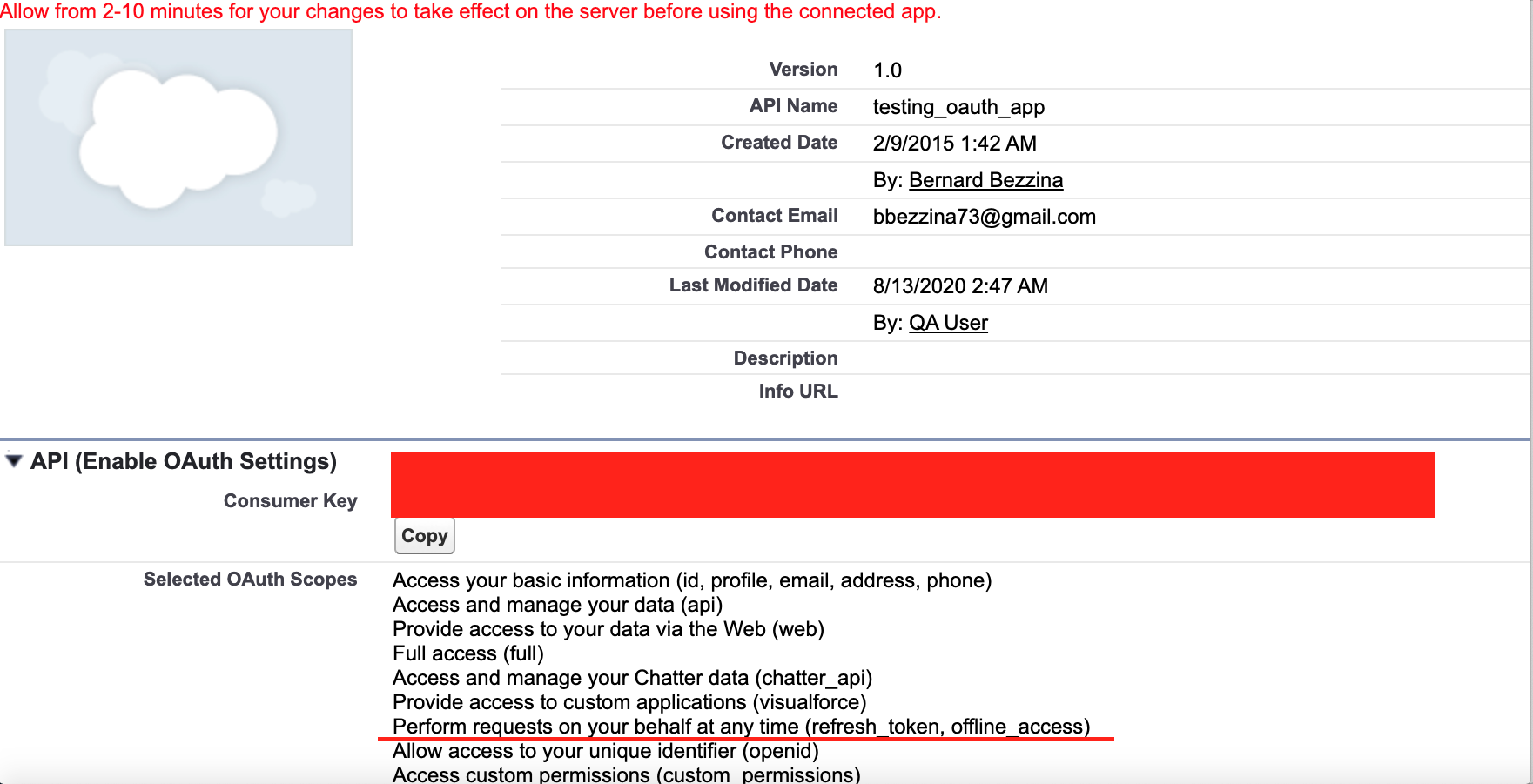
- Please make sure that the connected OAuth app in Salesforce has proper permissions. Please follow the below steps:
- Login to Salesforce
- Go to Apps -> App Manager
- Scroll down to Connected Apps view
- Make sure that the - Perform requests on your behalf at any time (refresh_token , offline_access) permission is given to the connected application
RELATED ARTICLES(S)
Número do artigo do Knowledge
001120926
Este artigo resolveu seu problema?
Diga-nos para podermos melhorar!
