Seleccionar una organización
How to Create a Self-Signed Wildcard Certificate And Route App Name via Subdomain
Fecha de publicación: Mar 2, 2024
Solución
CONTENTS
Here is how to create a self-signed wildcard certificate and route the app name via subdomain.
The goal is to hit a vanity domain named "http://tru-dev.mywebsite.com/best-app22/"
That should hit the DLB and resolve to a Cloudhub app that you uploaded to your VPC named "best-app22-api-tru-dev".
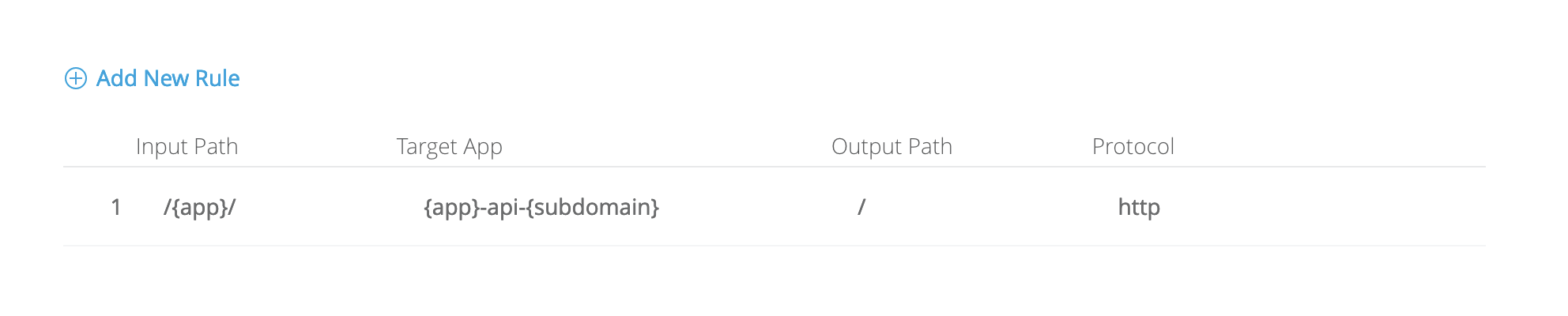
The DLB will use the URI to resolve the app's prefix, append "-api-", and finally add the subdomain "tru-dev" to the full string of the app name.
STEPS TO FOLLOW
1) Save the contents of the script as aa.sh:
#!/usr/bin/env bash

# print usage
DOMAIN=$1
if [ -z "$1" ]; then

    echo "USAGE: $0 domain.lan"
    echo ""
    echo "This will generate a non-secure self-signed wildcard certificate for given domain."
    echo "This should only be used in a development environment."
    exit
fi

# Add wildcard
WILDCARD="*.$DOMAIN"

# Set our CSR variables
SUBJ="
C=US
ST=NY
O=Local Developement
localityName=Local Developement
commonName=$WILDCARD
organizationalUnitName=Local Developement
emailAddress=
"

# Generate our Private Key, CSR and Certificate
openssl genrsa -out "$DOMAIN.key" 2048
openssl req -new -subj "$(echo -n "$SUBJ" | tr "\n" "/")" -key "$DOMAIN.key" -out "$DOMAIN.csr"
openssl x509 -req -days 3650 -in "$DOMAIN.csr" -signkey "$DOMAIN.key" -out "$DOMAIN.crt"
rm "$DOMAIN.csr"

echo ""
echo "Next manual steps:"
echo "- Use $DOMAIN.crt and $DOMAIN.key to configure Apache/nginx"
echo "- Import $DOMAIN.crt into Chrome settings: chrome://settings/certificates > tab 'Authorities'"
2) Edit the above certificate variable values to fit your org needs.3) Run the following to make it executable:
chmod +x aa.sh
4) Then, run the aa.sh script with the wildcard domain name.
./aa.sh mywebsite.com5) Go to DLB page, create a DLB, and add a certificate. If you haven't created a VPC, please create one now and ensure that it is the "default VPC" and that the environment where the app is to be uploaded is there: link
Default VPC (step 4): link
You will also need to use the same AWS region going forward for this tutorial for both VPC and app deployment region.
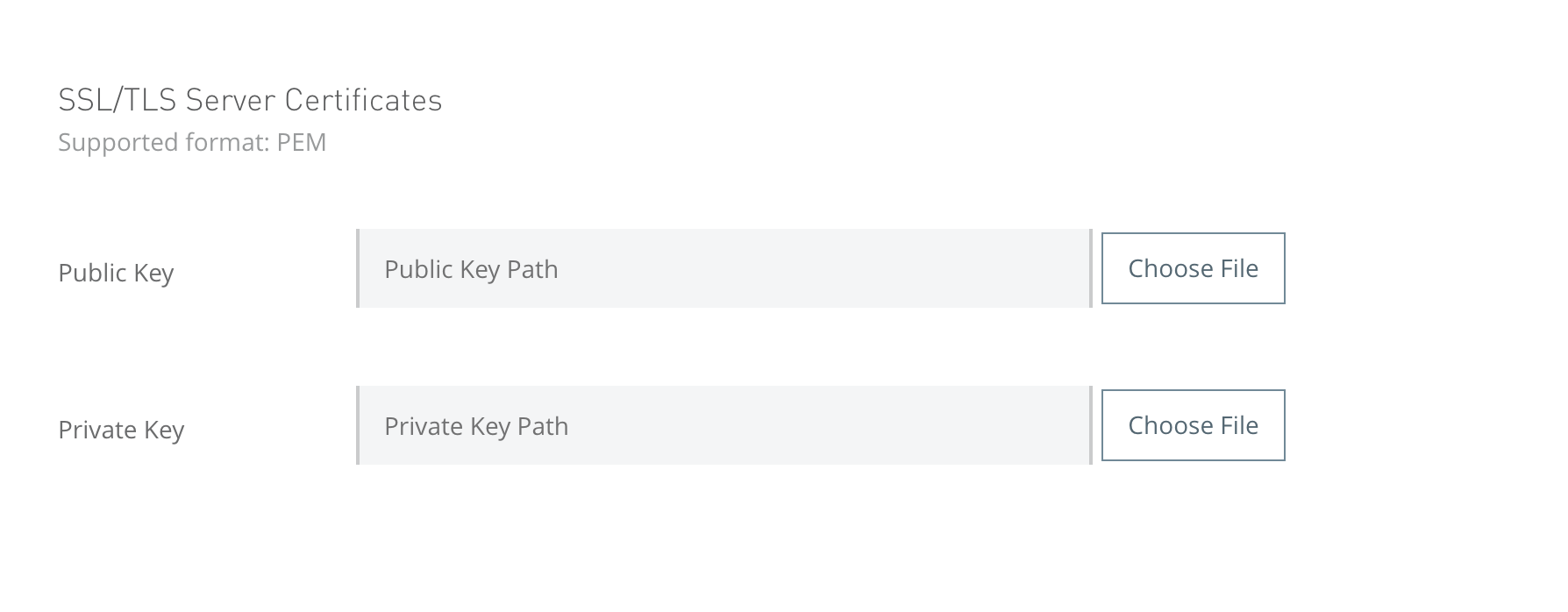
6) Upload mywebsite.com.crt as the public key and upload mywebsite.com.key as the private key.
7) Under URL mapping rules, make it look like the following, or adjust it so that it will resolve to the Cloudhub app's exact name:
8) Upload the following test app to Cloudhub, but ensure the name matches the criteria from #7:
test-exp-api-tru-dev.jar
You can upload to use a name such as "best-app22-api-tru-dev" for purpose of this tutorial.
9) In your vanity domain's DNS provider, please add a CNAME entry for tru-dev.mywebsite.com and have it link to .lb.anypointdns.net. You can find the DLB name from your step #5.
10) Wait 5 - 10 minutes after step 9. Then, make the following call from your local:
curl http://tru-dev.mywebsite.com/best-app22/
11) You should see:
{"hello owlrd": "ee"}
Número del artículo de conocimiento
001121240
¿Resolvió este artículo su problema?
¡Háganos saber cómo podemos mejorar!
