Organisation auswählen
Resolving CORS Policy Error When Custom Headers Are Passed in the Request API
Veröffentlichungsdatum: Jun 6, 2024
Lösung
SYMPTOM
Mule Application is configured to an API Instance in API Manager which contains the CORS policy and Client ID Enforcement Policy applied. Policies are applied successfully.
The list of Origins contains the intended domain.
However, the call to the API using a browser is failing with:
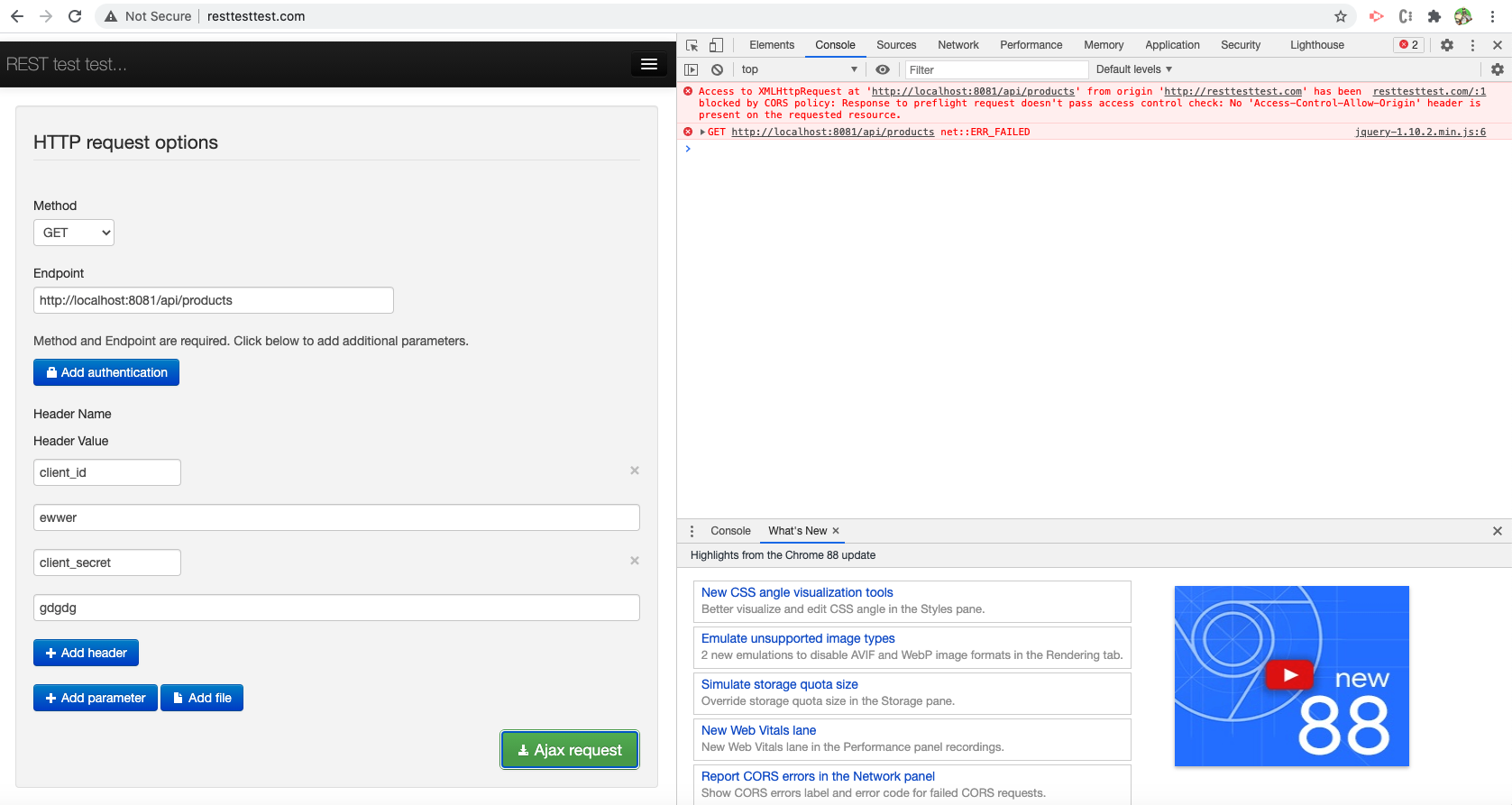
Access to XMLHttpRequest at 'https://xxx.au-s1.cloudhub.io/api/v1' from origin '<domain>' has been blocked by CORS policy: Response to preflight request doesn't pass access control check: No 'Access-Control-Allow-Origin' header is present on the requested resource
where <domain> is a domain in the list of Origins.
The message above is expected for any other domain not included in the list of Origins. But assume we are sending the correct domain.
CAUSE
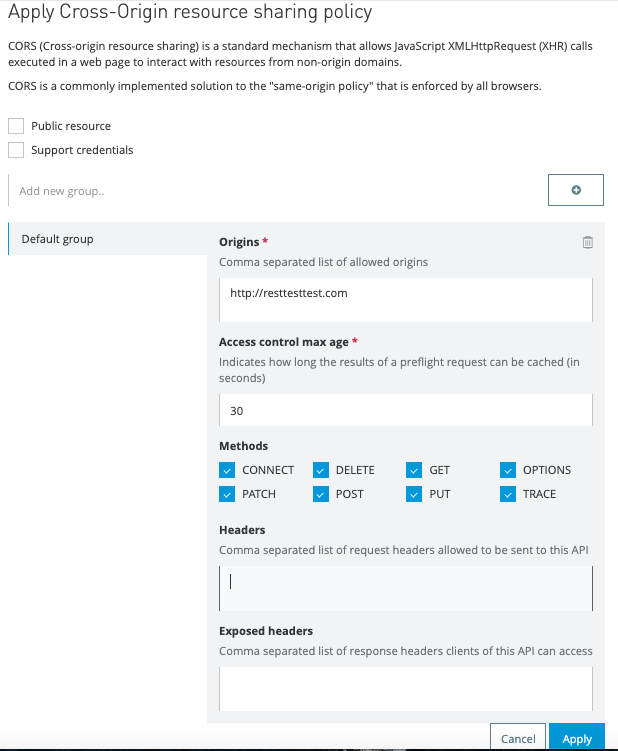
CORS Policy configured as below in API Instance
Then using the browser we call the Mule application and get the error as below:
Enabling the package "com.mulesoft.extension.policies" to DEBUG we can see the below log printed
com.mulesoft.extension.policies.cors.CorsResultFactory: Request has been blocked by CORS, reason: Single preflight request
CorsRequest{attributes=RequestAttributes{headers=MultiMap{[host=[localhost:8081],
connection=[keep-alive], pragma=[no-cache], cache-control=[no-cache], accept=[*/*],
access-control-request-method=[GET],
access-control-request-headers=[client_id,client_secret],
origin=[http://resttesttest.com],
user-agent=[Mozilla/5.0 (Macintosh; Intel Mac OS X 10_15_7) AppleWebKit/537.36 (KHTML, like Gecko) Chrome/88.0.4324.192 Safari/537.36], sec-fetch-mode=[cors], sec-fetch-site=[cross-site],
sec-fetch-dest=[empty], referer=[http://resttesttest.com/], accept-encoding=[gzip, deflate, br], accept-language=[en-US,en;q=0.9]]}}} failed to validate.
As you can see from the above log, the CORS policy seems to reject the call even though the required headers "origin", "access-control-request-method" & "access-control-request-headers" are passed.
The reason it rejected is that the CORS policy didn't expect any values in the "access-control-request-headers" as per the configuration, see "Headers" field is empty in the CORS policy picture above.
SOLUTION
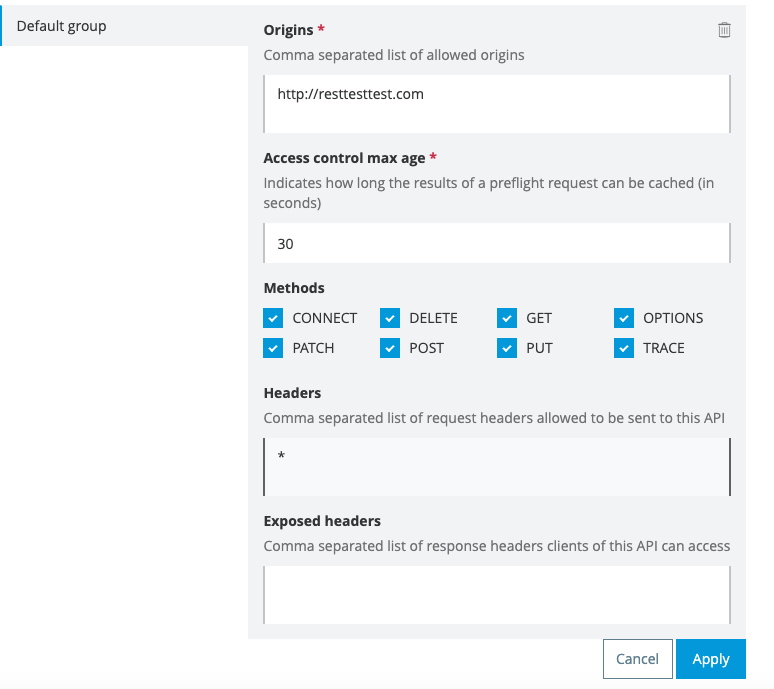
To resolve this error make sure the "Header" field in the CORS policy is updated with all the headers in a comma-separated manner.
Or you can provide a wildcard * to accept any custom headers as per the image below.
Related links:
Nummer des Knowledge-Artikels
001121620
Konnten Sie Ihr Problem mithilfe dieses Artikels lösen?
Geben Sie uns Feedback, damit wir uns verbessern können.
