Vælg en organisation
No data available Error Seen for Application Statistics
Udgivelsesdato: Aug 1, 2025
Løsning
SYMPTOM
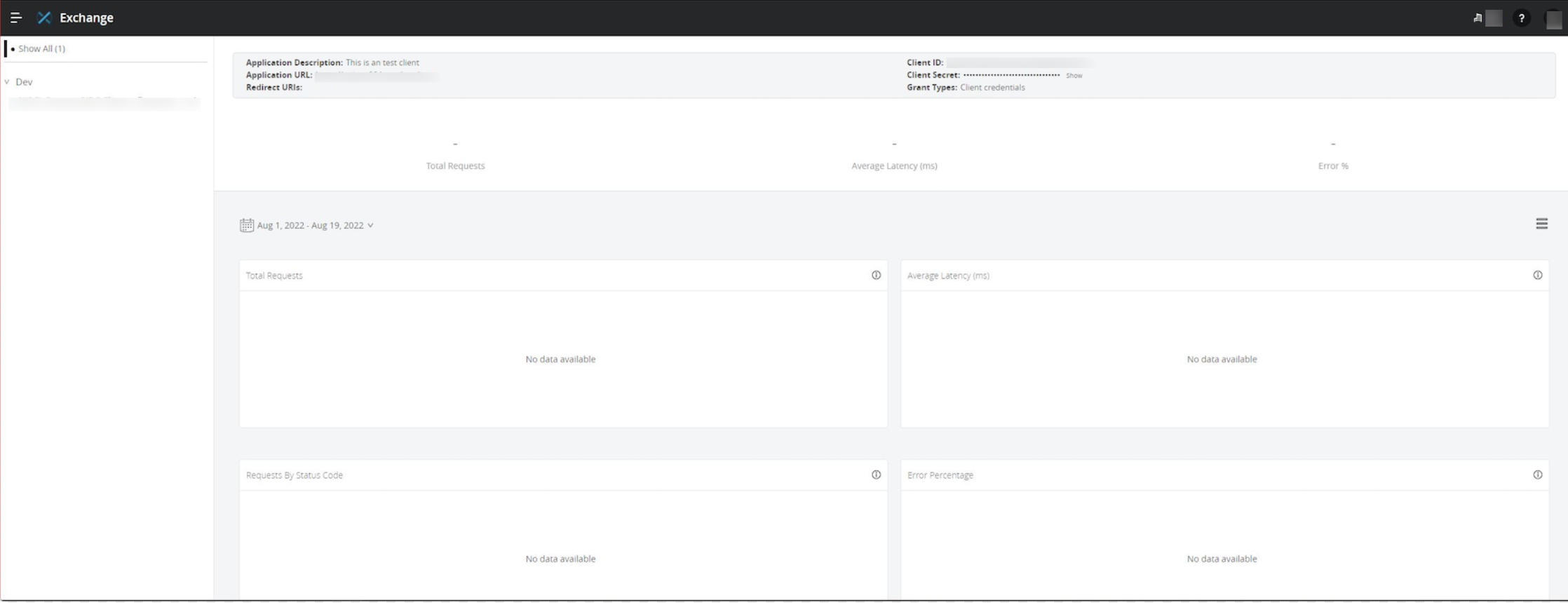
You are trying to see the statistics data for your application but for total requests, average latency, status code, error percentages shows blank with below error:No data available
STEPS
[1] From Design Center -> Import an application
[2] From API Manager -> Add new API -> Create the API
[3] Request access to the application -> Create New Application
[4] Try to trigger the url generated
[5] From Exchange -> My Application -> No Statistics is seen - It shows as just hyphen -
[6] And it shows No data available
CAUSE
Wrong configuration of the application done with respect to statistics report.SOLUTION
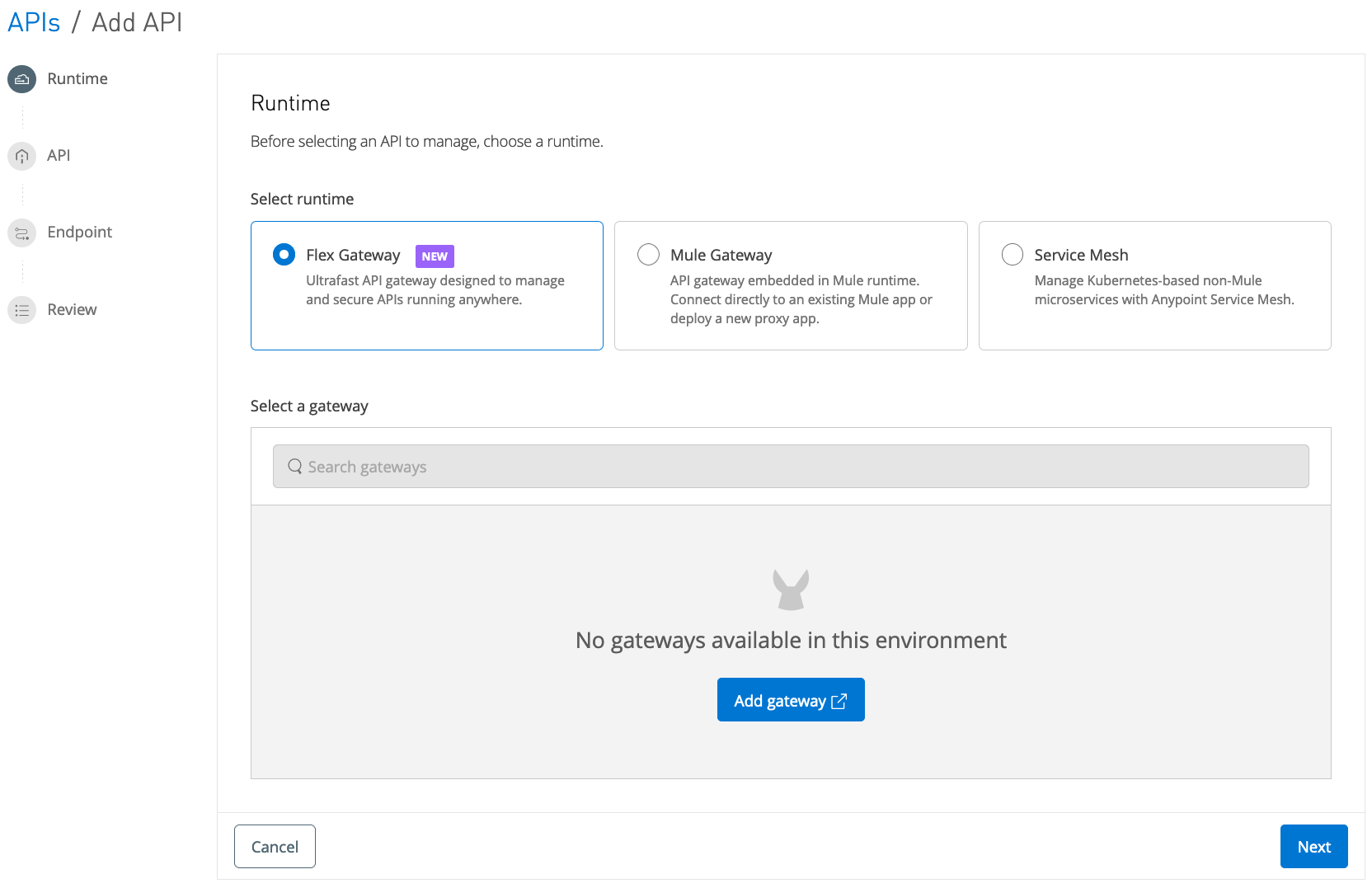
Refer to the points to configure the application correctly from the statistical data point of view:[1] When adding the API in API Manager, be advised that the default option of Flex Gateway does not support metrics in the Client Applications section of Exchange.
[2] When configuring the Implementation URI be sure to point the proxy to an existing application so that when exercising an API endpoint through the proxy the request can complete correctly.
[3] Add the "Client ID Enforcement" policy to API instance in API Manager. This makes the Proxy validate that we are using a Client Application that has requested access to the API.
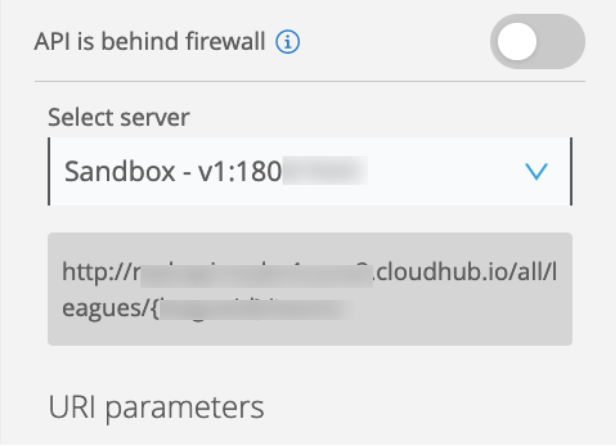
[4] Once you have requested access to the API and you are ready to use an endpoint, if you do this through the API console in Exchange be sure to select the server that corresponds to the API Instance you have created.
[5] You should add the client_id and client_secret headers to the request with the values of the client application you created and used to request access.
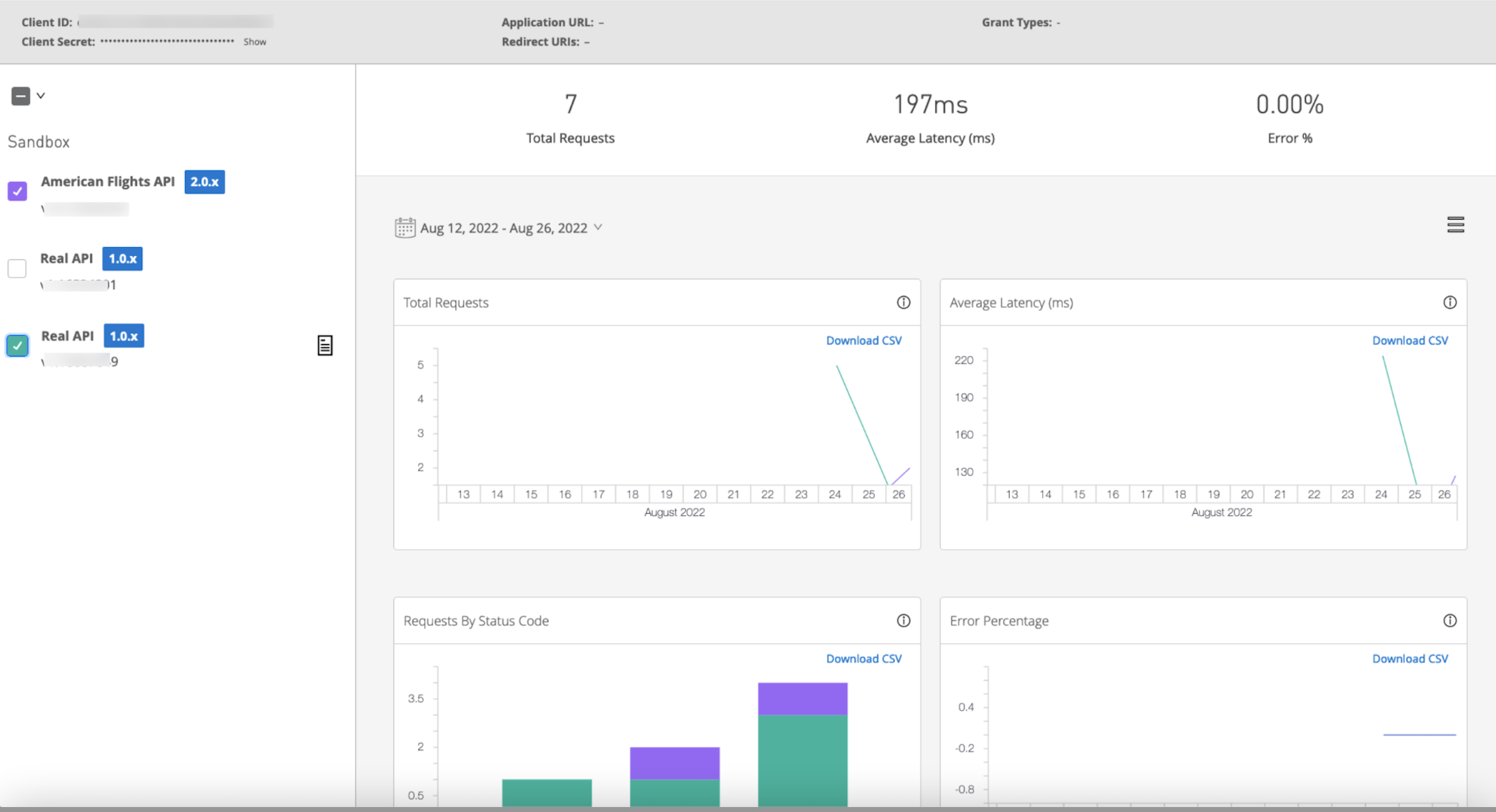
[6] Once the above configuration steps are followed correctly, Client Applications page would show the statistics.
Vidensartikelnummer
001121817
Løste denne artikel dit problem?
Giv os besked, så vi kan forbedre os!
