組織を選択
How to map Microsoft Entra ID groups (FKA Azure AD) to Anypoint Platform Teams while performing SSO
公開日: Feb 24, 2026
説明
Process to map Microsoft Entra ID which was Formerly Known As (FKA) Azure AD groups to Anypoint platform "Teams" while performing SSO
解決策
1. Perform the steps given in the documentation for Configuring Anypoint Platform as a Microsoft Entra ID (FKA Azure AD) Service Provider (SP) SAML based.
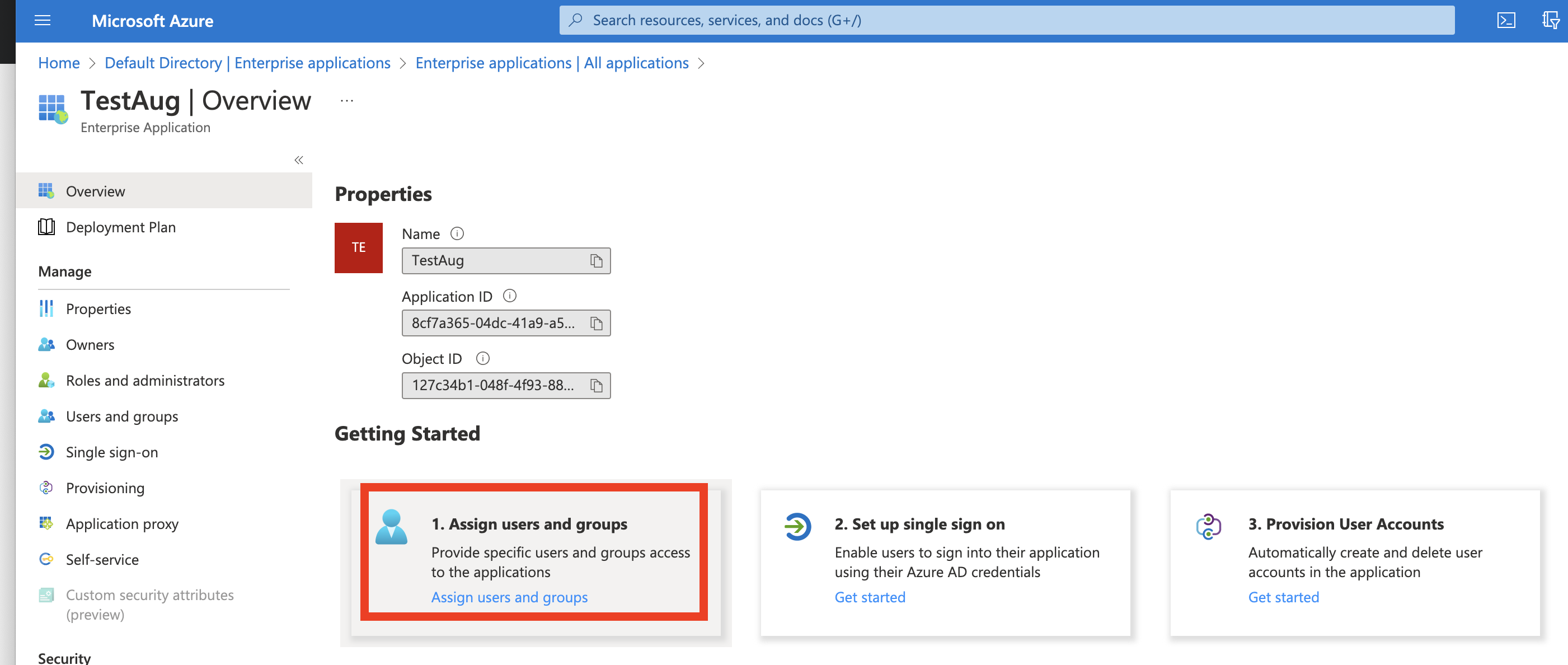
2. Link the Microsoft Entra ID (formerly known as Azure AD) groups to your Enterprise application that was created to manage MuleSoft users with SSO.
Go to Microsoft Entra admin center (entra.microsoft.com) --> Applications --> Enterprise Applications --> Go to application --> Go to "Assign users and groups" --> Map Microsoft Entra ID groups to Enterprise Application.
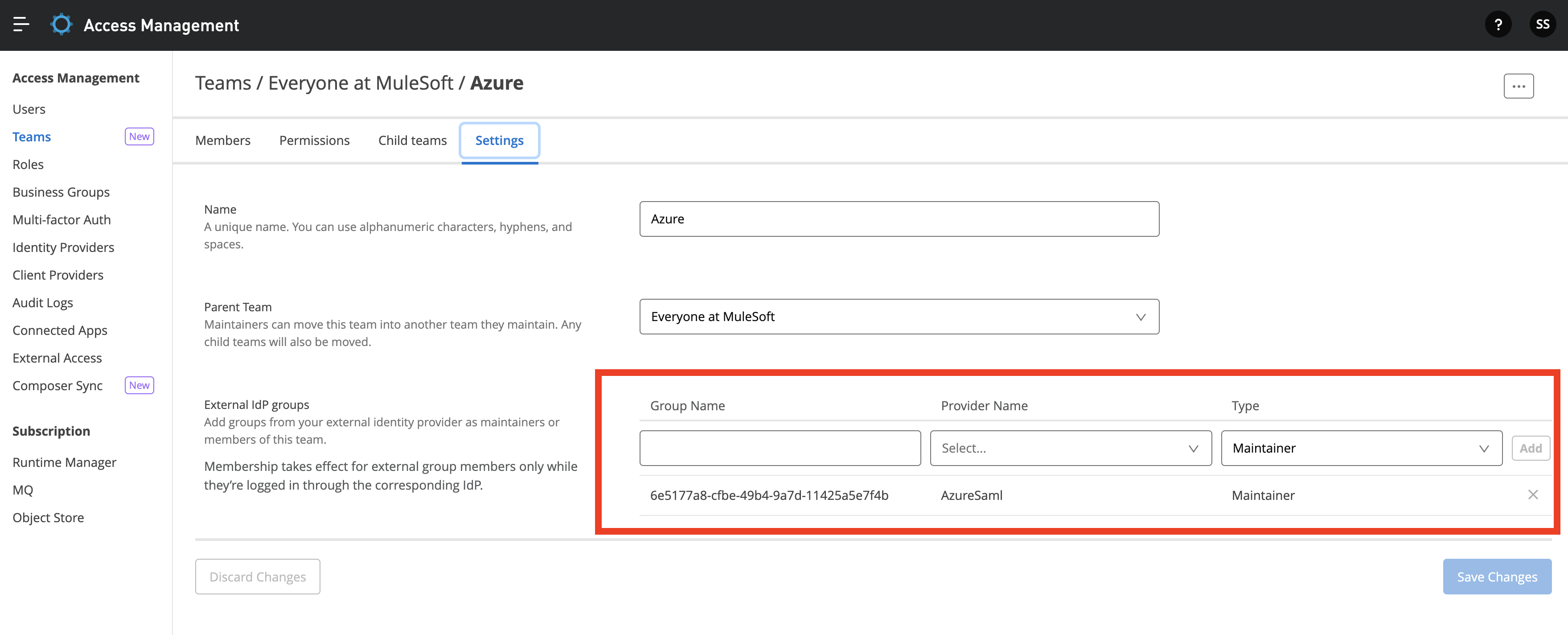
3. On the Anypoint Platform side, create Teams under Access Management and link the respective groupID accordingly and assign the required permissions.
Please note: Steps and screenshots provided related to third party vendor (Azure AD) were taken on Sep 5th, 2022. The Microsoft Entra ID portal UI may have changed since then. MuleSoft is not responsible if Azure AD decides to make changes changes related to these in future.
ナレッジ記事番号
001121862
この記事で問題は解決されましたか?
ご意見をお待ちしております。
