Organisation auswählen
How to uninstall a Mule Runtime from Anypoint Studio 7
Veröffentlichungsdatum: Mar 2, 2024
Lösung
GOAL
This article will provide the steps to remove a Mule Runtime from Anypoint Studio 7PROCEDURE
1. Go to the About Anypoint Studio window in Studio and click on the Installation Details button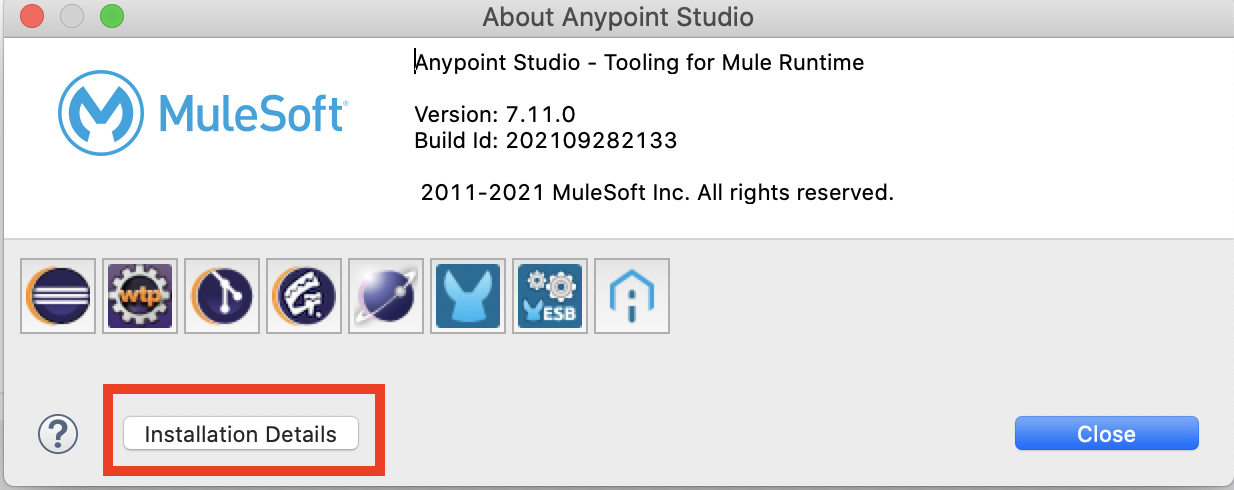
2. Select the Mule Runtime version you would like to remove and click Uninstall
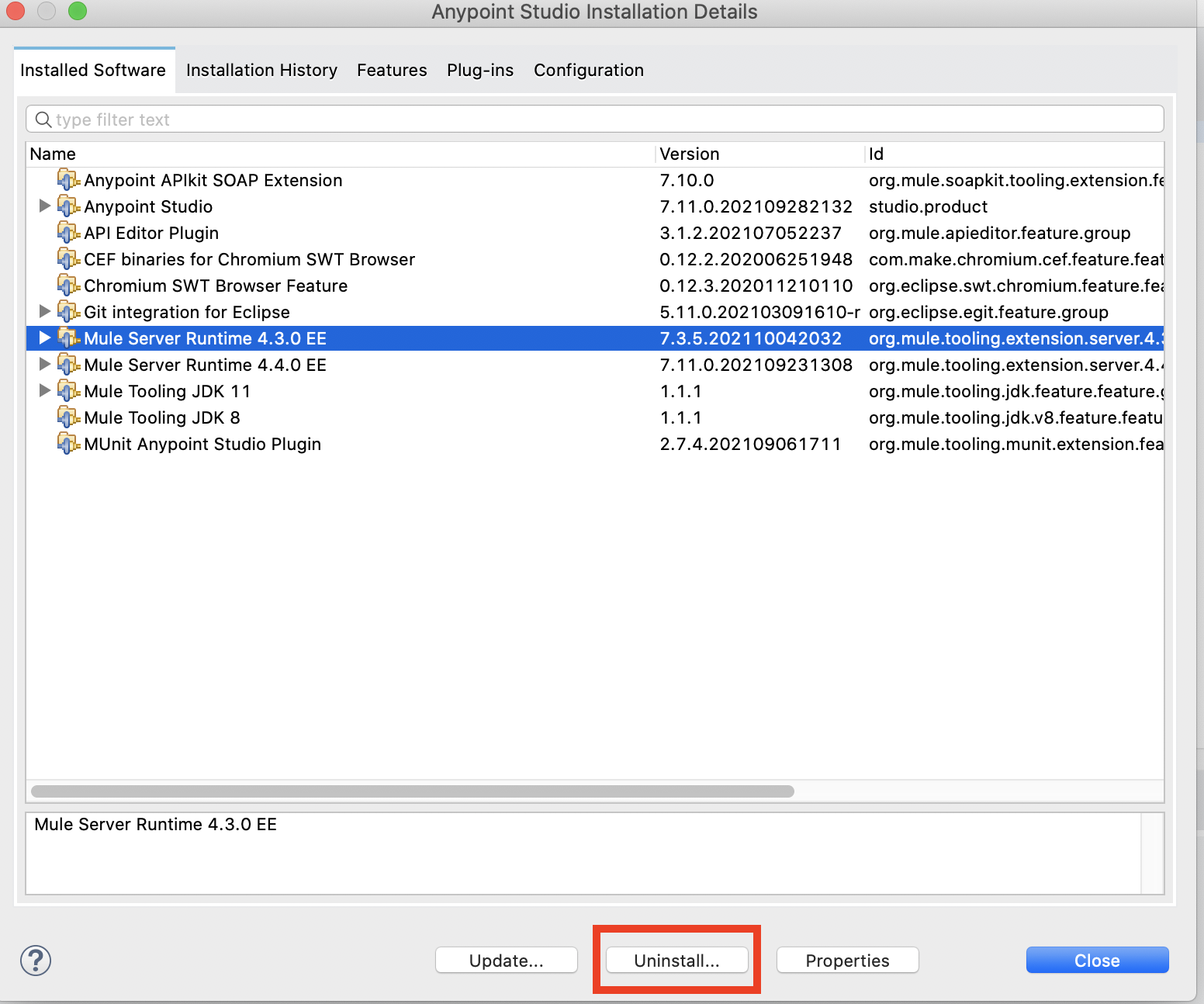
3. Verify the selected version is correct and click Finish
Nummer des Knowledge-Artikels
001122617
Konnten Sie Ihr Problem mithilfe dieses Artikels lösen?
Geben Sie uns Feedback, damit wir uns verbessern können.
