Organisation auswählen
Poll & Scheduler Scope Behavior in Different MuleSoft Deployment Environments
Veröffentlichungsdatum: Mar 2, 2024
Lösung
CloudHub 1.0
Supported Schedules
Scheduler Scope and Poll Scope can be configured for frequency polling or cron-triggered polling.New App
- Configuring a schedule in Runtime Manager or using CloudHub API overwrites what is configured in Mule Configuration.
- When an application with Poll or Schedule scope is deployed in CloudHub for the first time (a new application) the mule app configuration is written to the Runtime Manager Schedules service, and from then on the schedule triggers are maintained by the Runtime Manager Schedule service.
App Updates and Restarts
- Once the schedule is modified via Anypoint Runtime Manager Schedules UI or CloudHub API, app archive contents will always be ignored.
- If a schedule was never modified through Anypoint Runtime Manager UI or CloudHub API and an application is being updated with a new schedule in the mule configuration, i.e., a new app version that contains a modified schedule is uploaded, the Anypoint Runtime Manager Schedules configuration will be overwritten. The newly applied schedule will only be taken into effect after the last trigger of the previous schedule.
- For any update or restart of an existing application, the Schedule will not trigger on startup. It will continue to trigger as per the Runtime-Manager-defined schedule.
Managing Schedules
- When using Cron expressions, the timezone that the expression is executed against is always UTC/GMT. Even though the mule config duration allows for the setting of a timezone, it is ignored by the CloudHub Schedule Service.
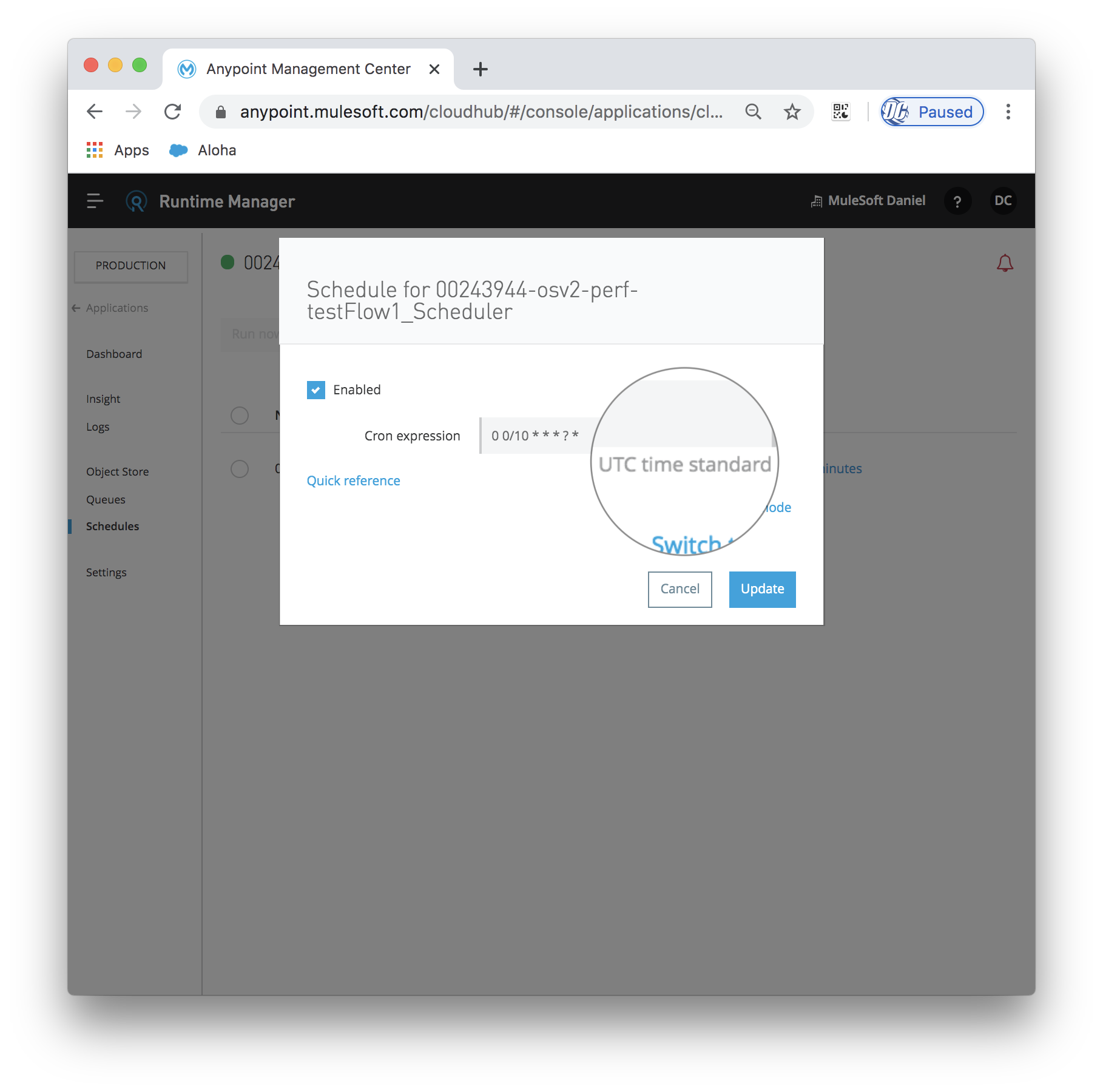
- Each schedule in the Runtime Manager Schedule service will choose a random worker to execute on. You cannot force a specific schedule to work on a specific worker.
- If a schedule trigger was missed during the downtime of the application, it will be triggered when the application started.
- If a schedule is modified by a user using Anypoint Runtime Manager, the changes will be acknowledged and implemented in the subsequent execution.
- Since the schedule is maintained by the Runtime Manager Schedule service, the Scheduler module in the flow is effectively disabled. If, however, the flow is reset via a script inside the application, this can cause the Scheduler in the application to be re-enabled again. This can cause issues with both the Runtime Manager Schedule service and the Scheduler inside the flow trying to run simultaneously. Therefore, any update to the Scheduler should be made via the Anypoint Runtime Manager Schedule service on the https://anypoint.mulesoft.com/ Web UI or via REST calls to the service. It should not be controlled via scripts inside the application.
Additional Information
Please see the documented behaviour in Managing Schedules docsCloudHub 2.0
For the information on the CloudHub 2.0 scheduler behaviour refer to the CloudHub 2.0 documentation.Mule On-Premise (Hybrid) Managed by Runtime Manager
Scheduler Scope and Poll Scope can be configured for frequency polling or Cron triggered polling. When the application is managed by Runtime Manager, the user has the option to declare a trigger timezone in the Runtime Manager UI, when using Cron expressions. Configuring a schedule in Runtime Manager overwrites what is configured in Mule Configuration. Please see the documentation at the Hybrid Schedule Management page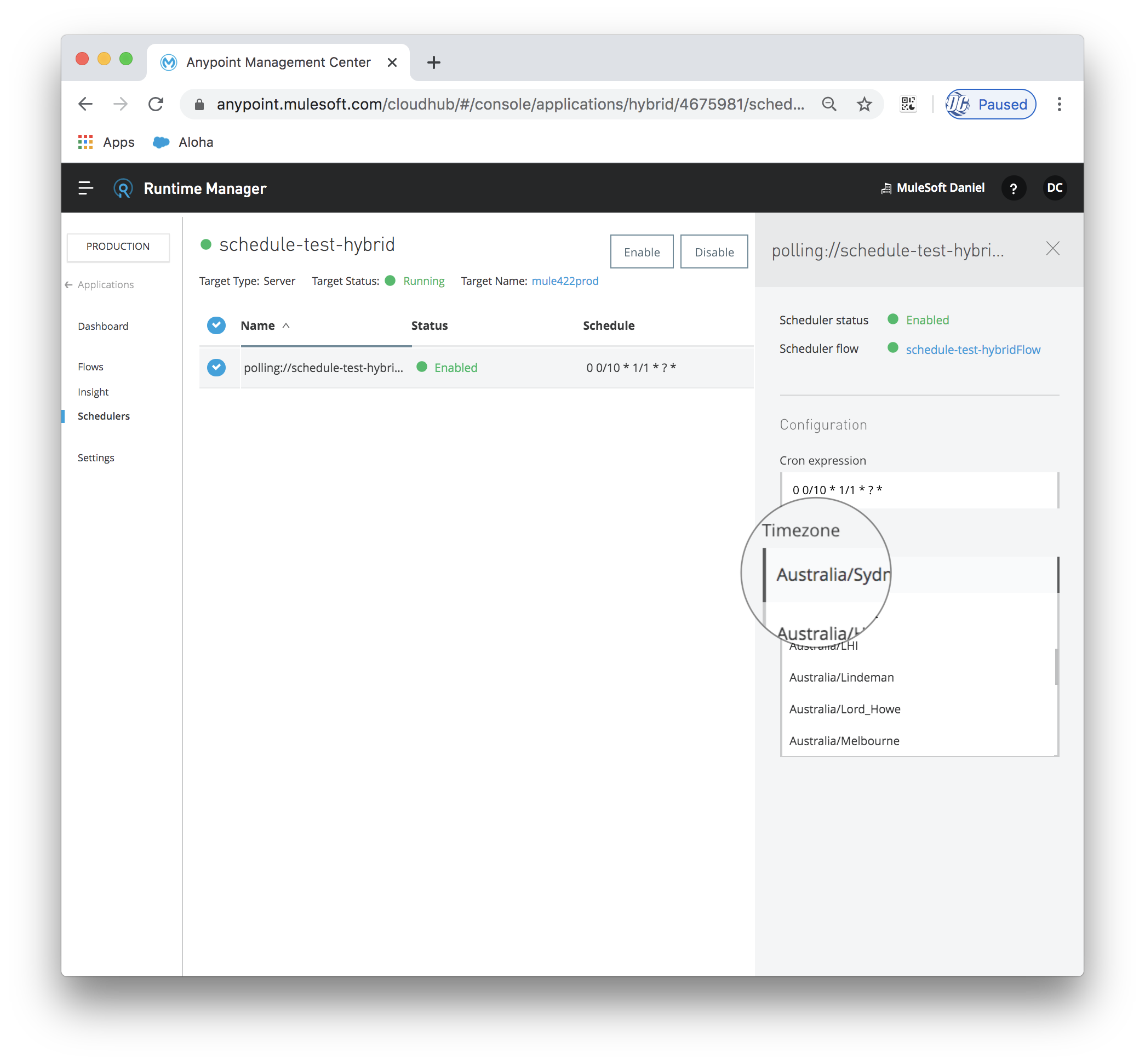
Runtime Fabric
At time of publishing this article Runtime Fabric does not allow management of Poll or Schedule scope via the Runtime Manager interface. Any configured Poll or Schedule scope will trigger against the clock of the machine the application is running on. The timezone for a Cron expression trigger can be configured as part of the mule configuration.<scheduler doc:name="Scheduler" doc:id="8159e3b2-4527-4cf3-bf83-f1b778a11c12" > <scheduling-strategy > <cron expression="0 0/10 * 1/1 * ? *" timeZone="Australia/Sydney"/> </scheduling-strategy> </scheduler>
Deployments in a On-Premise Mule HA Cluster, CloudHub Multi-worker, or Runtime Fabric (RTF) Mule Cluster
When deploying a Poll Scope or Schedule Scope Application to a Mule HA Cluster (either managed by Runtime Manager or unmanaged) or a CloudHub Multi-Worker, the triggers of poll and schedule scopes are coordinated. They will only trigger on one node of the cluster. This will prevent duplication of messages which would occur if the poll or schedules were allowed to trigger on all the nodes the application is deployed to. The polling nodes are sometimes referred to as the Primary Nodes.The same is true for Runtime Fabric. If the mule application is enabled to "Run in Runtime Clustering Mode" and there are multiple mule replicas, the poll or schedule scope will only trigger on one of the replica nodes.
If for any reason the Cluster is malformed, the poll will then trigger on all nodes.
A Runtime Manager Server Group behaves as if each server is a single server. The poll and schedule scopes will trigger on all running nodes.
Special Note about Primary Nodes
If an application contains multiple schedule or poll scopes that trigger for different flows, they will not all be guaranteed to trigger from the same primary node. The cluster coordination simply ensures for a specific poll scope, it will only trigger on one node. It does not ensure all the different poll scopes in an application all trigger on the same node. Because of this, when an application with multiple poll or schedule scopes is deployed in a HA Cluster or CloudHub, it may appear that polls are being triggered on multiple nodes. This behavior is intentional, and beneficial in terms of assisting in the distribution of workload.Special note about Quartz Scope
Quartz Scope is available in Mule 3 and it an alternative to Poll Scope. However, Quartz Scope will not be managed by the Runtime Manager. This means the configuration of Quartz Scope will conform to the clock of the host the application is deployed to. This can be beneficial if the user wishes to have a cron trigger that is not managed or configurable in Runtime Manager. Timezones can also be configured in the mule config.Quartz Scope is not available in Mule 4.
Nummer des Knowledge-Artikels
001122972
Konnten Sie Ihr Problem mithilfe dieses Artikels lösen?
Geben Sie uns Feedback, damit wir uns verbessern können.
