Vælg en organisation
Remove Spaces in the Mule Artifact Name When Deployment Fails With the Error "Mule artifact name may not contain spaces"
Udgivelsesdato: Jan 27, 2026
Beskrivelse
The Mule project cannot be created with spaces in the name of the project. However, if the Mule project is somehow renamed with spaces after it has been created, then it will fail to deploy due to the error "Mule artifact name may not contain spaces".
Løsning
To resolve the error in MuleSoft that "Mule artifact name may not contain spaces" when a project has been renamed with spaces, perform the following:
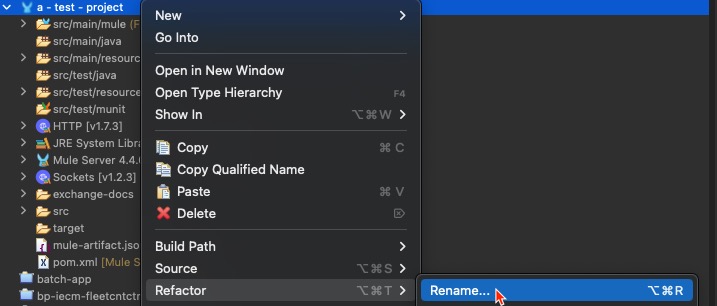
1. In Anypoint Studio, Right-click on the project name and select Refactor --> Rename
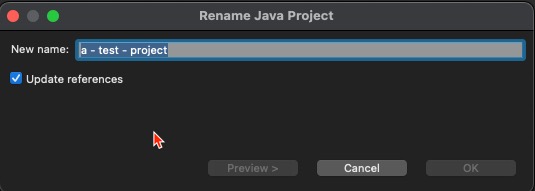
2. Edit "New name:", and remove spaces from the project name. Click Ok to save the name.
Vidensartikelnummer
001123678
Løste denne artikel dit problem?
Giv os besked, så vi kan forbedre os!
