組織を選択
Error Message: "We couldn’t create the configuration. Try again" in Field Service Mobile App Builder
公開日: May 12, 2026
説明
When attempting to create a new configuration in the Field Service Mobile App Builder, users may encounter an error message stating: "We couldn't create the configuration. Try again."
Steps to Reproduce
- Log in to the Salesforce org.
- Navigate to Setup.
- Access Field Service Mobile App Builder.
- Click New Configuration.
- Enter the required values in the App Name and API Name fields.
- Attempt to save the configuration.
- The error message appears: "We couldn't create the configuration. Try again."
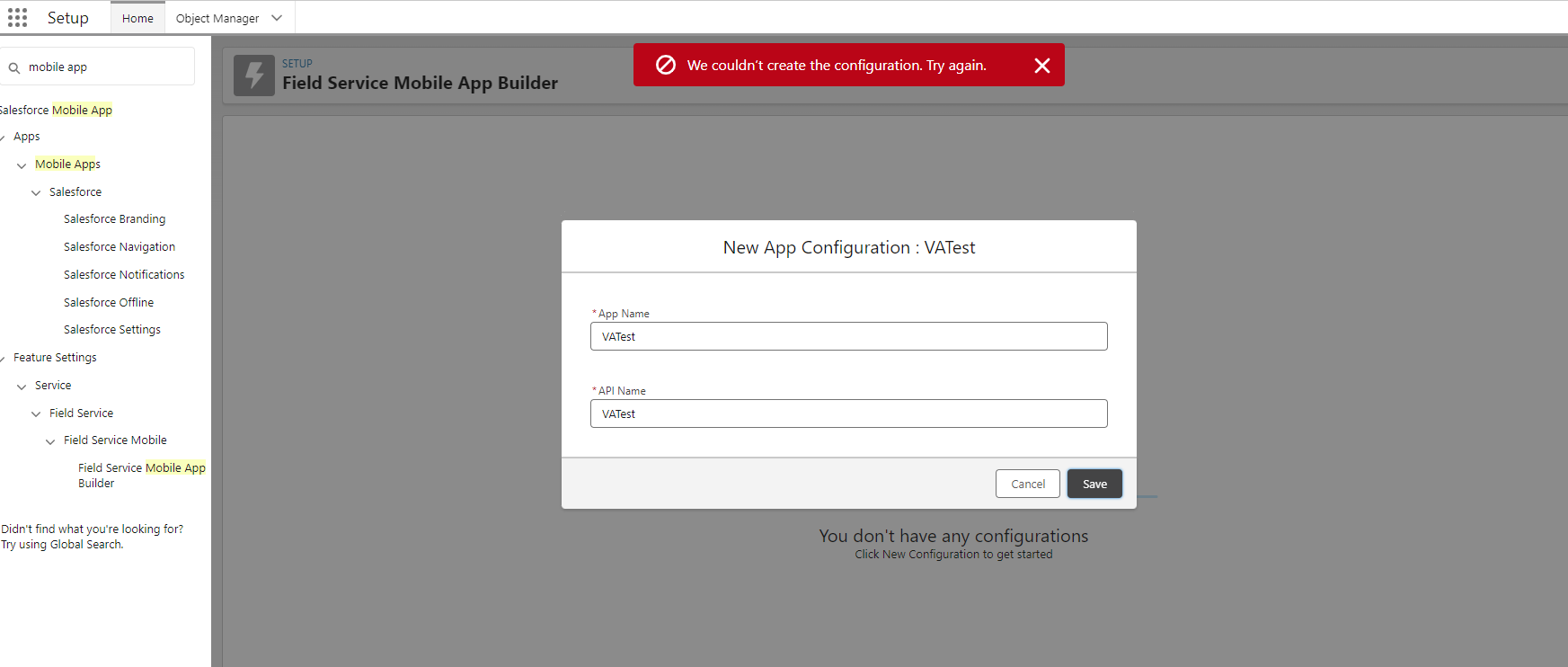
Root Cause
This error is caused by a missing org permission called ExperienceContainer. The ExperienceContainer permission controls the ability to view, edit, and delete Experience Containers within a Salesforce org. Experience Containers are required by the Field Service Mobile App Builder configuration process. When this permission is absent, the configuration cannot be created and the error is returned.
Investigation of Chrome network logs during the error reveals the underlying permission error with the message: "ExperienceContainer org permission is needed to view/edit/delete Experience Container."
Error Analysis: Upon investigation of the Chrome network logs, the error message may include the following details,
"actions": [
    {
      "id": "3591;a",
      "state": "ERROR",
      "returnValue": null,
      "error": [
        {
          "message": "\"ExperienceContainer\" org permission is needed to view/edit/delete Experience Container"
        }
      ]
    }
  ],
解決策
To resolve the "We couldn't create the configuration. Try again" error in Field Service Mobile App Builder, follow these steps.
Step 1: Collect Error Details
Open Chrome DevTools and navigate to the Network tab. Reproduce the error by attempting to save a new configuration in Field Service Mobile App Builder. Review the network log responses and confirm that the error references the missing ExperienceContainer org permission.
Step 2: Log a Case with Salesforce Support
Raise a case with Salesforce Support requesting the enablement of the ExperienceContainer org permission. In the case, include:
- Your Salesforce org ID
- The error message: "We couldn't create the configuration. Try again."
- Confirmation from the network log that the ExperienceContainer permission is missing
Step 3: Retry After Permission Is Enabled
Once Salesforce Support confirms that the ExperienceContainer permission has been enabled for your org, return to Field Service Mobile App Builder (Setup > Field Service Mobile App Builder), click New Configuration, and complete the configuration. The error should no longer appear.
ナレッジ記事番号
001233476
この記事で問題は解決されましたか?
ご意見をお待ちしております。
