Seleccionar una organización
How To Assign Background Color And Shape In The Same Cell
Fecha de publicación: Feb 28, 2025
Tarea
Pasos
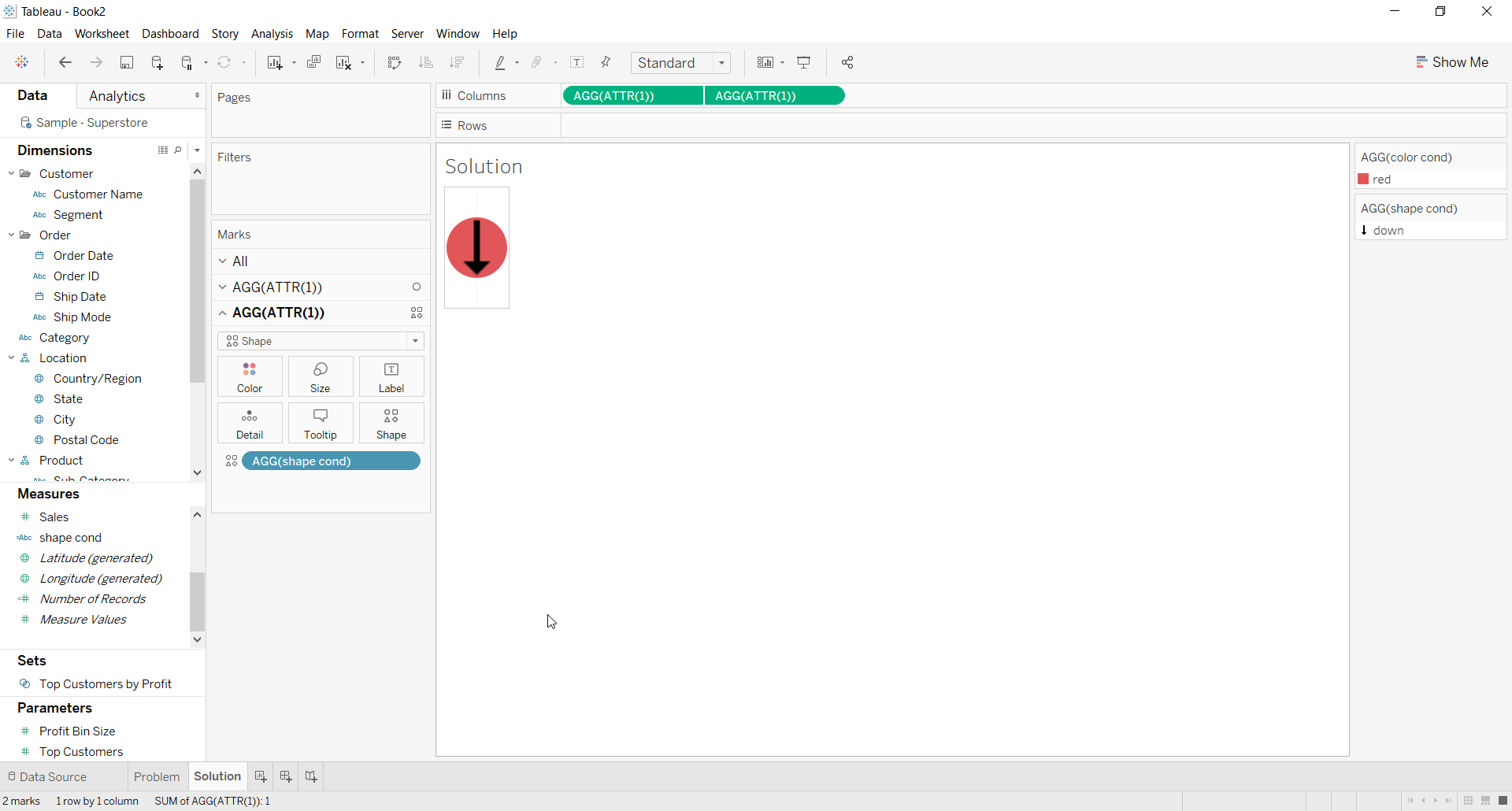
2. For the first ATTR(1) placeholder use Color calculation on the color shelf for the background color
3. For the second ATTR(1) placeholder use Shape calculation on the Shape shelf and choose a shape
4. Right click on second place holder and select Dual axis
5. Right click the axis and deselect Show Header
6. The Resulting view would look like below
Recursos adicionales

Número del artículo de conocimiento
001453826
¿Resolvió este artículo su problema?
¡Háganos saber cómo podemos mejorar!
