Выбрать организацию
How To Hide The Rows For A Date Dimension On Pages Shelf
Дата публикации: Feb 24, 2025
Задача
Example: Hide all the months except the ones already navigated i.e hide ALL except the first two dates in the below picture
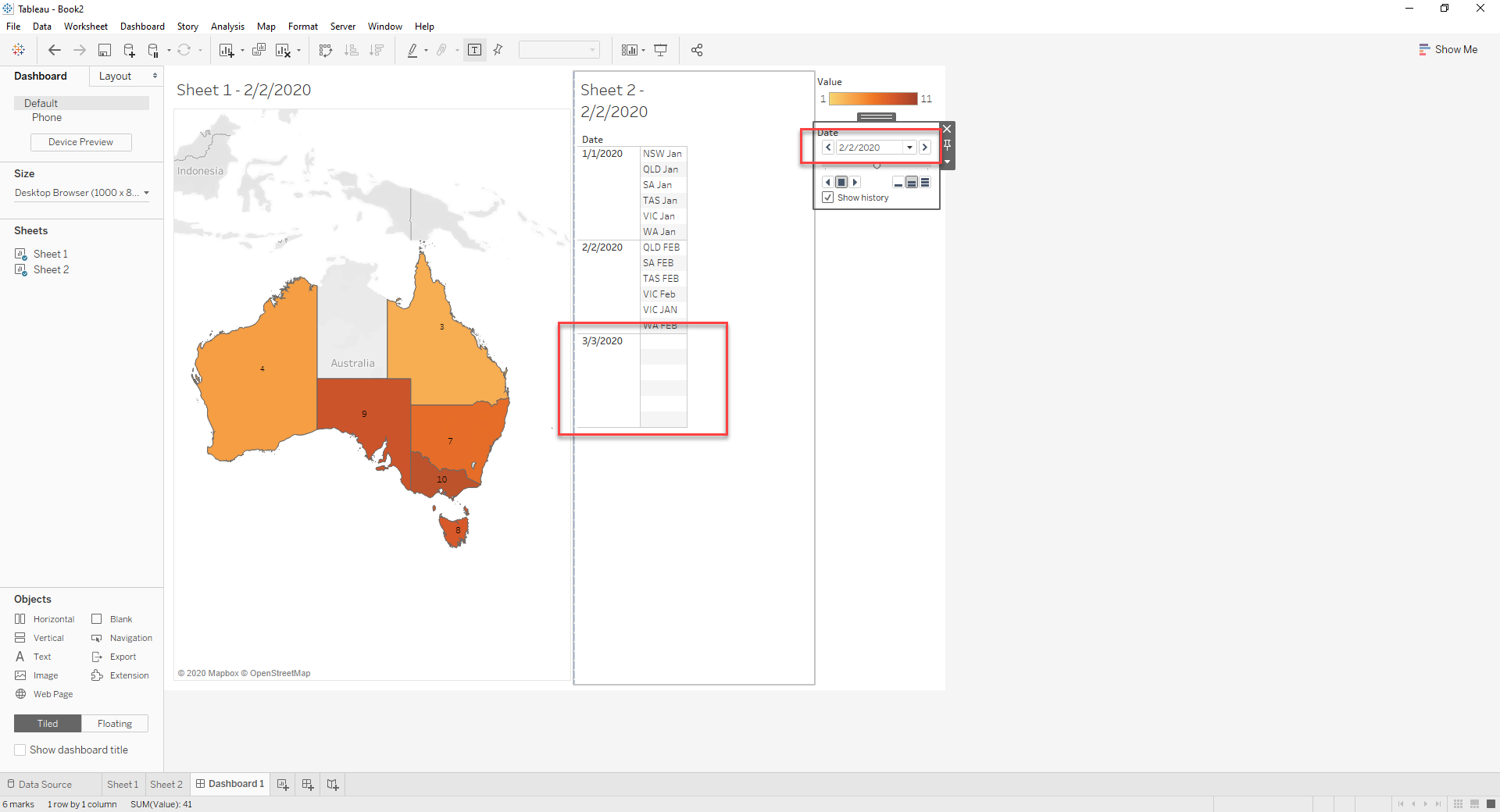
Действия
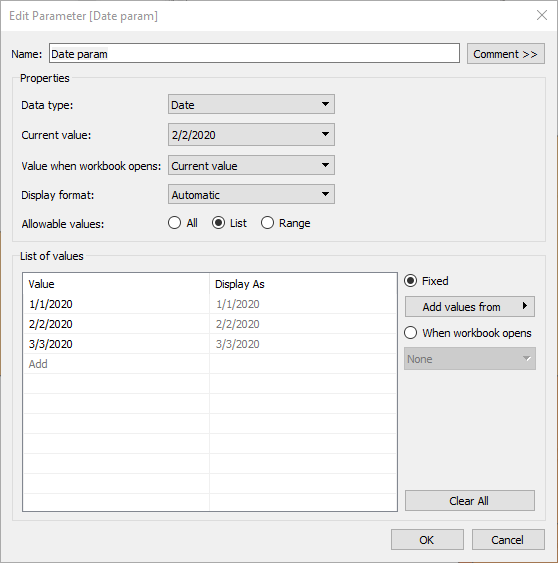
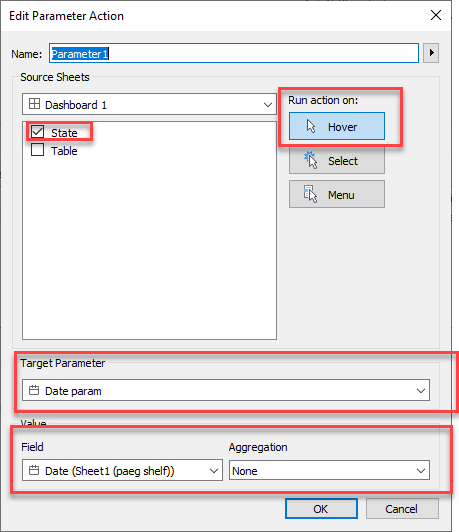
2. On the dashboard, Create a change parameter action
3. Create a calculated field like below:
[Date] <= [Date param]
4. Drag to Filter Shelf on the Table sheet and select True
Now when you hover over the state, the date values are passed to parameter and the table adds up only those value less than or equal to the the date value on Page
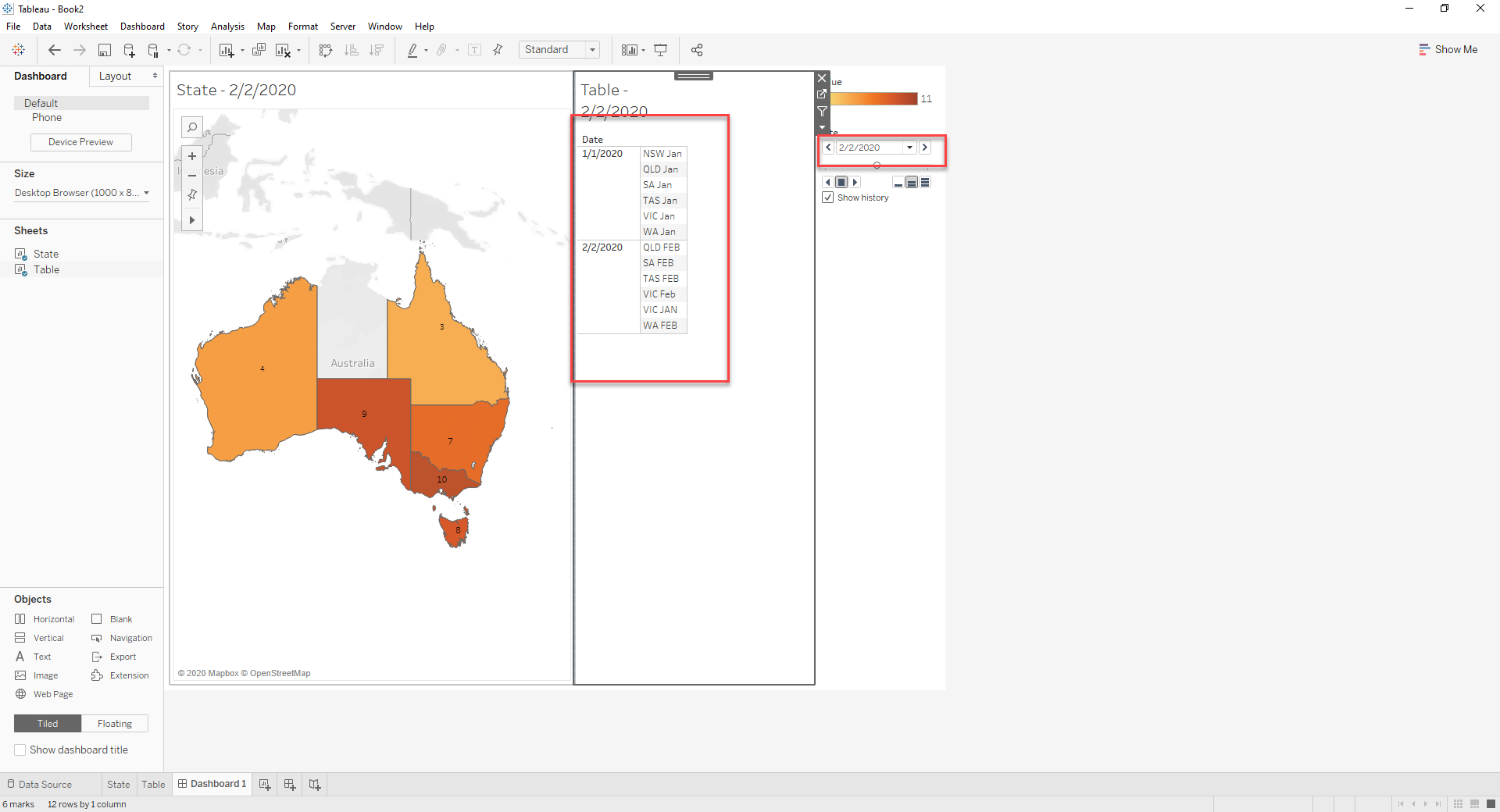
Дополнительные ресурсы
Номер статьи базы знаний
001453840
Эта статья решила вашу проблему?
Оставьте свой отзыв, чтобы мы могли стать лучше!
