Valitse organisaatio
How to get Color Codes for Tableau Palette Colors
Julkaisupäivä: May 1, 2025
Tehtävä
Vaiheet
- Select Color on the Marks card
- Click Edit Colors...
- In the Edit Colors dialog, under Select Color Palette, select the desired palette to review
- Click on an item under Select Data Item to select it
- Click a color in the palette to assign that color to the previously selected item
- Double-click the item
- Review the color information in the Select Color dialog. The HTML color code is found in the bottom right side of the screen.
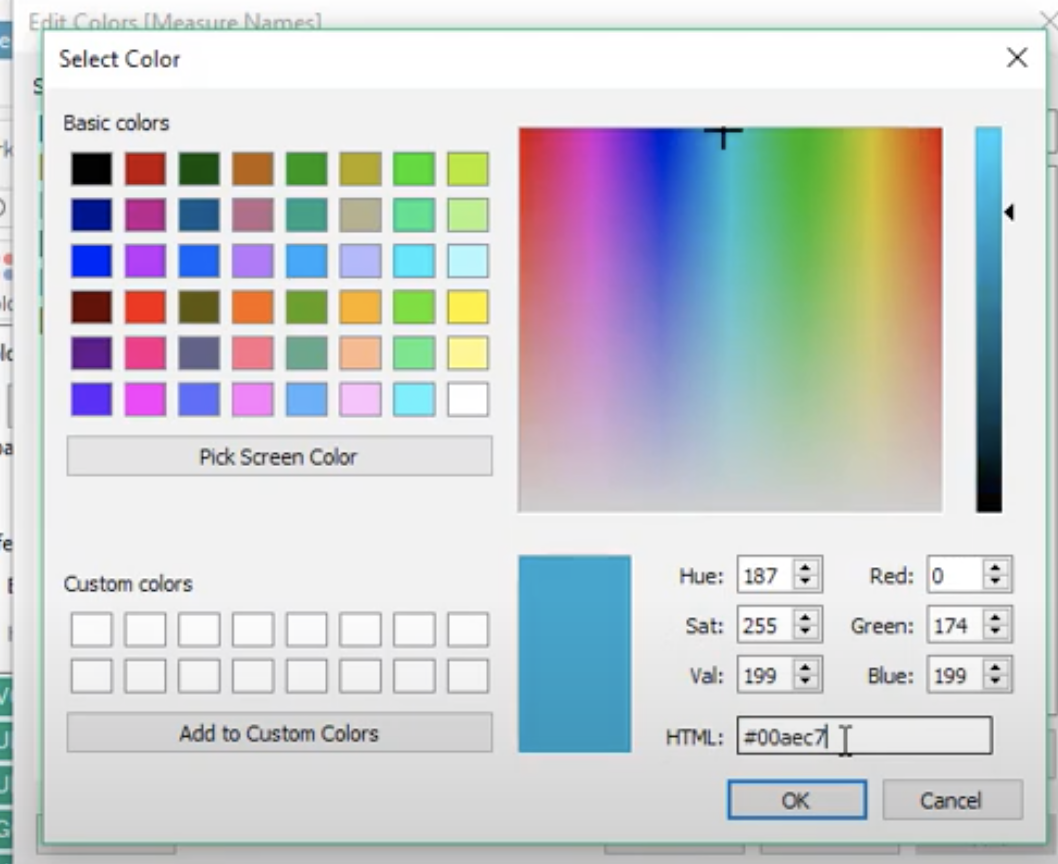
Optional: Use the Pick Screen Color button to select any color on your screen
Lisäresurssit
Knowledge-artikkelin numero
001456514
Ratkaisiko tämä artikkeli ongelmasi?
Anna palautetta, jotta voimme kehittyä!
