Vælg en organisation
How to add a URL action for a button with image
Udgivelsesdato: Feb 23, 2026
Opgave
Trin
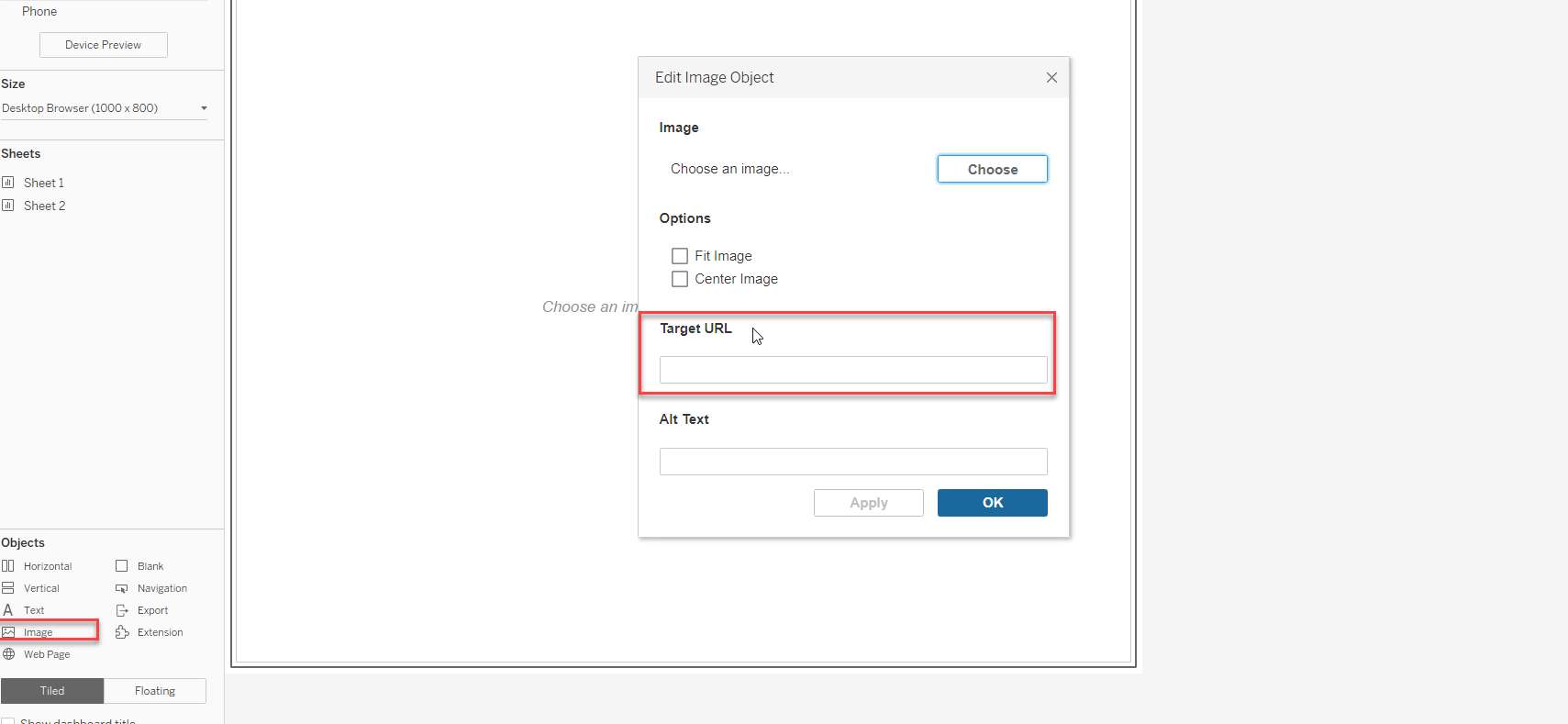
Option 1: Use image object on dashboard and edit the target URL
Option 2: Use background image
1. Create a sample excel file with X and Y coordinates to map a background image
| X | Y |
| 48.235 | 29.1836 |
3. Go to Map -> Background Image with the below configurations and a view with X and Y as dimensions
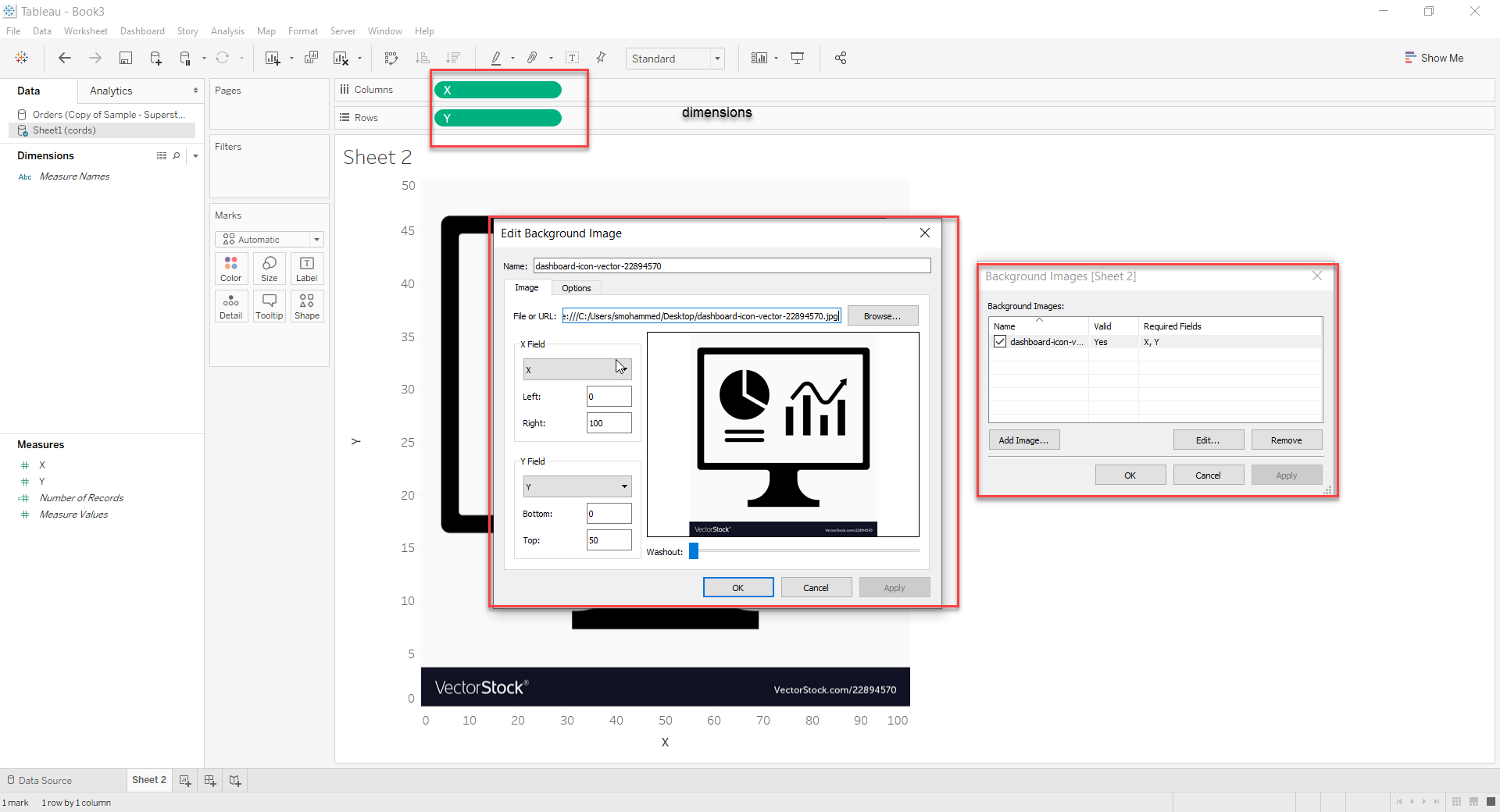
4. Right-click X and Y in columns and rows and deselect Show Header
5. To annotate the Clicking point to any other location:
Right-click anywhere on the image where you want to find the coordinates, and select Annotate > Point.
For more information about annotating marks or points in the view, see the Add Annotations topic in the Tableau Help
This will show the X and Y points, move the point across image where you want to position it and then replace the excel file with this X and Y coordinates
6. Go to Worksheet -> Actions and configure the URL action as desired
Option 3: Use shapes
1. Create a sample excel file with a column having just one value. Example:
| Test |
| X |
3. Change the Mark Type to shape and drag Test to Shape on Marks card
4. Add a Custom Shape
5. Go to Worksheet -> Actions and configure the URL action as desired
Yderligere ressourcer
Building a View based on a Custom Background Map and Custom Shapes
Find Background Image Coordinates
Vidensartikelnummer
001456627
Løste denne artikel dit problem?
Giv os besked, så vi kan forbedre os!
