Valitse organisaatio
How To Upload Photos Into The Map Visualization
Julkaisupäivä: Feb 19, 2026
Tehtävä
How to upload photos into the map visualization
Vaiheet
If you are using a dimension to plot on the map for example States
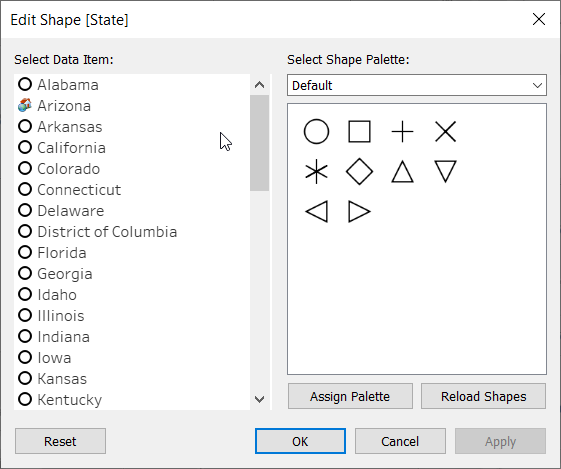
1. Use State dimension on details and shapes
2. Upload the desired image in the Tableau repository Shapes folder
https://www.tableau.com/drive/custom-shapes
3) Assign the image to the dimension member
Option 2:
Use a background image of a map and plot the points at the desired locations
Building a View based on a Custom Background Map and Custom Shapes
Knowledge-artikkelin numero
001456634
Ratkaisiko tämä artikkeli ongelmasi?
Anna palautetta, jotta voimme kehittyä!
