Vælg en organisation
How to Change the Width of a Column Within a Color Legend
Udgivelsesdato: May 16, 2024
Opgave
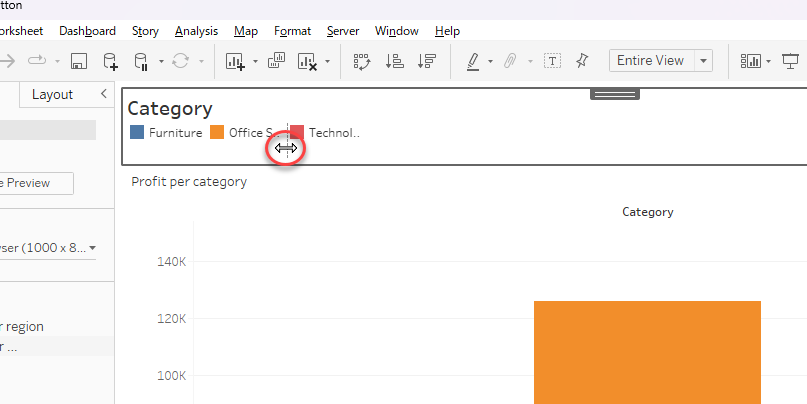
How to adjust the width of a column in a color legend to show the full wording.
Trin
- Move the mouse toward the right side edge of the first column of values on the legend, a dashed line should appear.
- Click and stretch the width of the column.
Yderligere ressourcer
Legend Cutoff > Change 'column' width? (Tableau Community)
Vidensartikelnummer
001456691
Løste denne artikel dit problem?
Giv os besked, så vi kan forbedre os!
