Vælg en organisation
Adding An Empty Row In A Cross Tab
Udgivelsesdato: Apr 13, 2024
Opgave
Adding an empty row in a cross tab
Trin
Example: Adding an empty row between sales and profit with order date in columns
1. Create a calculation called Empty like below:
INT(NULL)
2. Use Empty between measure values like below:
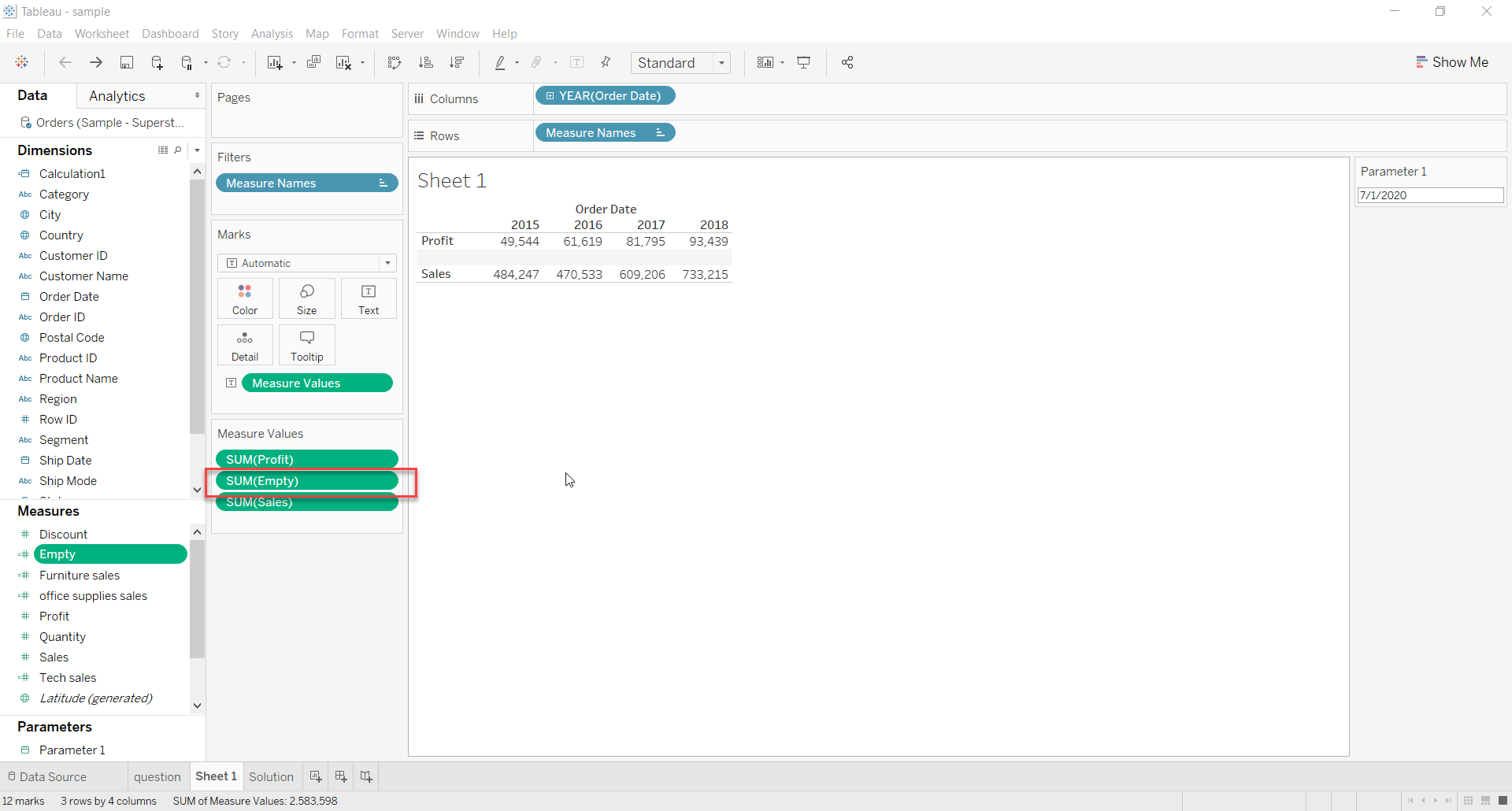
3. Edit the alias of the measure to a space
Scenario 2: If there is a dimension in rows
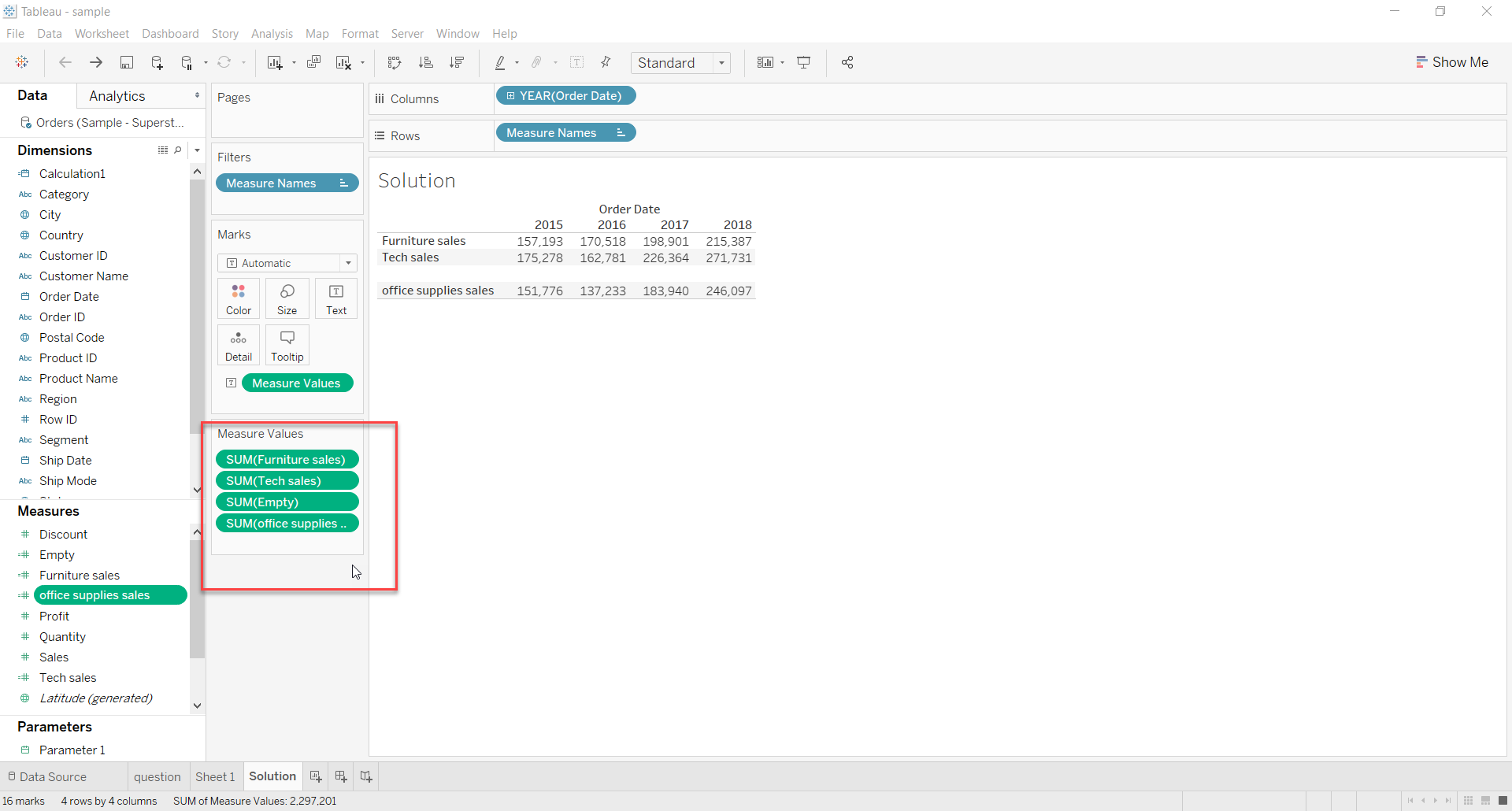
Example: Adding an empty row between members belonging to Category dimension
1. Create a calculated measure for every dimension member.
For example: Created a calculated field for Sales belonging to Furniture, Technology and Office supplies
IF [Category]="Furniture"
then
[Sales]
end
IF [Category]="Technology"
then
[Sales]
end
IF [Category]="Office Supplies"
then
[Sales]
end
2. Use Empty between measure values
Vidensartikelnummer
001456697
Løste denne artikel dit problem?
Giv os besked, så vi kan forbedre os!
