Vælg en organisation
Unable to Import OneLogin Metadata to Tableau in Site SAML Settings Page
Udgivelsesdato: May 2, 2025
Opgave
Unable to import IdP metadata from OneLogin on Tableau Cloud. Upon importing ldp metadata the following error occurs:
Your file could not be imported. The provided file is not valid, or it does not contain the correct IdP metadata
Trin
If SHA-1 as X.509 Certificate is used in OneLogin, Tableau site SAML cannot import OneLogin metadata.
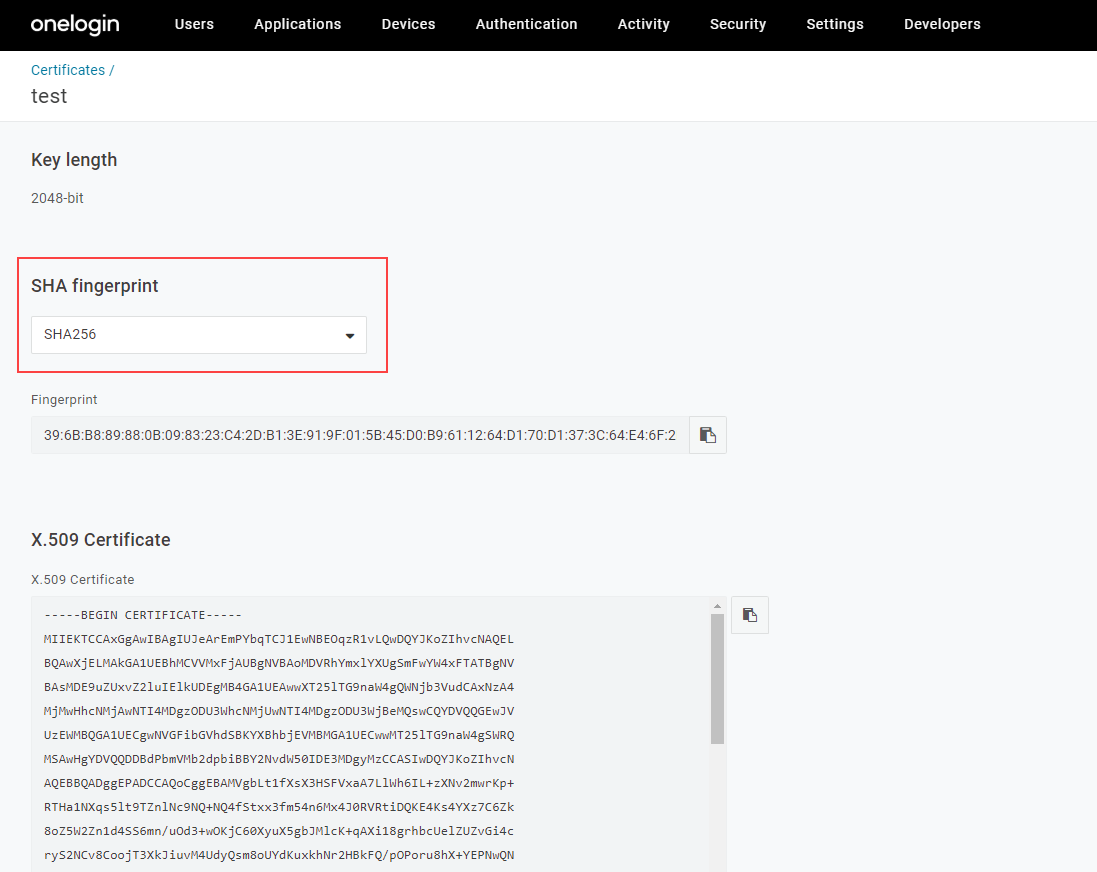
1. In OneLogin Administration page, click Security tab > Certificate
2. Create a new X.509 certificate with SHA-256 or change X.509 certificate to SHA-256 in "SHA fingerprint"
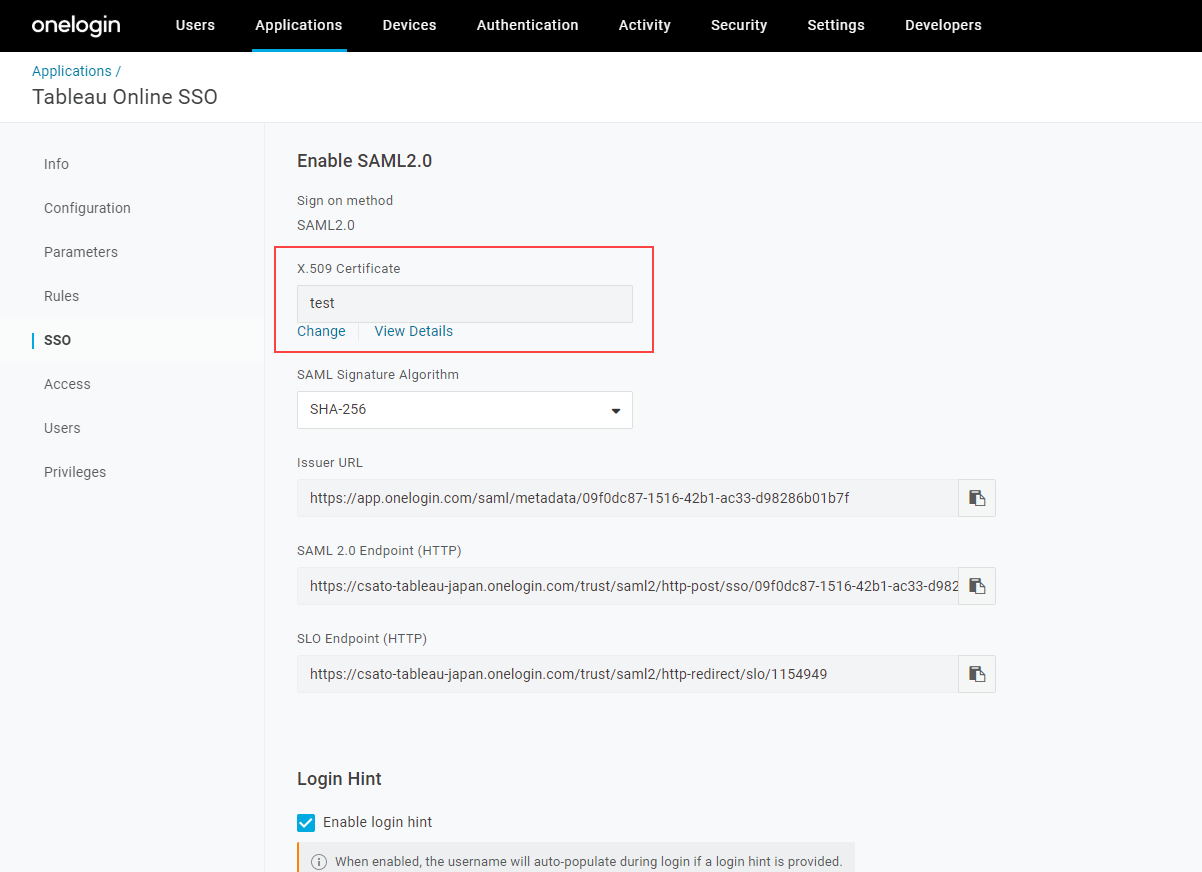
3. Move to Applications tab > SSO
4. Choose the X.509 certificate created above in "X.509 Certificate"
Vidensartikelnummer
001456715
Løste denne artikel dit problem?
Giv os besked, så vi kan forbedre os!
