Velg en organisasjon
How to Use the Results of a Table Calculation in Another Worksheet (Other Workbook) Without Table Calculation Setting
Publiseringsdato: May 6, 2025
Oppgave
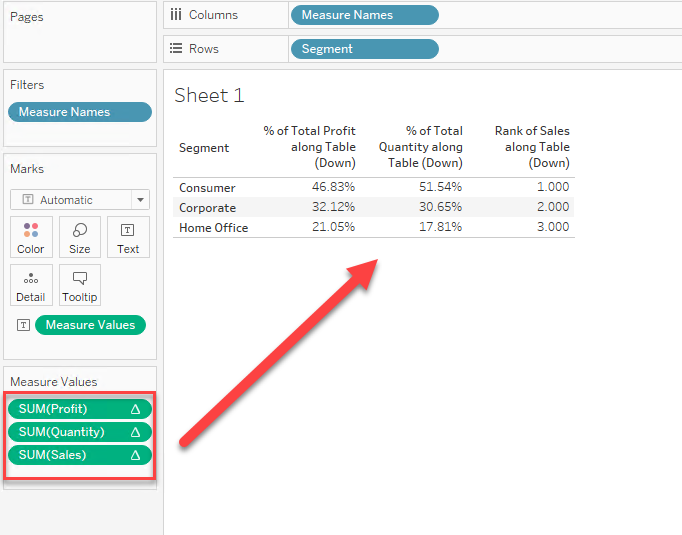
How to show the result of table calculation in another worksheet (Other Workbook) as a normal measure without Table Calculation Settings.
Trinn
Steps are as follows:
1. Select data by [Worksheet] > [Copy] > [Data]
2. Move to [Data Source] Tab and press [Ctrl + V].
3. Set the relationship between the two data sources.
Please check the attached video and workbook for details.
Knowledge-artikkelnummer
001456807
Hjalp denne artikkelen med å løse problemet ditt?
La oss få vite det slik at vi kan forbedre!
