Vælg en organisation
How to Change the Orientation of the Field Labels Which Are Automatically Generated in Tableau Desktop
Udgivelsesdato: Feb 25, 2026
Opgave
How to rotate field labels which are automatically generated in Tableau Desktop like the image below.
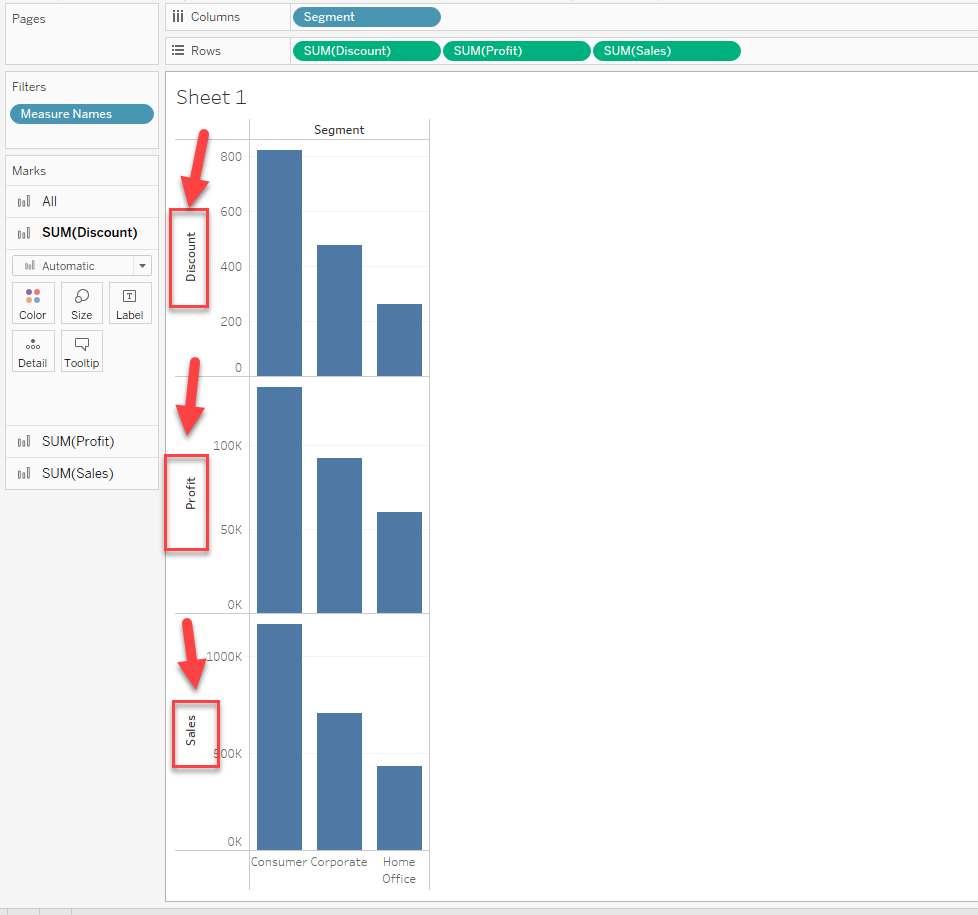
Trin
As a workaround, create a Calculation field of field names and add it to the view would have a similar view.
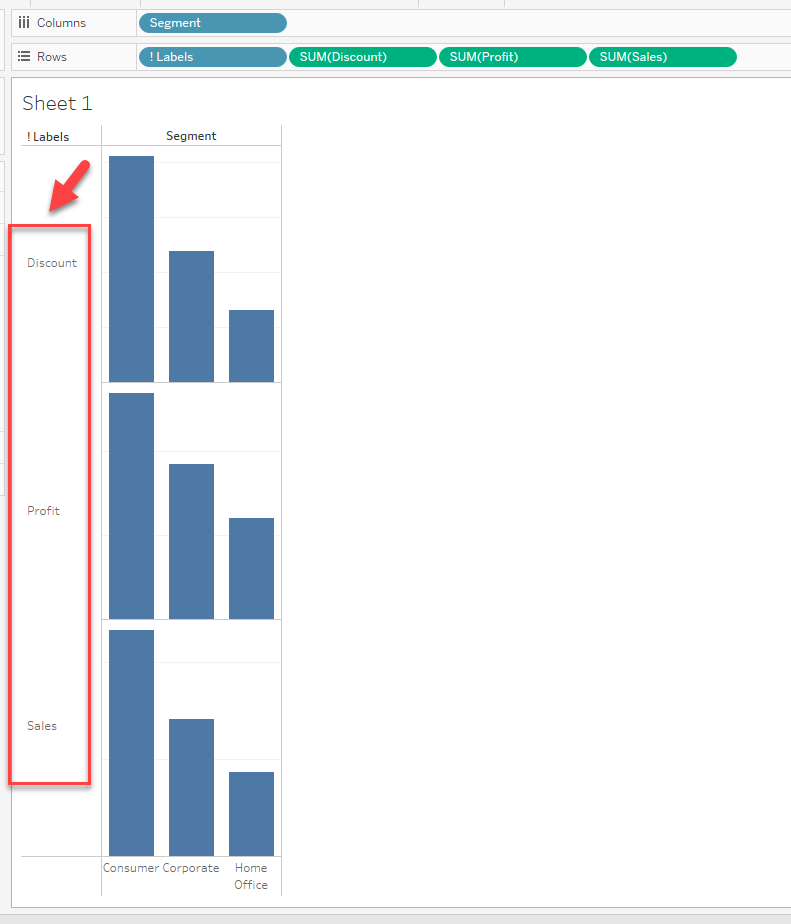
The steps are as follows:
1. Create a Calculation field. (Please check the attached workbook for details)
2. Add the calculation field to [Rows]
3. Right-click the field name label and unselect [Show Header]
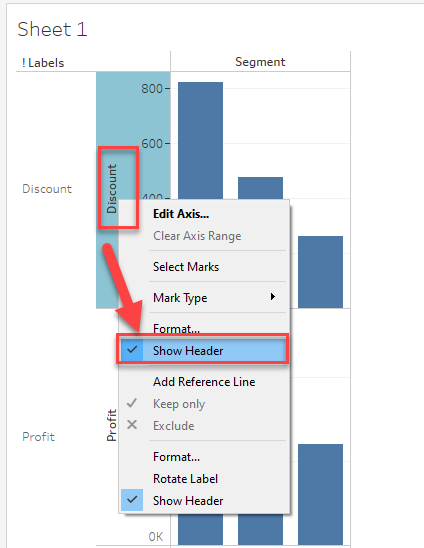
4. Hide field labels of calculation field.
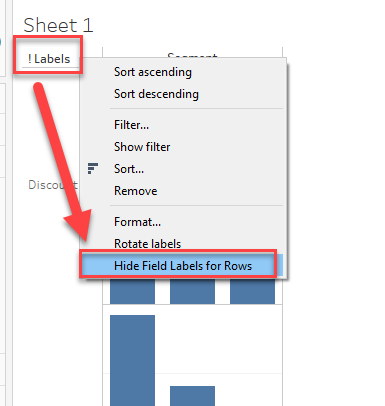
Sample workbook is downloadable from the link on the right side of page.
Vidensartikelnummer
001456816
Løste denne artikel dit problem?
Giv os besked, så vi kan forbedre os!
