Sélectionner une organisation
How to Change the Orientation of the Field Labels Which Are Automatically Generated in Tableau Desktop
Date de publication: Feb 25, 2026
Tâche
How to rotate field labels which are automatically generated in Tableau Desktop like the image below.
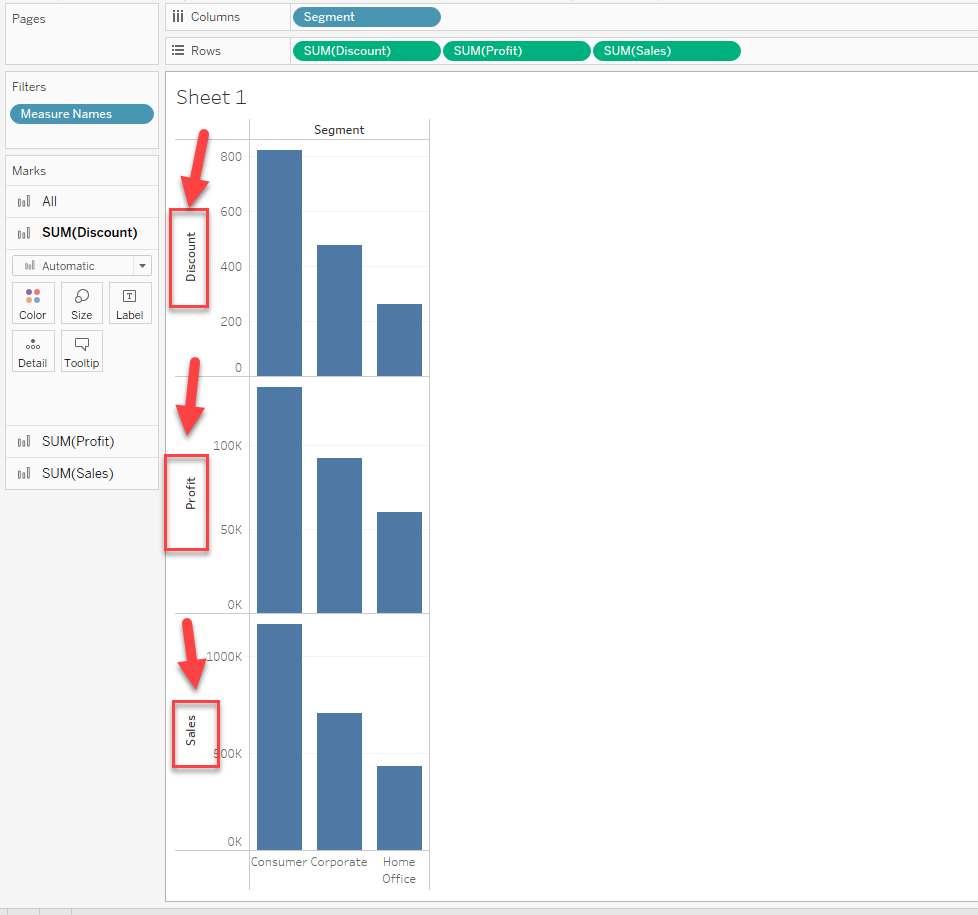
Étapes
As a workaround, create a Calculation field of field names and add it to the view would have a similar view.
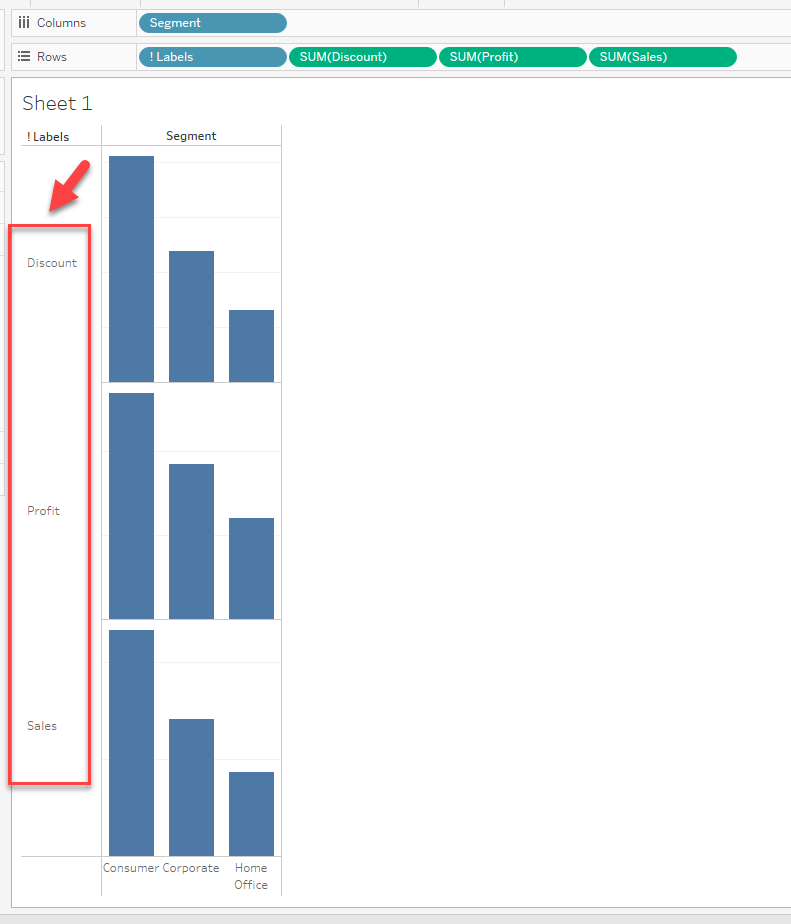
The steps are as follows:
1. Create a Calculation field. (Please check the attached workbook for details)
2. Add the calculation field to [Rows]
3. Right-click the field name label and unselect [Show Header]
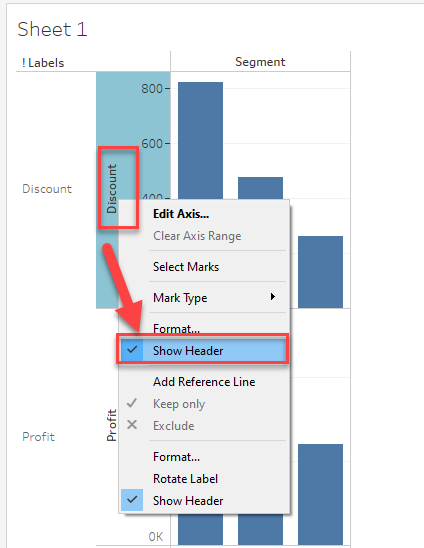
4. Hide field labels of calculation field.
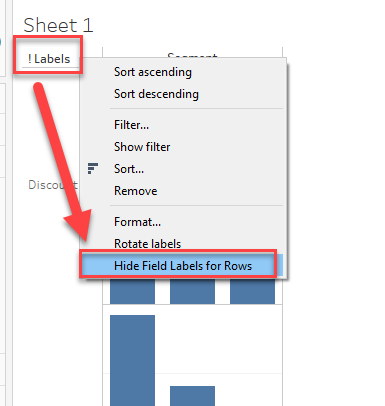
Sample workbook is downloadable from the link on the right side of page.
Numéro d’article de la base de connaissances
001456816
Cet article a-t-il résolu votre problème ?
Dites-nous ce que nous pouvons améliorer !
