Välj en organisation
How To Avoid Labels Overlapping Each Other While Showing All Labels In Line Chart Using Shapes
Publiceringsdatum: Apr 21, 2025
Uppgift
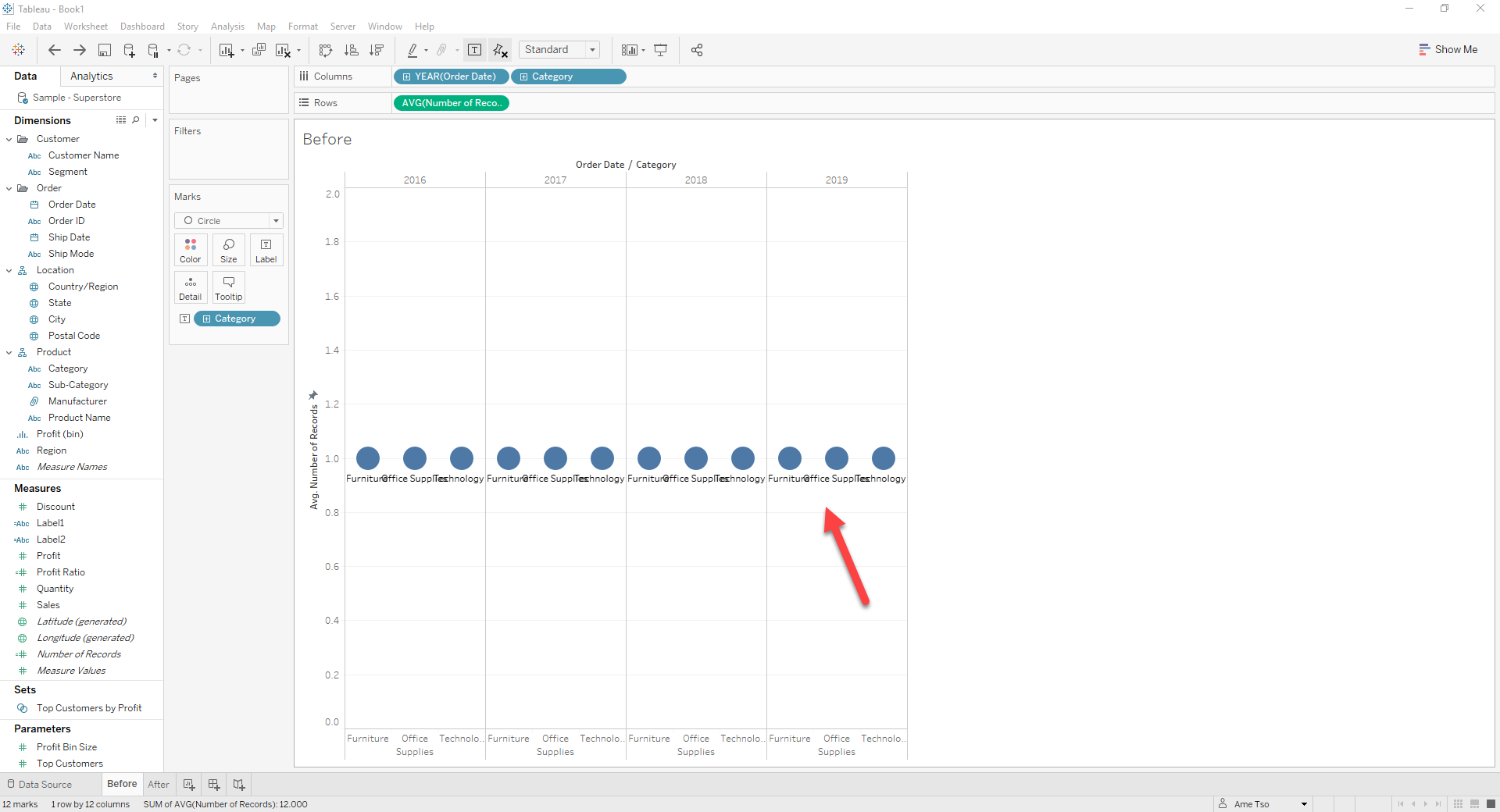
For example:
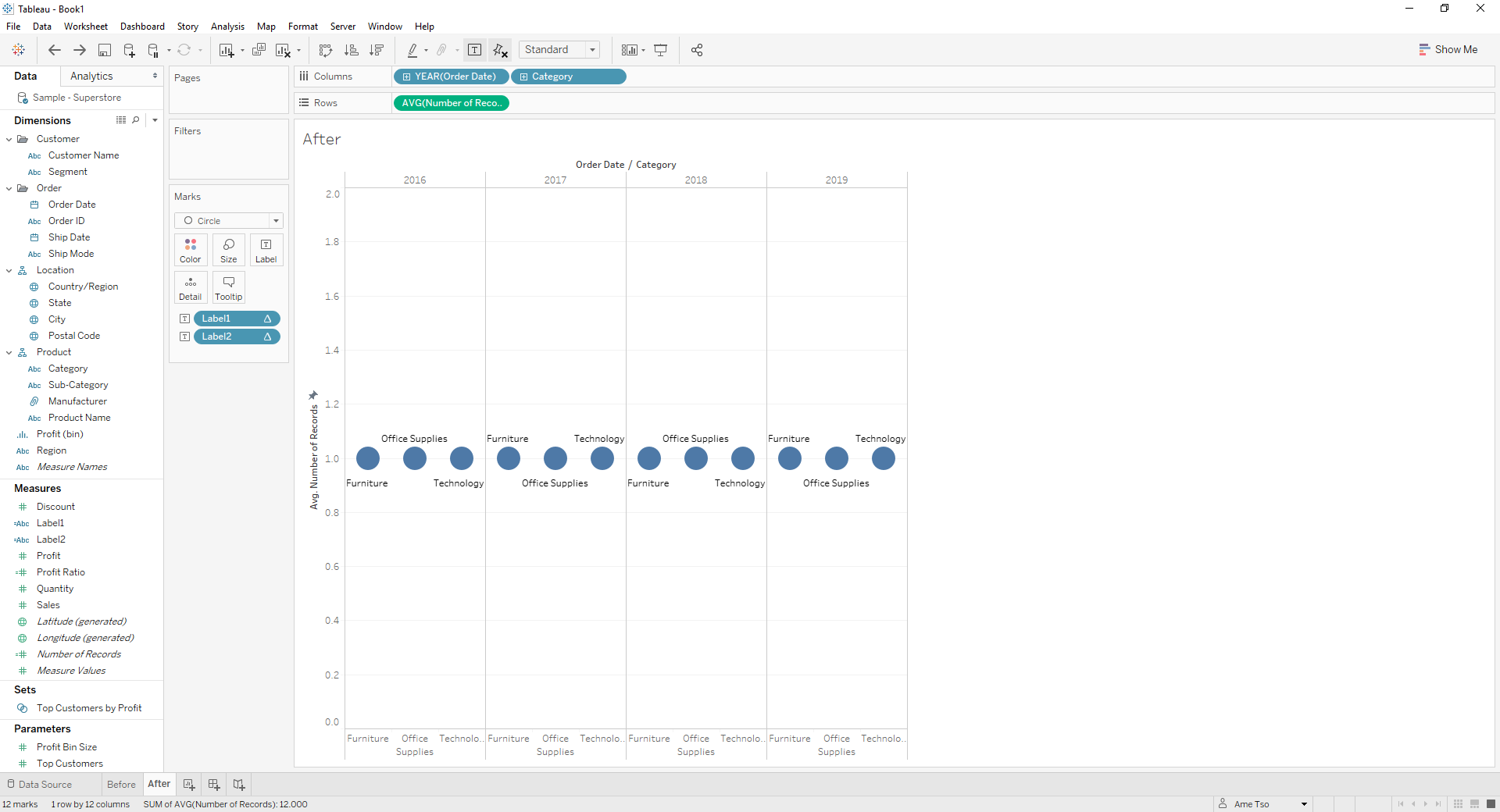
Desired:
Steg
1. Create the following calculations
Label1 with the following formula:
IF INDEX()%2=1 THEN ATTR([Category]) END
Label2 with the following formula:
IF INDEX()%2=0 THEN ATTR([Category]) END
2. Drag the calculated fields created above to Label on the Marks card
3. Click Label > Text ... to edit the label as shown below:
<AGG(Label2)>
*Enter*
*Enter*
*Enter*
<AGG(Label1)>
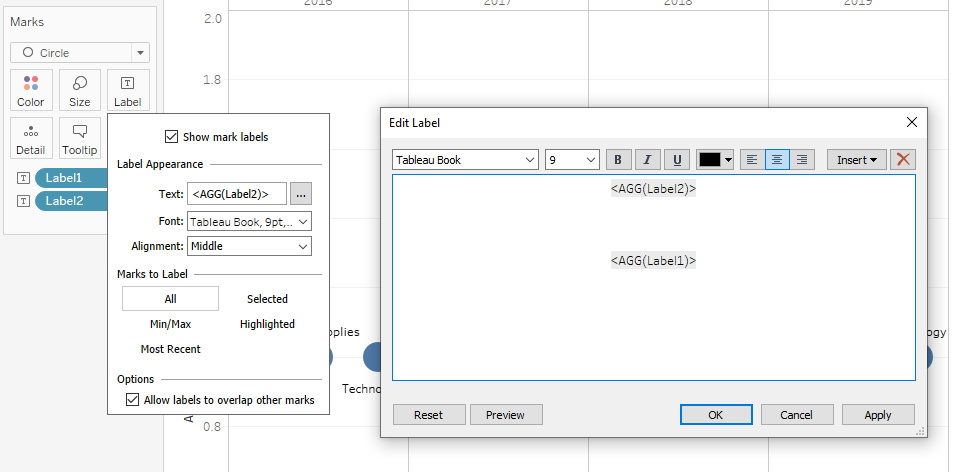
4. Click Label > Alignment to adjust the position of labels to fit the view
Knowledge-artikelnummer
001456824
Löste denna artikel ditt problem?
Berätta för oss vad vi kan förbättra!
