Vælg en organisation
How To Keep Top 10 Sub-Category by Total Sales While Showing Percent of Total with Missing Data
Udgivelsesdato: Apr 13, 2024
Opgave
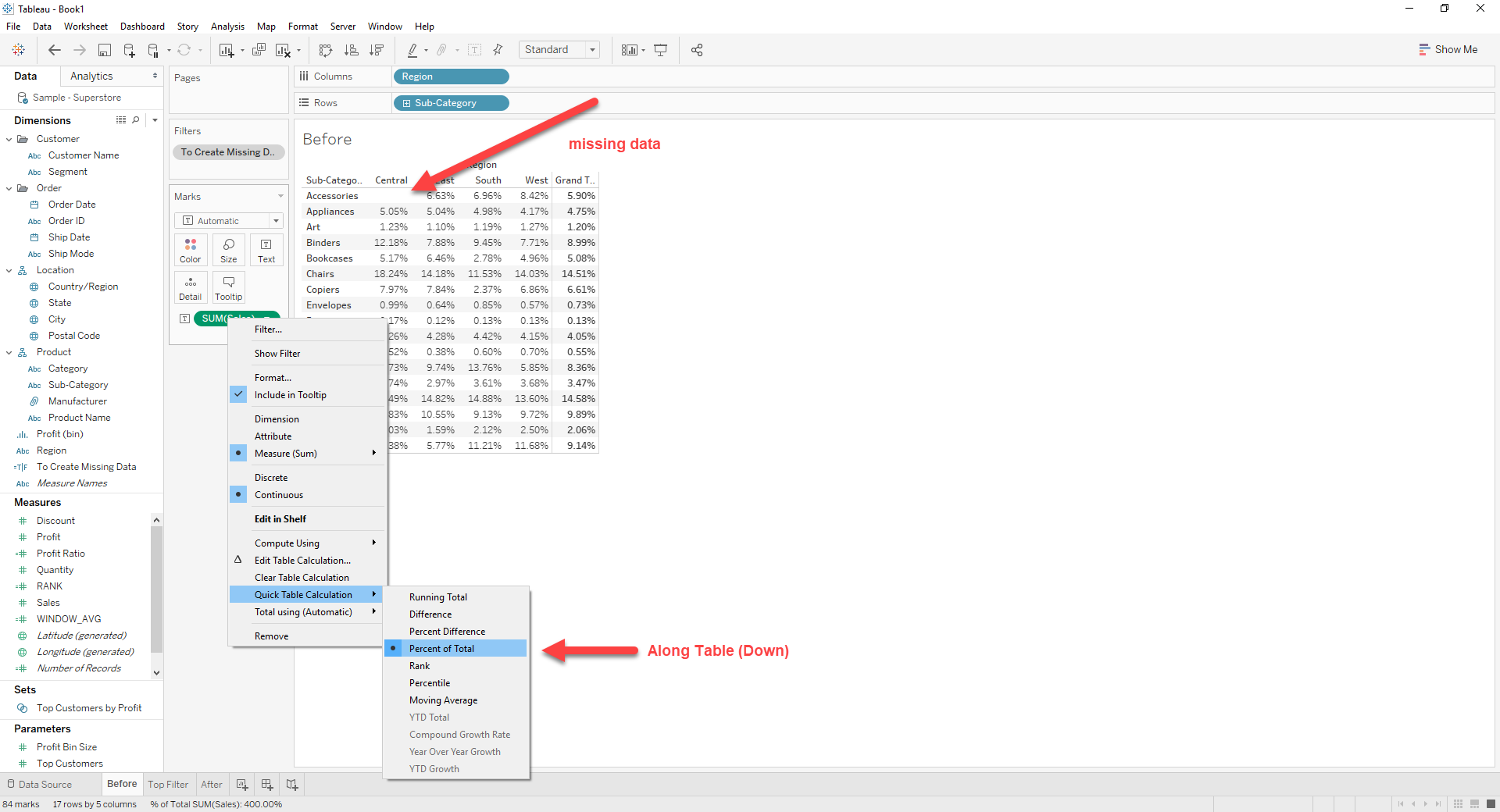
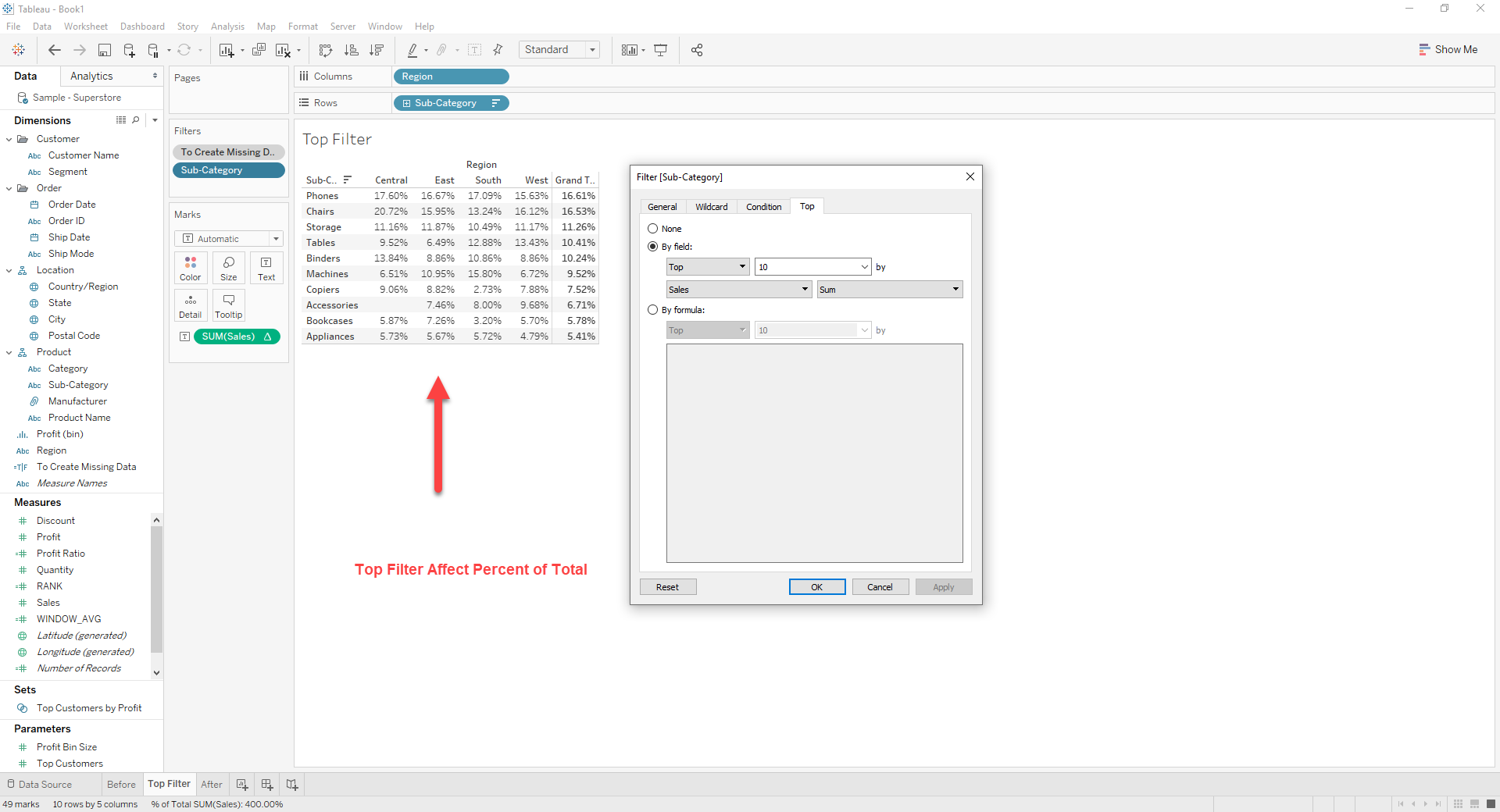
This occurs when using [Percent of Total] in Quick Table Calculation.
Trin
[WINDOW_AVG]
WINDOW_AVG(TOTAL(SUM([Sales])))
[RANK]
RANK(WINDOW_AVG)
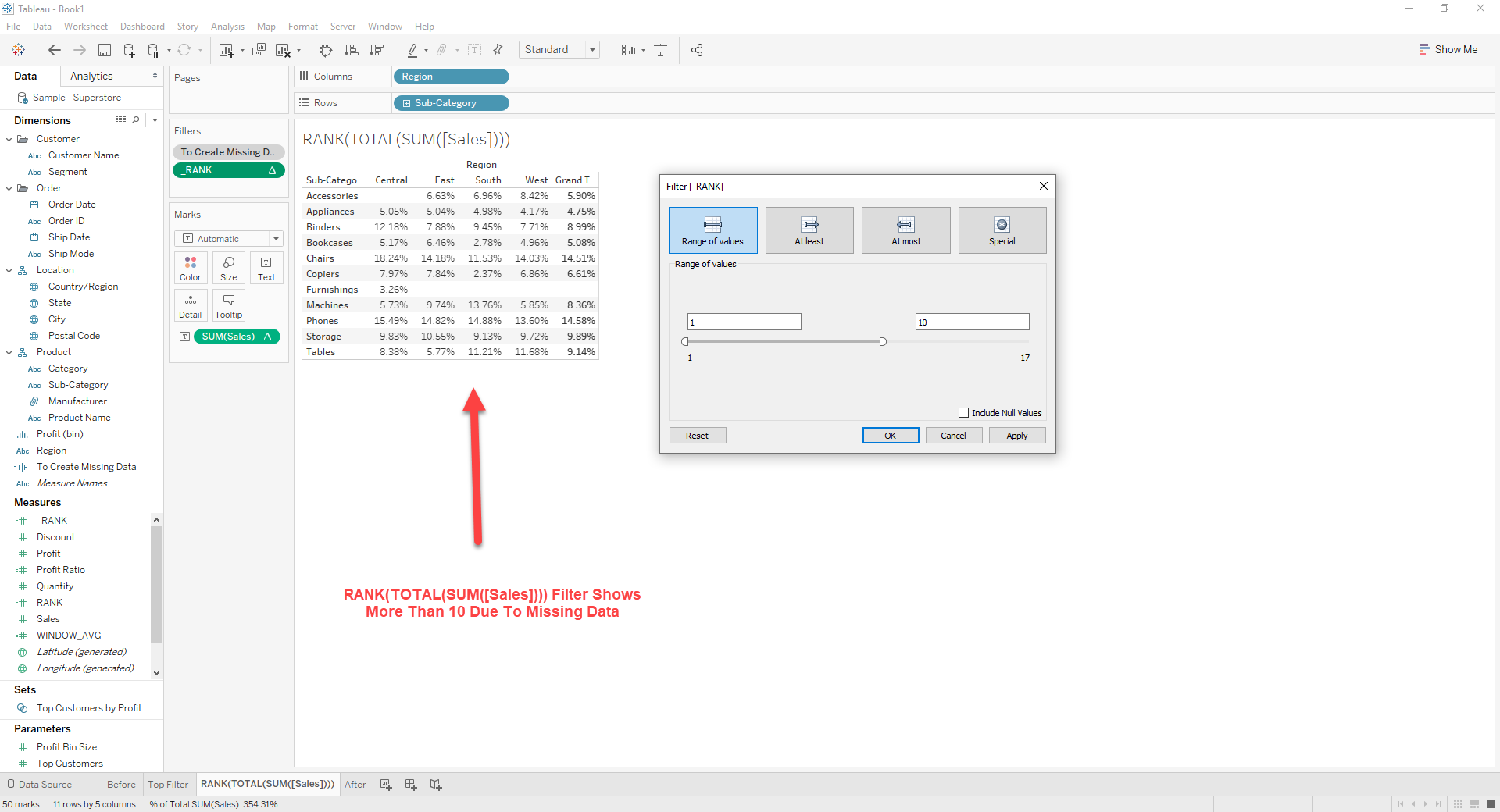
2. Drag [RANK] to [Filter]
3. Right click on [RANK] -> [Edit Table Calculation]
Set Nested Calculations as bellow
[RANK] : Table (down)
[WINDOW_AVG] : Table (across)
4. Right click on [RANK] -> [Edit Filter]
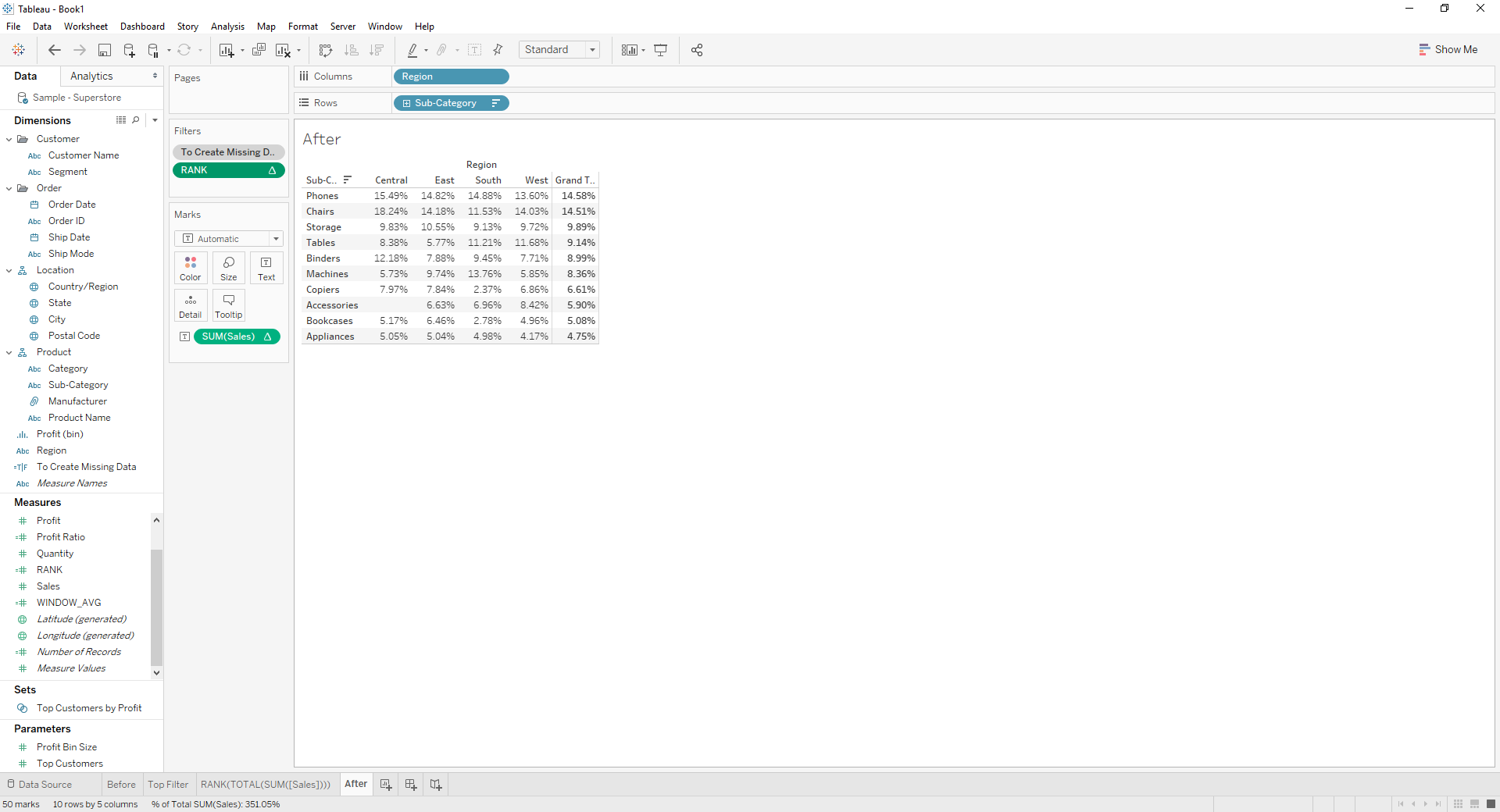
Set Range of Values as 1 ~ 10
Yderligere ressourcer
Vidensartikelnummer
001456825
Løste denne artikel dit problem?
Giv os besked, så vi kan forbedre os!
