조직 선택
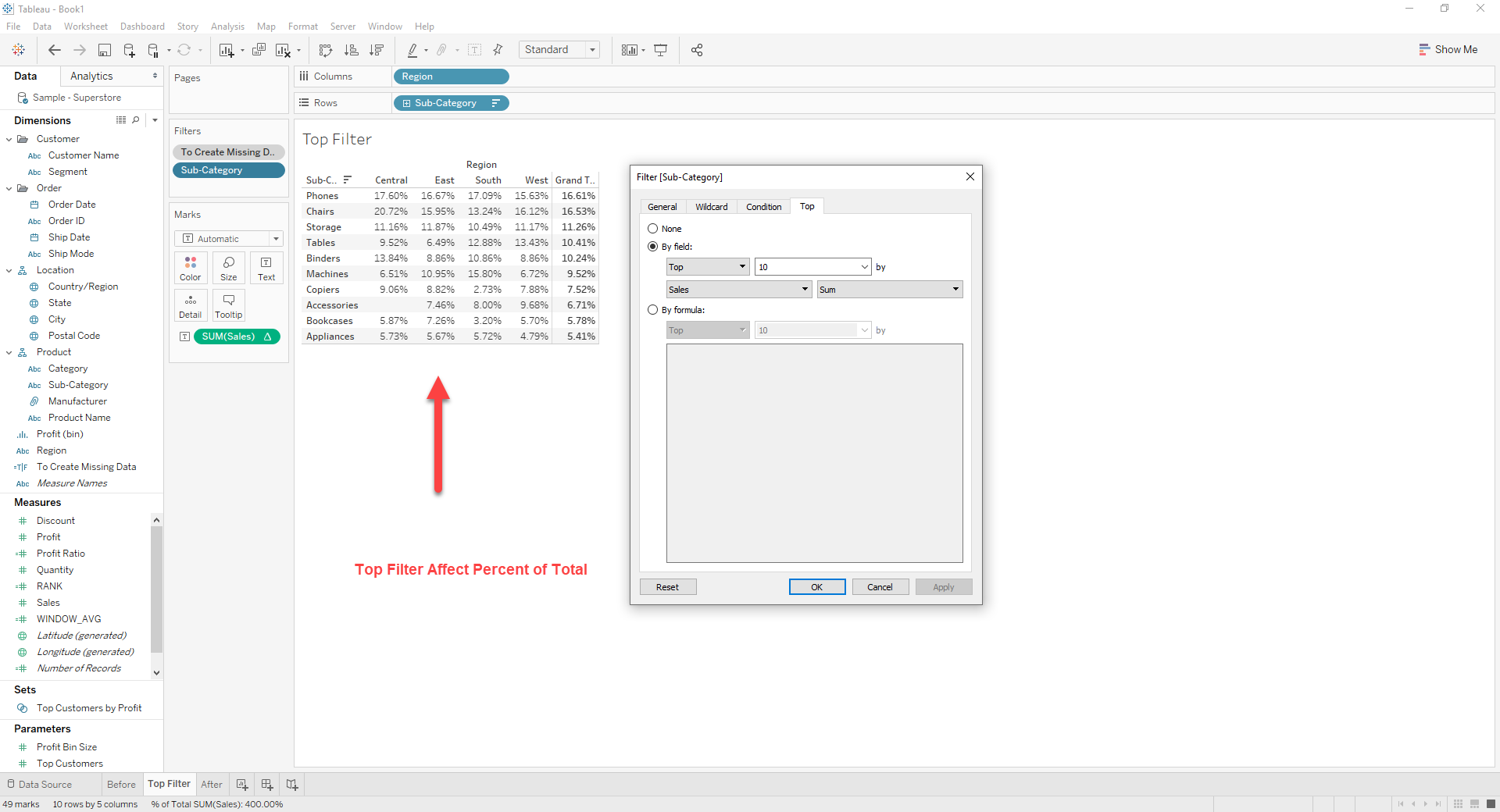
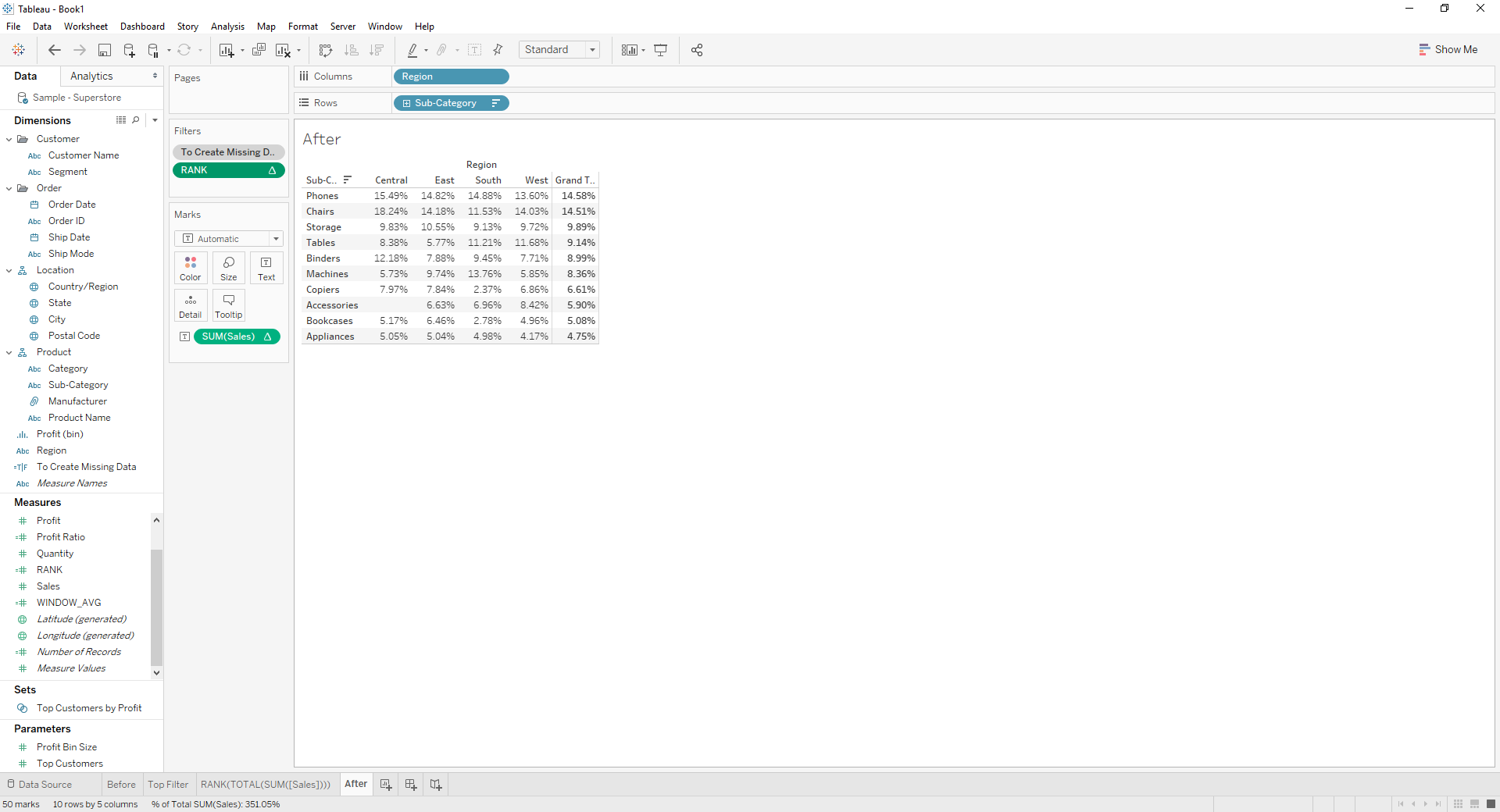
How To Keep Top 10 Sub-Category by Total Sales While Showing Percent of Total with Missing Data
게시 일자: Apr 13, 2024
과업
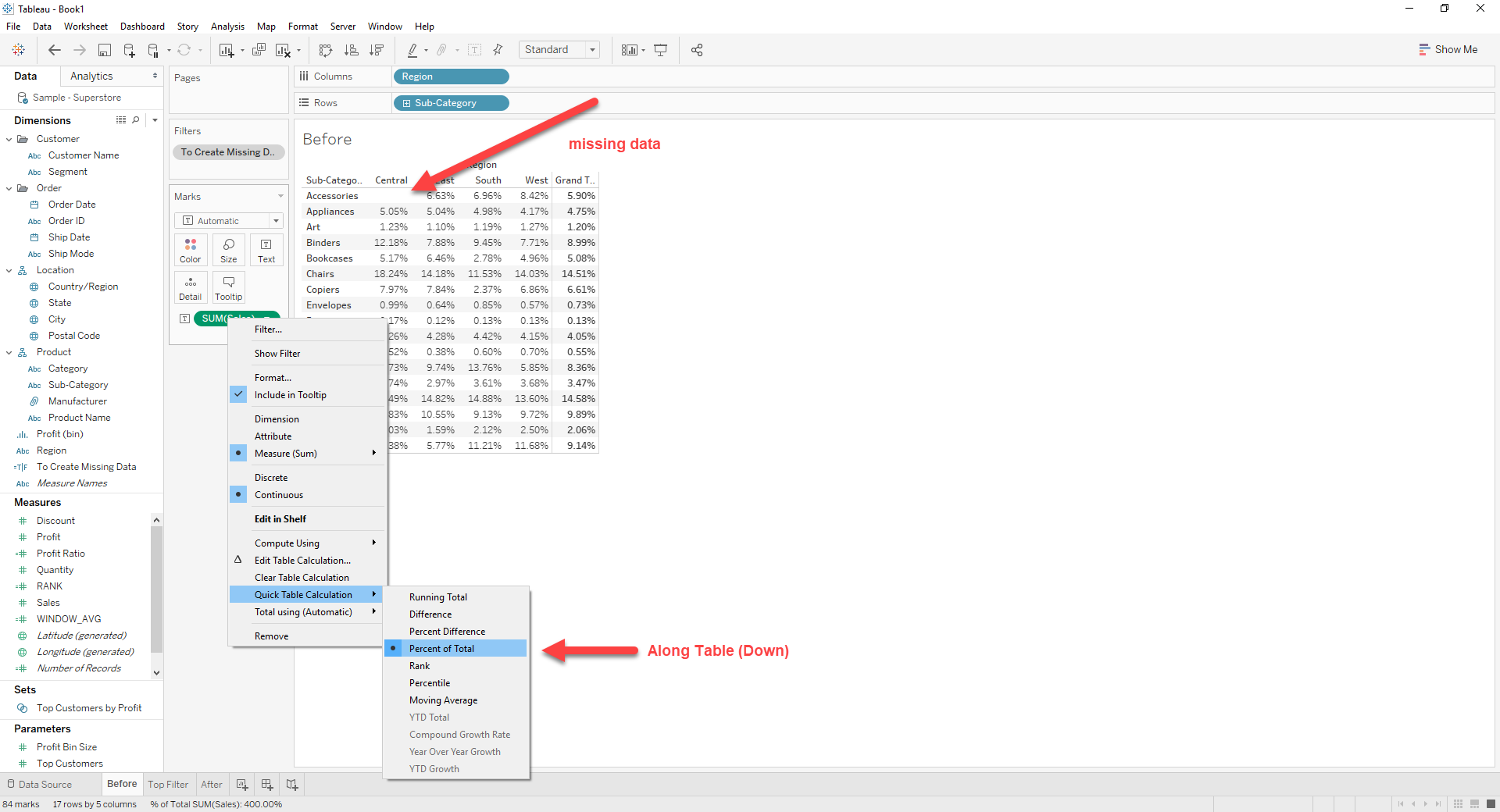
This occurs when using [Percent of Total] in Quick Table Calculation.
단계
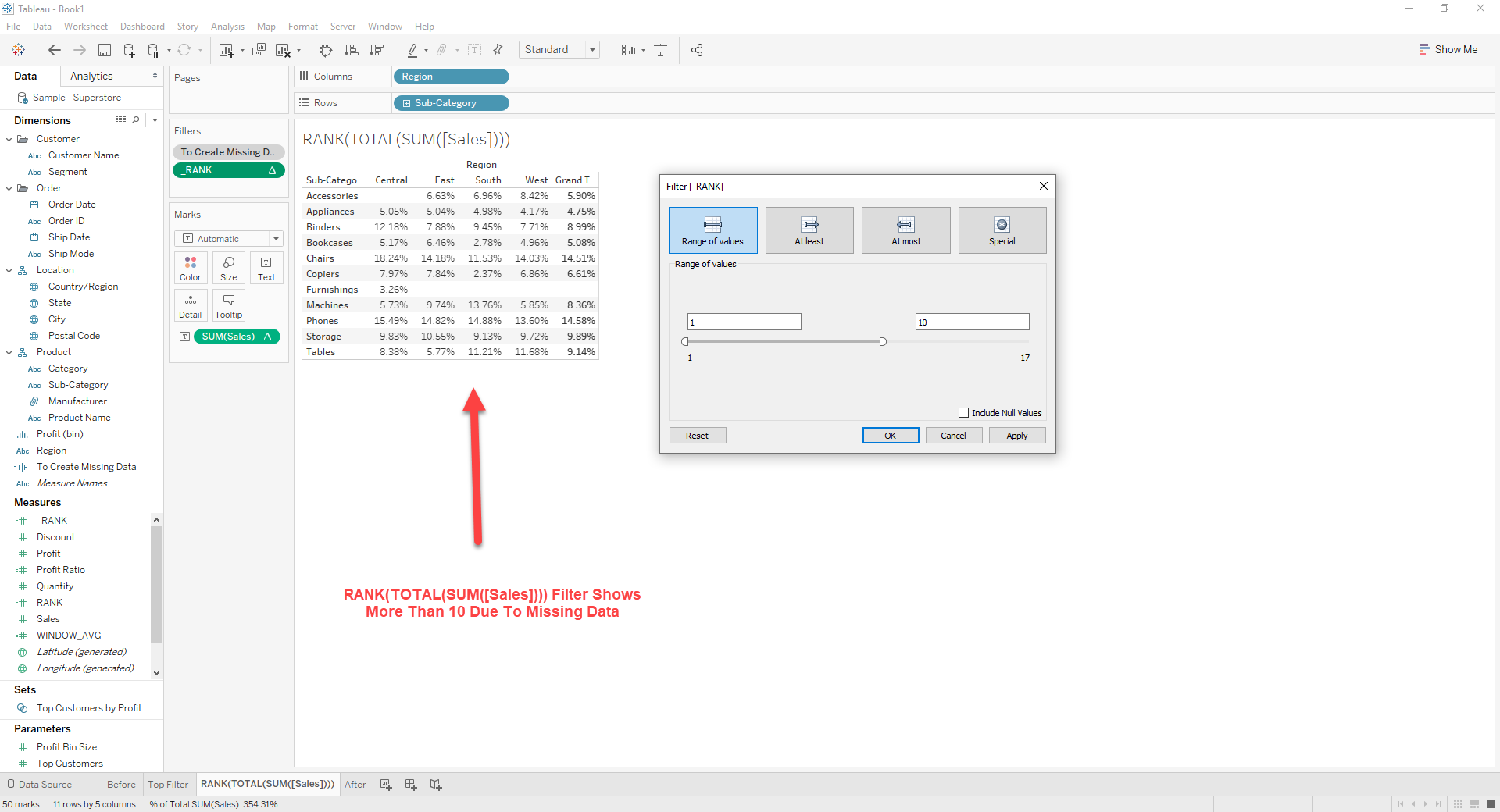
[WINDOW_AVG]
WINDOW_AVG(TOTAL(SUM([Sales])))
[RANK]
RANK(WINDOW_AVG)
2. Drag [RANK] to [Filter]
3. Right click on [RANK] -> [Edit Table Calculation]
Set Nested Calculations as bellow
[RANK] : Table (down)
[WINDOW_AVG] : Table (across)
4. Right click on [RANK] -> [Edit Filter]
Set Range of Values as 1 ~ 10
추가 자원
Knowledge 기사 번호
001456825
이 기사를 통해 문제를 해결했습니까?
개선을 위한 의견을 보내주세요.
