Выбрать организацию
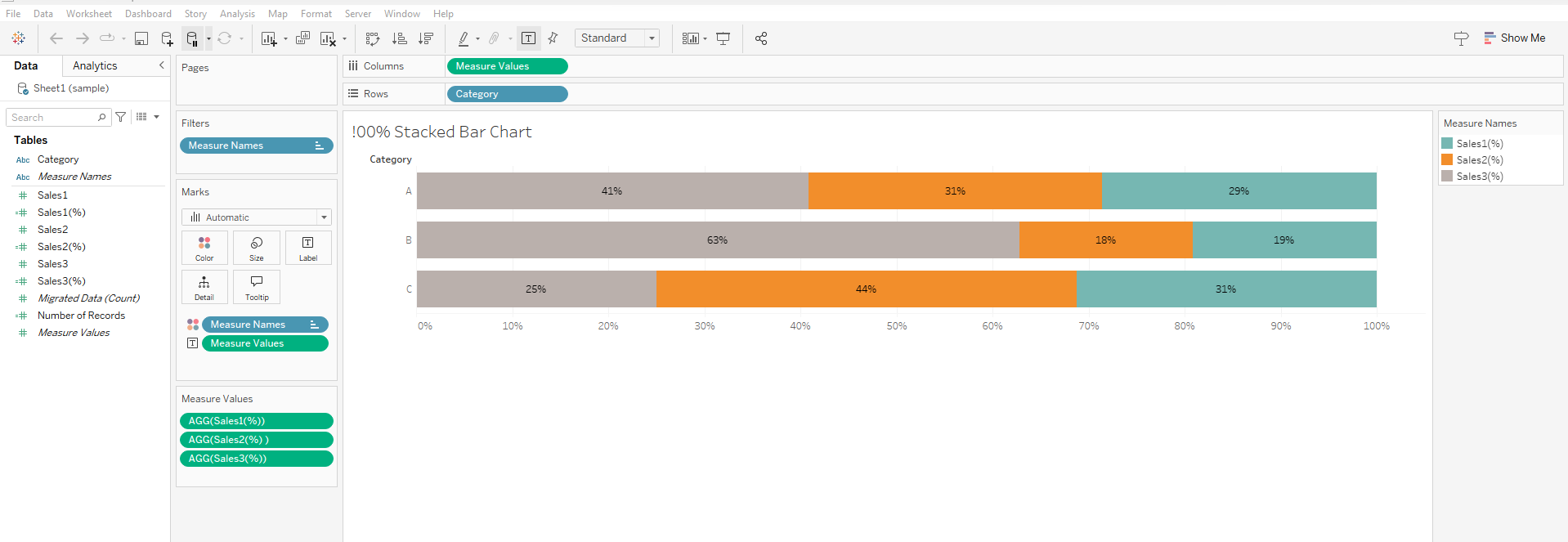
Creating 100% Stacked Bar Graph with Multiple Measures
Дата публикации: Feb 19, 2026
Задача
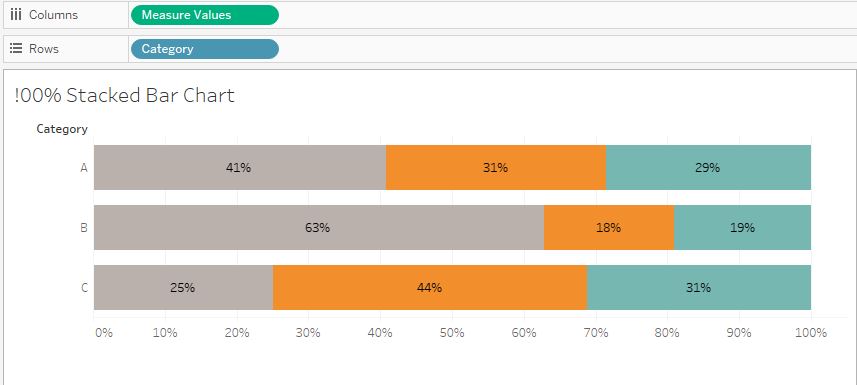
How to create a 100% stacked bar chart with measure values on row or column shelf.
Действия
Step 1
In the attached sample workbook "StackedBarExample.twbx", create three calculation fields like below.
- Calculation Field 1
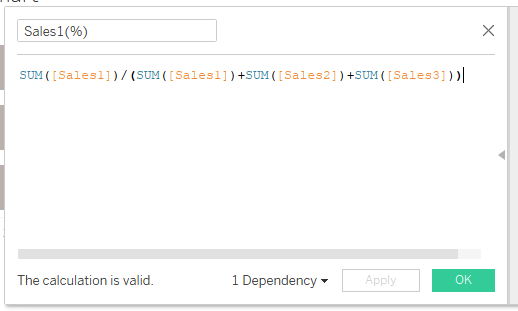
[Sales1(%)]
SUM([Sales1])/(SUM([Sales1])+SUM([Sales2])+SUM([Sales3]))
- Calculation Field 2
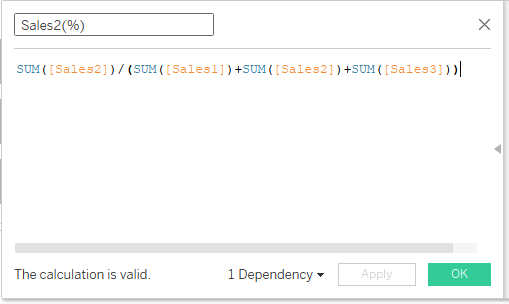
[Sales2(%)]
SUM([Sales1])/(SUM([Sales1])+SUM([Sales2])+SUM([Sales3]))
- Calculation Field 3
[Sales3(%)]
SUM([Sales3])/(SUM([Sales1])+SUM([Sales2])+SUM([Sales3]))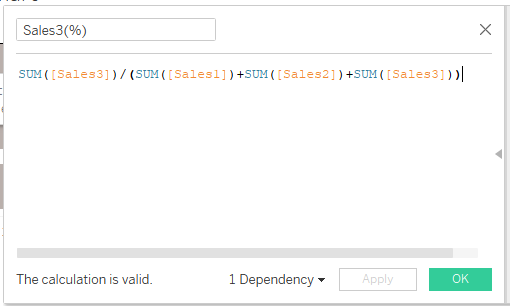
Step 2
Replace [Sales1], [Sales2], [Sales3] in Measure Values card with [Sales1%], [Sales2%], [Sales3%].
Номер статьи базы знаний
001456852
Эта статья решила вашу проблему?
Оставьте свой отзыв, чтобы мы могли стать лучше!
