Sélectionner une organisation
Showing All Dots on a Line-type Mark While Showing Labels for Selected Points
Date de publication: Feb 28, 2025
Tâche
How to make a Line type mark show dots for all points while showing labels for selected points.
Étapes
- Using the Superstore sample data source, right-click and drag Month (Order Date) on to Columns
- Drag Sales to Row
- By default, Tableau Desktop will show the minimum and the maximum sales points on the view
- These labels can be edited as desired via the Labels mark in the Marks card.
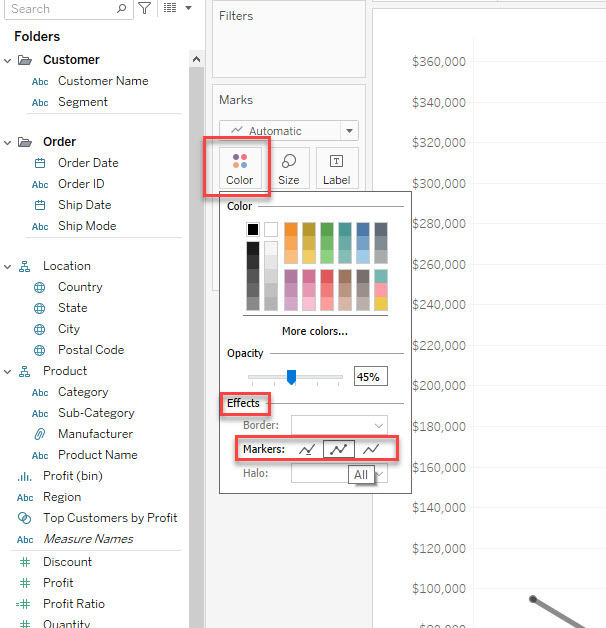
- Click Color in the Marks card and select the second option in Markers under Effects.
Ressources supplémentaires
Note: the video has no sound. To view the video in higher quality, click the YouTube icon below to watch it on YouTube directly.
Numéro d’article de la base de connaissances
001456853
Cet article a-t-il résolu votre problème ?
Dites-nous ce que nous pouvons améliorer !
