Velg en organisasjon
Showing All Dots on a Line-type Mark While Showing Labels for Selected Points
Publiseringsdato: Feb 28, 2025
Oppgave
How to make a Line type mark show dots for all points while showing labels for selected points.
Trinn
- Using the Superstore sample data source, right-click and drag Month (Order Date) on to Columns
- Drag Sales to Row
- By default, Tableau Desktop will show the minimum and the maximum sales points on the view
- These labels can be edited as desired via the Labels mark in the Marks card.
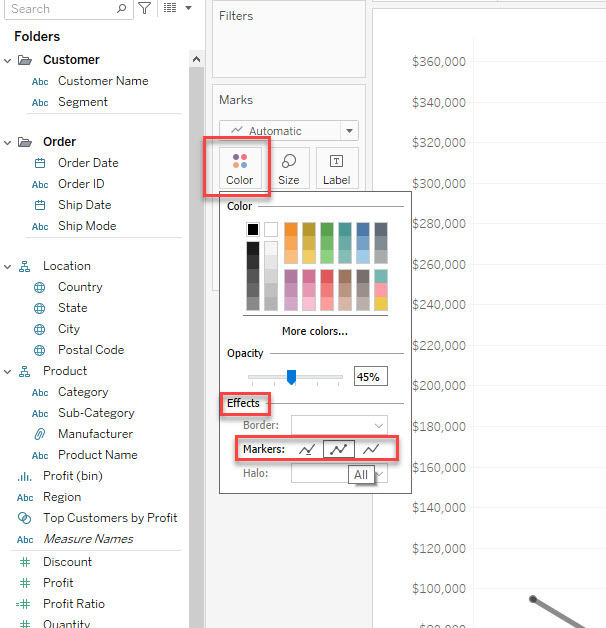
- Click Color in the Marks card and select the second option in Markers under Effects.
Flere ressurser
Note: the video has no sound. To view the video in higher quality, click the YouTube icon below to watch it on YouTube directly.
Knowledge-artikkelnummer
001456853
Hjalp denne artikkelen med å løse problemet ditt?
La oss få vite det slik at vi kan forbedre!
