Välj en organisation
How to Run an MSInfo Report
Publiceringsdatum: Apr 13, 2024
Uppgift
How to collect an MSInfo report.
Sometimes the Windows system environment information is needed for investigating the issue in addition to the product logs.
Steg
FIND AND SAVE YOUR MSINFO
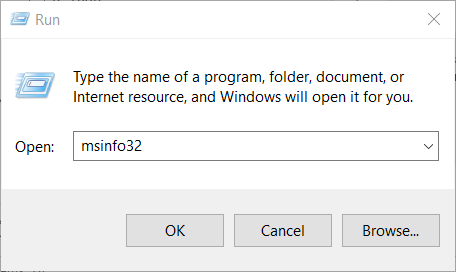
- Open a Run command box by pressing the Windows key and R key at the same time.
- You can also do this by searching "Run" in your Start menu's search bar.
- In the Run window's dialog box, type msinfo32 and click OK.
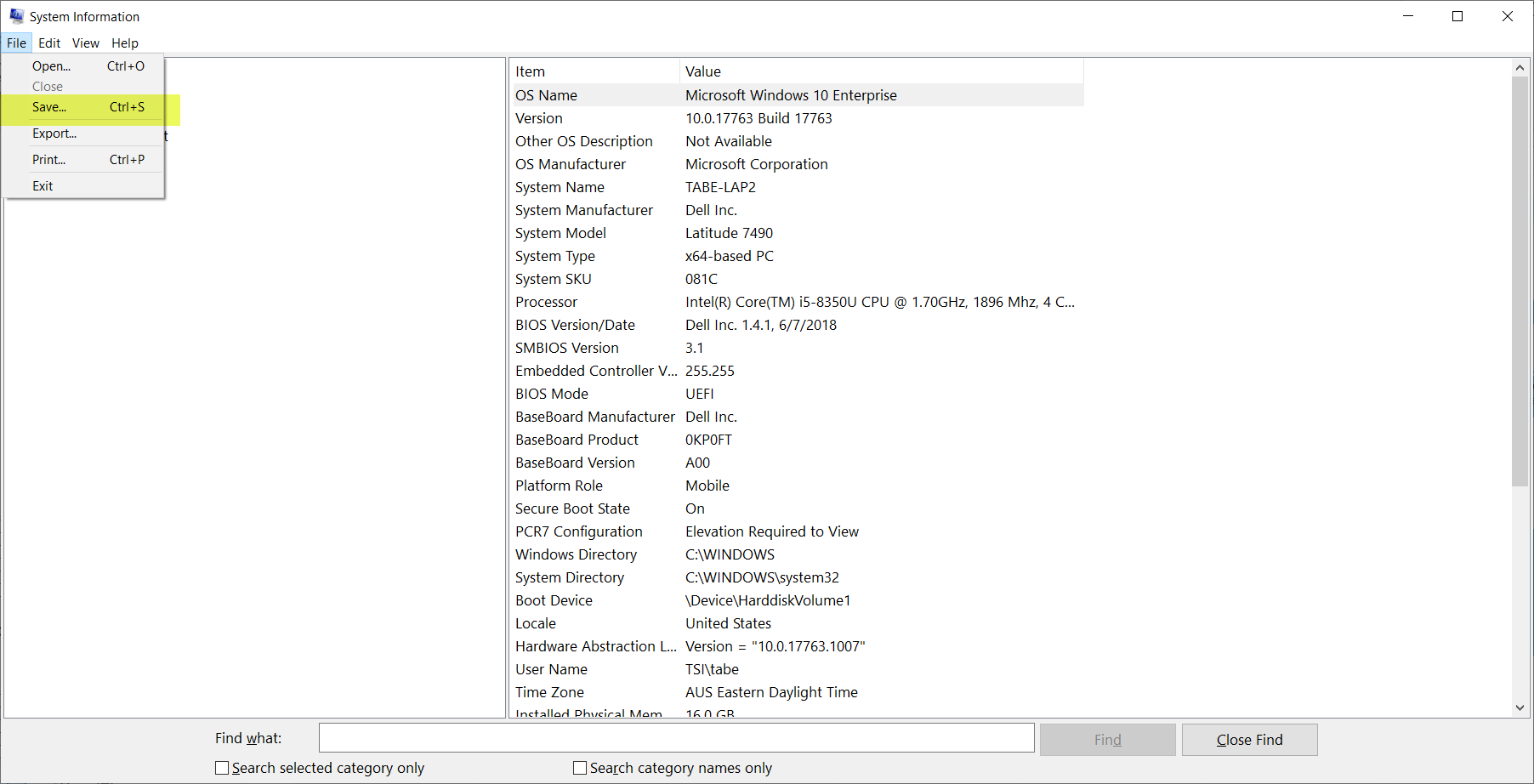
- When the System Information window opens, give it a moment to pull information from your system. You’ll know it’s done when you click through the menus on the left and see information for each of them.
- Click File, then Save...
- Name your file something simple, like your PC name, and make sure it’s saved as a System Information (.NFO) file.
- Save the exported file somewhere you can easily find it, like your Desktop or your My Documents folder.
- It can take a minute or two for the file to export and save.
Knowledge-artikelnummer
001456856
Löste denna artikel ditt problem?
Berätta för oss vad vi kan förbättra!
