組織を選択
How To Label Specific Points Above A Reference Line
公開日: Apr 29, 2025
タスク
How to display label specific points above a reference line.
ステップ
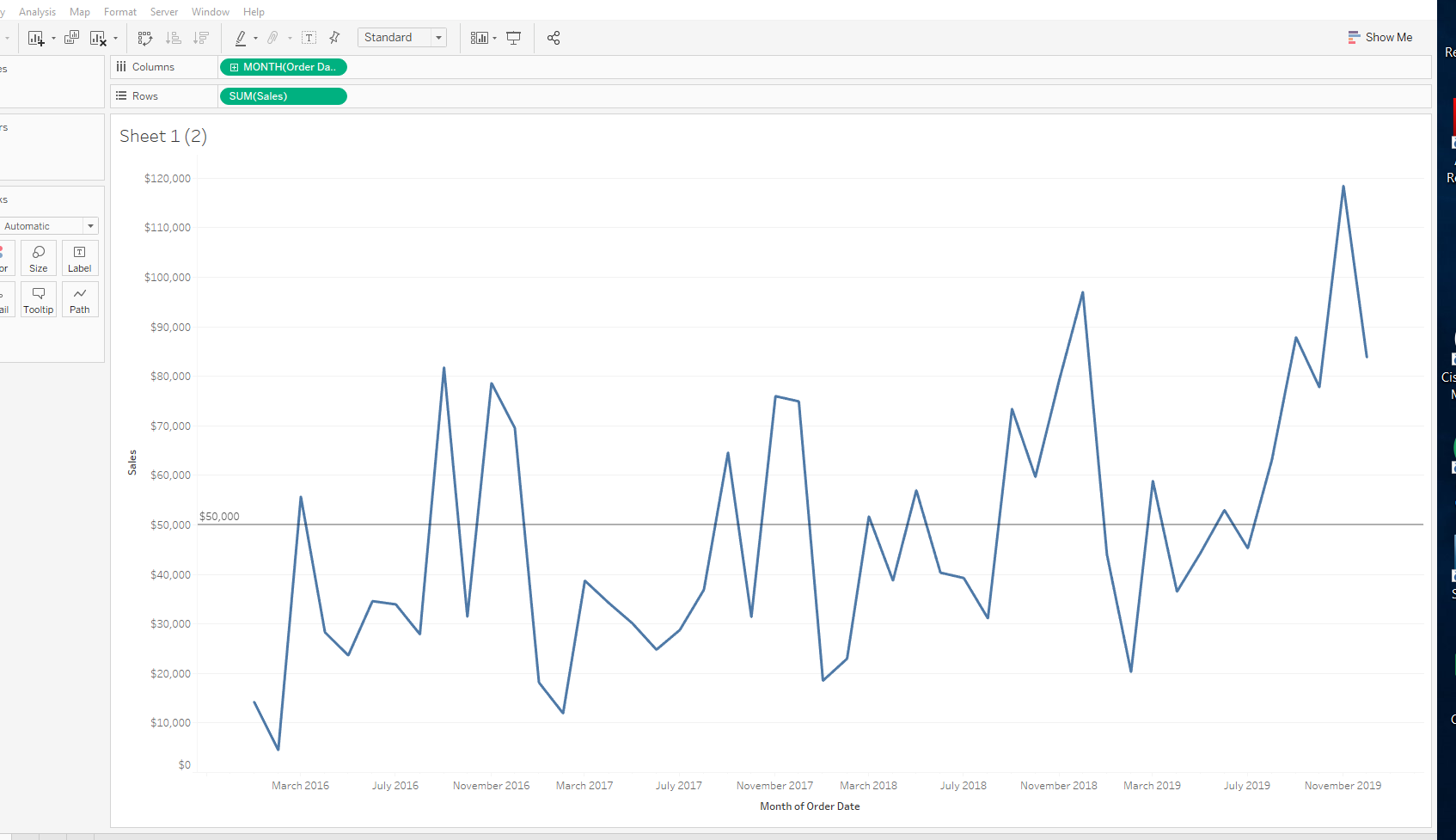
1. Create a calculated field called All points above reference line with the following formula:
IF SUM([Sales])>50000 then SUM([Sales]) end
2. Create a calculated field called index with the following formula:
IF NOT ISNULL( [all points above reference line]) then
INDEX()
END
3. Create a calculated field called Rank with the following formula:
RANK([index], 'asc')
4. To show the first point above reference line, create a calculated field called Final Label with the following calculation:
If [rank]=1 then ([all points above reference line]) END
5. Drag Final Label to Label on Marks Card
ナレッジ記事番号
001456862
この記事で問題は解決されましたか?
ご意見をお待ちしております。
