조직 선택
How To Label Specific Points Above A Reference Line
게시 일자: Apr 29, 2025
과업
How to display label specific points above a reference line.
단계
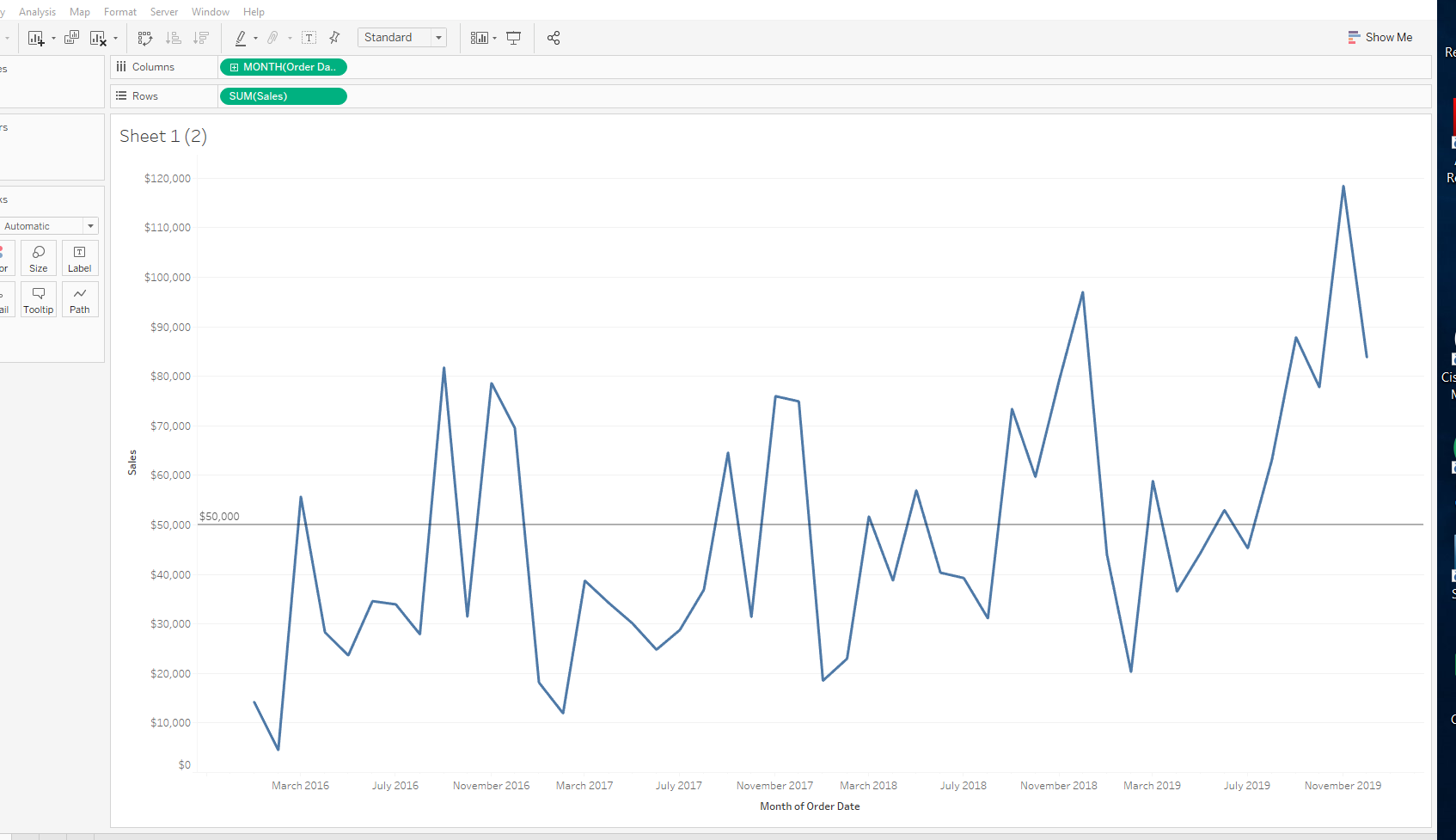
1. Create a calculated field called All points above reference line with the following formula:
IF SUM([Sales])>50000 then SUM([Sales]) end
2. Create a calculated field called index with the following formula:
IF NOT ISNULL( [all points above reference line]) then
INDEX()
END
3. Create a calculated field called Rank with the following formula:
RANK([index], 'asc')
4. To show the first point above reference line, create a calculated field called Final Label with the following calculation:
If [rank]=1 then ([all points above reference line]) END
5. Drag Final Label to Label on Marks Card
Knowledge 기사 번호
001456862
이 기사를 통해 문제를 해결했습니까?
개선을 위한 의견을 보내주세요.
