Sélectionner une organisation
How To Display The Total Of Two Different Measures Represented On A Dual Axis
Date de publication: Apr 30, 2025
Tâche
How to display the total of two different measures represented on a dual axis
Étapes
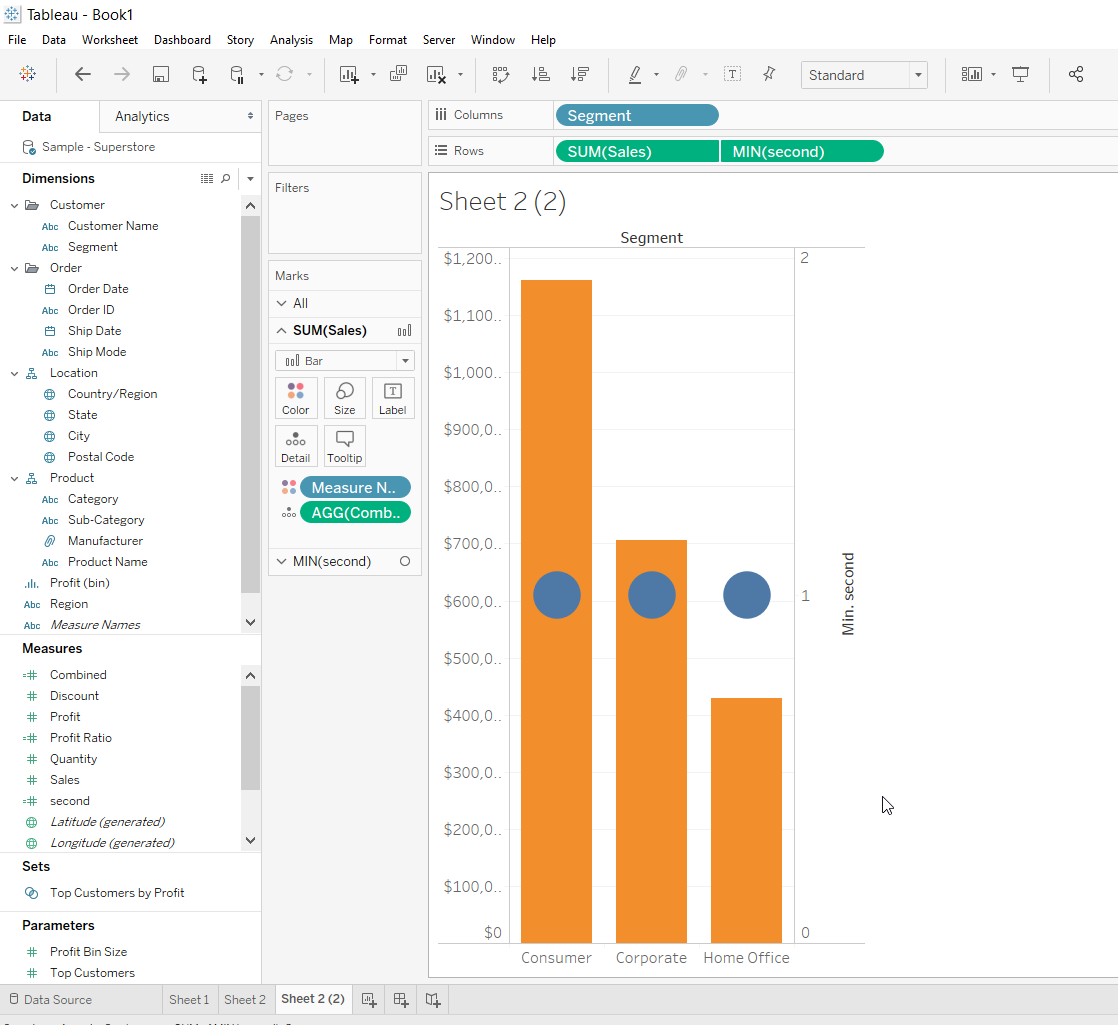
2. Create a calculated field Combined like below combining the two measures:
SUM([Sales])+MIN([second])
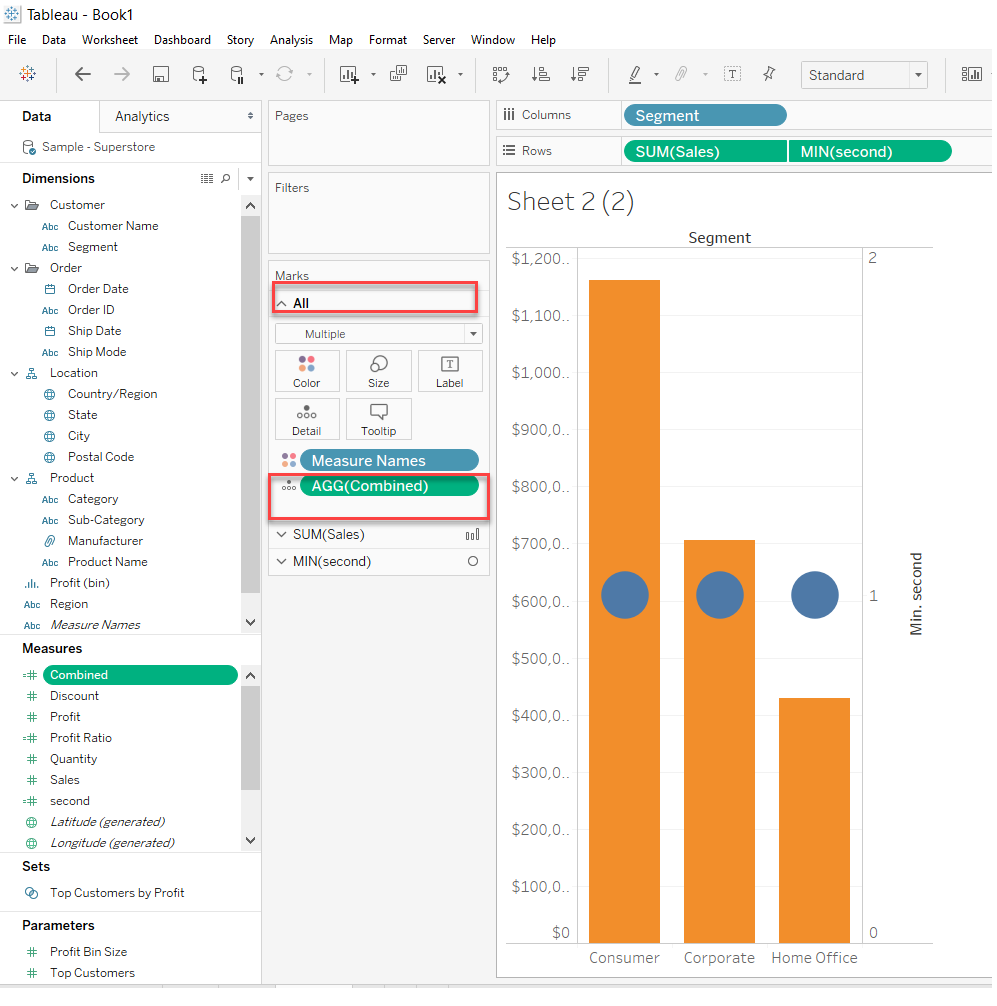
3. Drag Combined to Detail on Marks Card for ALL
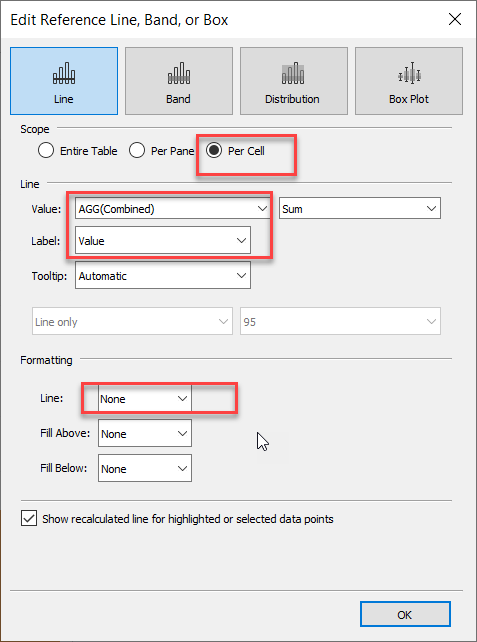
4. Right Click on the axis an add reference line like below:
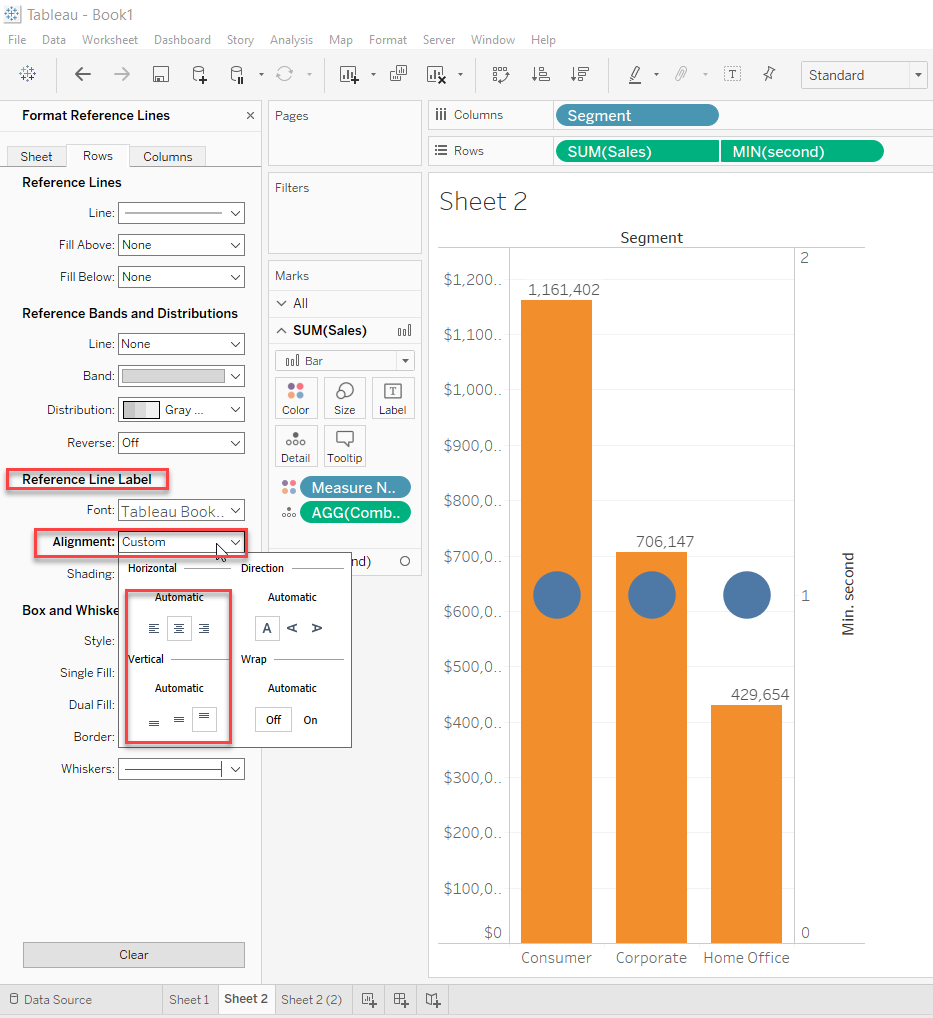
5. Go to Format -> Reference Lines
Under Reference line label, change the format as below:
Numéro d’article de la base de connaissances
001456867
Cet article a-t-il résolu votre problème ?
Dites-nous ce que nous pouvons améliorer !
