Velg en organisasjon
How To Hide The Hand Symbol In The View Upon Mouse Hover
Publiseringsdato: Apr 29, 2025
Oppgave
How to hide the hand symbol in the view upon mouse hover
Trinn
Scenario 1: Visualization is in the form of a table
1) Drag the Measures from Text onto Rows.
2) Convert the measures to discrete
3) Remove the abc column by following the steps below:
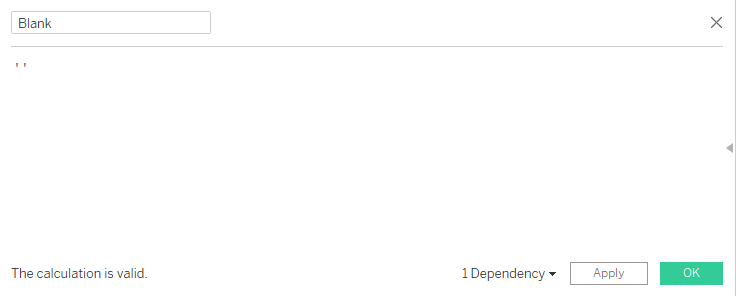
a) Create a calculated field Blank with the formula : ' '
b) Drag the calculated field Blank onto Text in Marks card
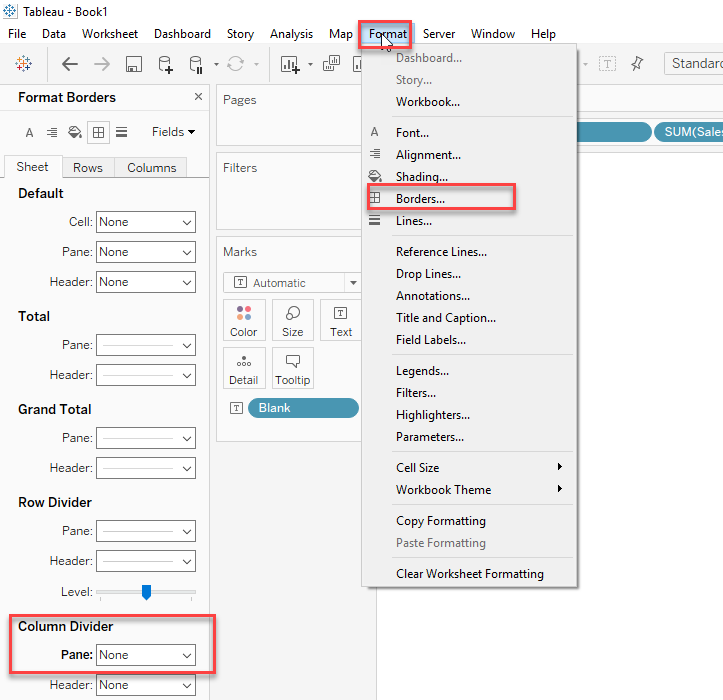
c) Click on Format tab at the top choose Borders and under Column divider choose None
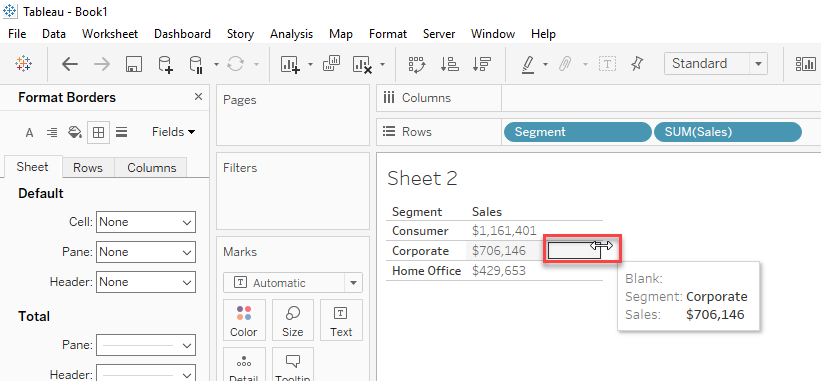
d) Reduce the width of the blank Column to minimum
Please refer to the Scenario 1 Video for the steps taken to achieve the result for scenario 1
Scenario 2 : Visualization is a graph
1) Drag the sheet onto a dashboard
2) Drag a Blank object onto the dashboard and make it floating
3) Cover the graph with the floating Blank object
Please refer to the Scenario 2 Video for the steps taken to achieve the result for scenario 2
Knowledge-artikkelnummer
001456874
Hjalp denne artikkelen med å løse problemet ditt?
La oss få vite det slik at vi kan forbedre!
