Velg en organisasjon
How to show missing date values from the data set in the view and copy the last available date value for the missing values
Publiseringsdato: Apr 13, 2024
Oppgave
How to show missing date values from the data set in the view and copy the last available date value for the missing values
Trinn
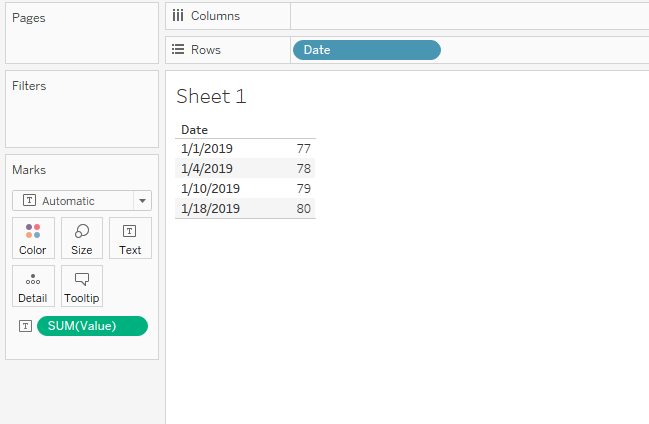
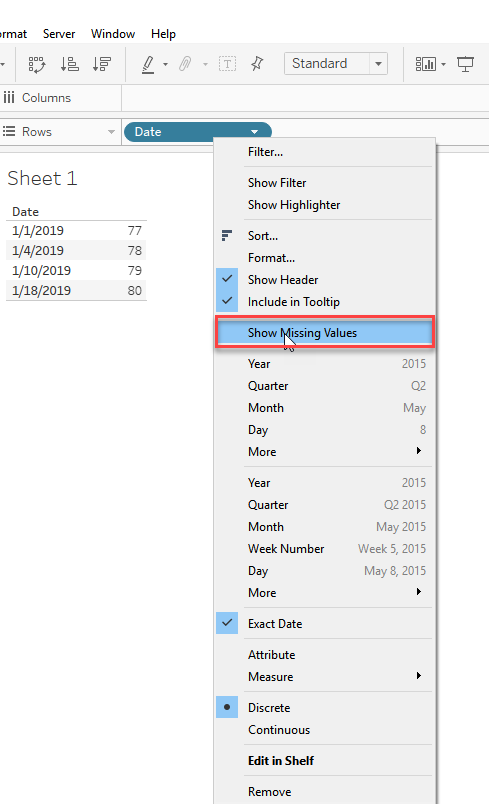
2) To show the missing dates in between, Right-Click the Date field and click Show missing values
3) To copy the last available date value to all the succeeding missing values, please follow the below steps:
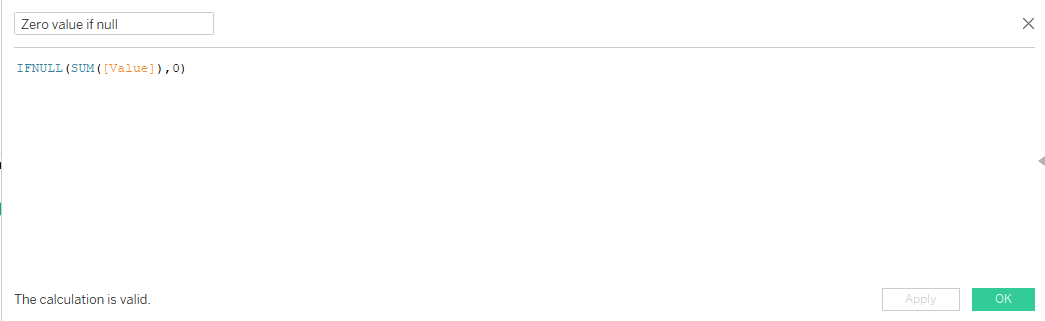
a) Create a calculated field called Zero value if null with the following formula to replace null values for missing dates with 0 : IFNULL(SUM([Value]),0)
b) Create another calculated field called New value with the following formula:
if ZN(([Zero value if null]))=0 then PREVIOUS_VALUE([Zero value if null] )
ELSE
[Zero value if null]
end
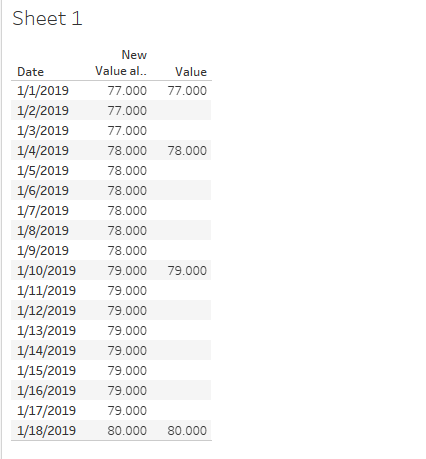
4) Use the New value in the view. The Final result will be like below:
Knowledge-artikkelnummer
001456877
Hjalp denne artikkelen med å løse problemet ditt?
La oss få vite det slik at vi kan forbedre!
