選擇組織
How to show missing date values from the data set in the view and copy the last available date value for the missing values
發佈日期: Apr 13, 2024
工作
How to show missing date values from the data set in the view and copy the last available date value for the missing values
步驟
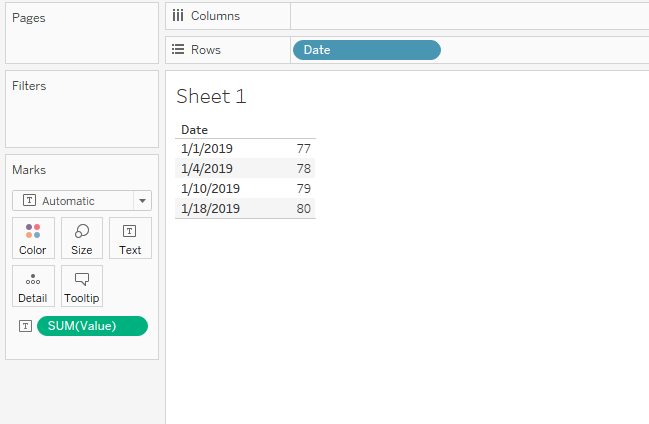
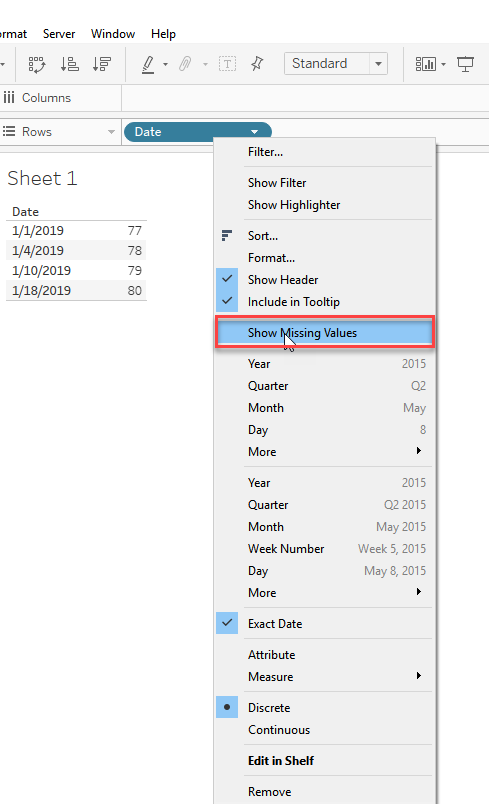
2) To show the missing dates in between, Right-Click the Date field and click Show missing values
3) To copy the last available date value to all the succeeding missing values, please follow the below steps:
a) Create a calculated field called Zero value if null with the following formula to replace null values for missing dates with 0 : IFNULL(SUM([Value]),0)
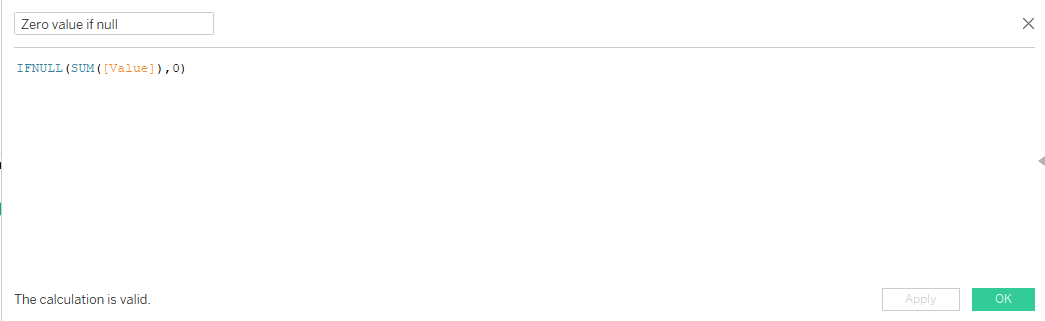
b) Create another calculated field called New value with the following formula:
if ZN(([Zero value if null]))=0 then PREVIOUS_VALUE([Zero value if null] )
ELSE
[Zero value if null]
end
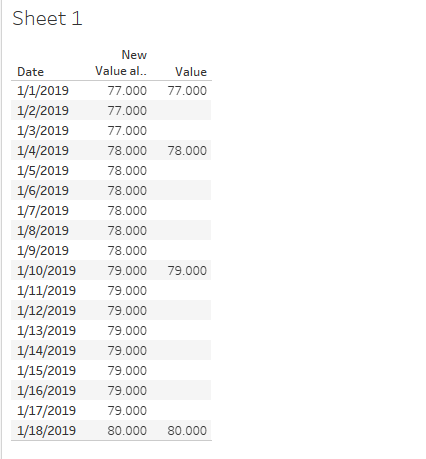
4) Use the New value in the view. The Final result will be like below:
知識文章編號
001456877
此文章是否解決您的問題?
請讓我們知道,以便我們改進!
