Välj en organisation
How To Display A Maintenance Message Window For Tableau Server
Publiceringsdatum: Jun 3, 2025
Uppgift
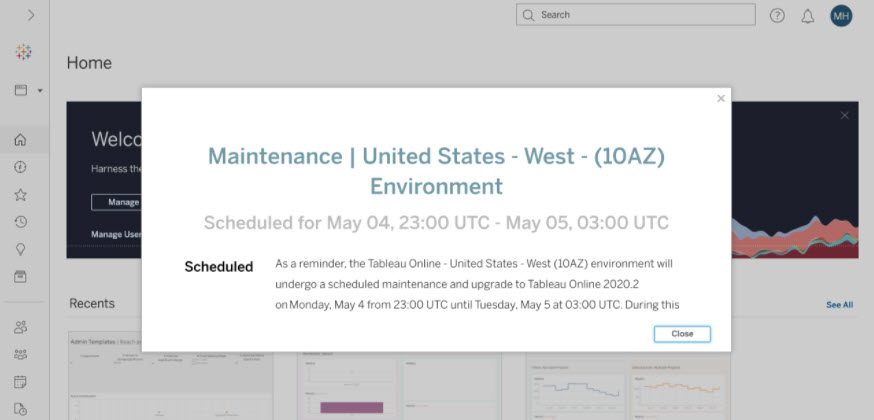
How to display a message/notice window (pop-up message) for Tableau Server after sign in, like Tableau Cloud below.
Tableau Cloud's maintenance window (pop-up message)
Steg
The ability to display a maintenance window for Tableau Server is not built currently into the product.
Workaround 1:
Administrators can use a sign in message and/or a welcome banner message to help communicate the downtime window.
Workaround 2:
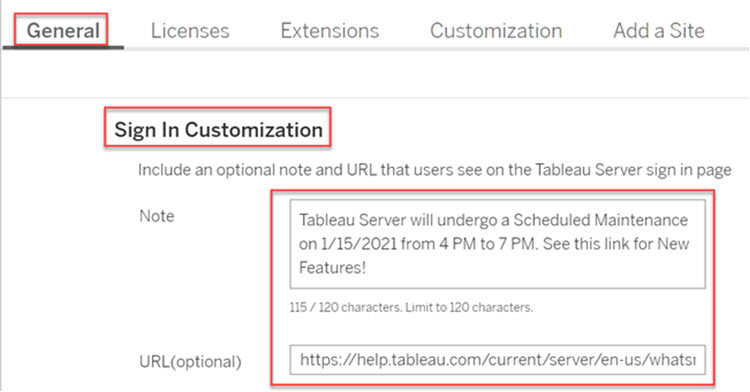
For a non-SAML Tableau Server, administrators can use a Sign-in logo and/or the Sign-in page text to communicate with a more impactful message.
For example:
Sign-in page
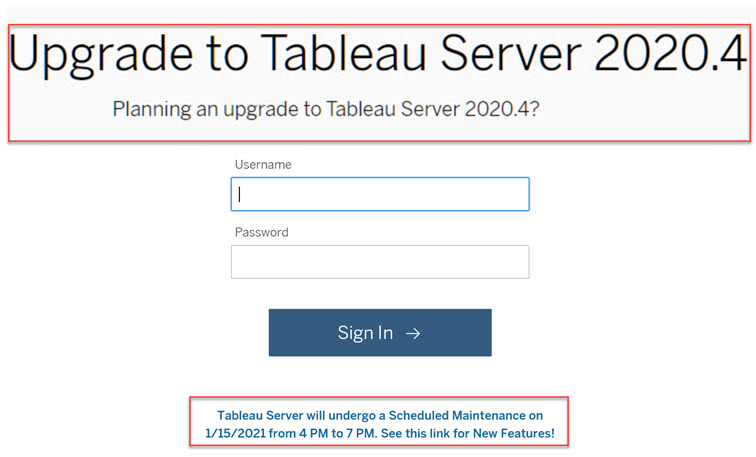
Sign-in logo

Sign-in page text
Knowledge-artikelnummer
001456909
Löste denna artikel ditt problem?
Berätta för oss vad vi kan förbättra!
