Sélectionner une organisation
Keeping The [Exact Date] Field Discrete
Date de publication: May 3, 2026
Tâche
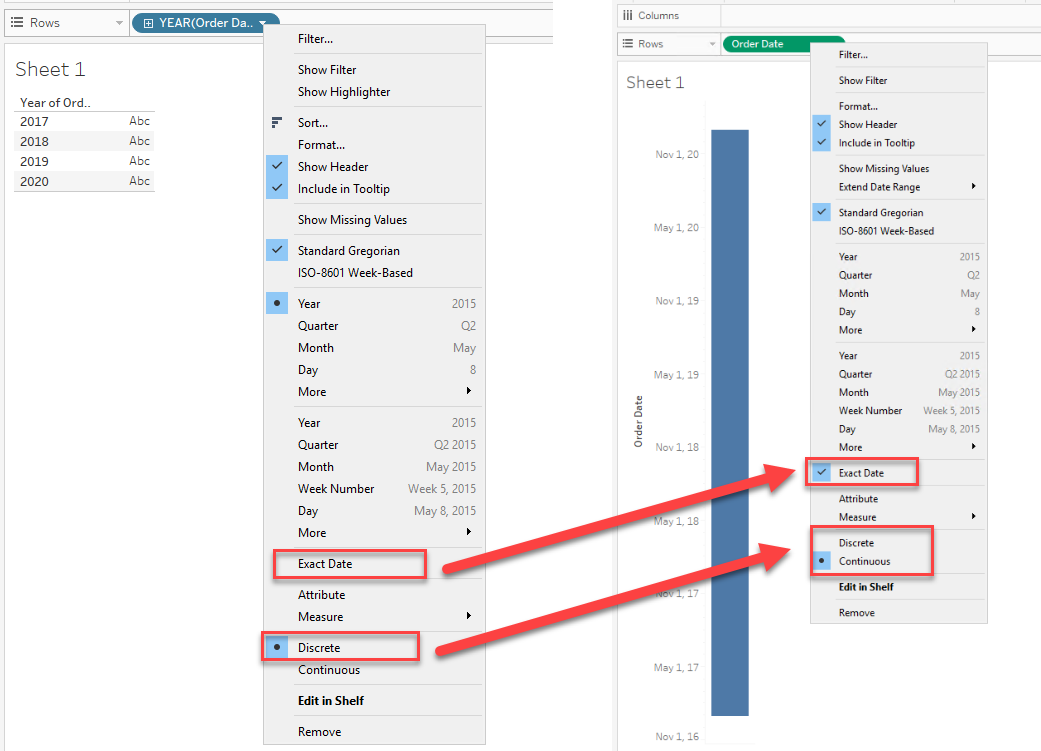
When you change a discrete Date field to [Exact Date], it will become a Continuous field.
How can I keep the date field discrete when changing the type to [Exact Date]?
Étapes
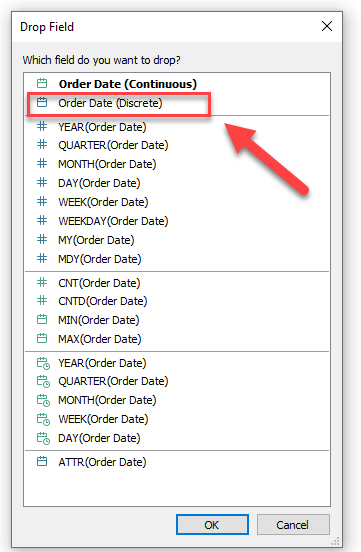
Drag the Date field to [Rows] / [Columns] while right-clicking.
In the pop-up window, choose [Order Date (Discrete)] to add a discrete Date field to the view.
Numéro d’article de la base de connaissances
001456936
Cet article a-t-il résolu votre problème ?
Dites-nous ce que nous pouvons améliorer !
