Select An Org
Conditionally Redacting Data
Publish Date: Apr 29, 2025
Task
How to conditionally redact data values based on response count thresholds in a crosstab?
For example, in survey data, certain question responses should be hidden (redacted) if the number of participants who answered that question is below a defined minimum—such as redacting results when fewer than 5 participants responded—to protect respondent anonymity and ensure data privacy.
Steps
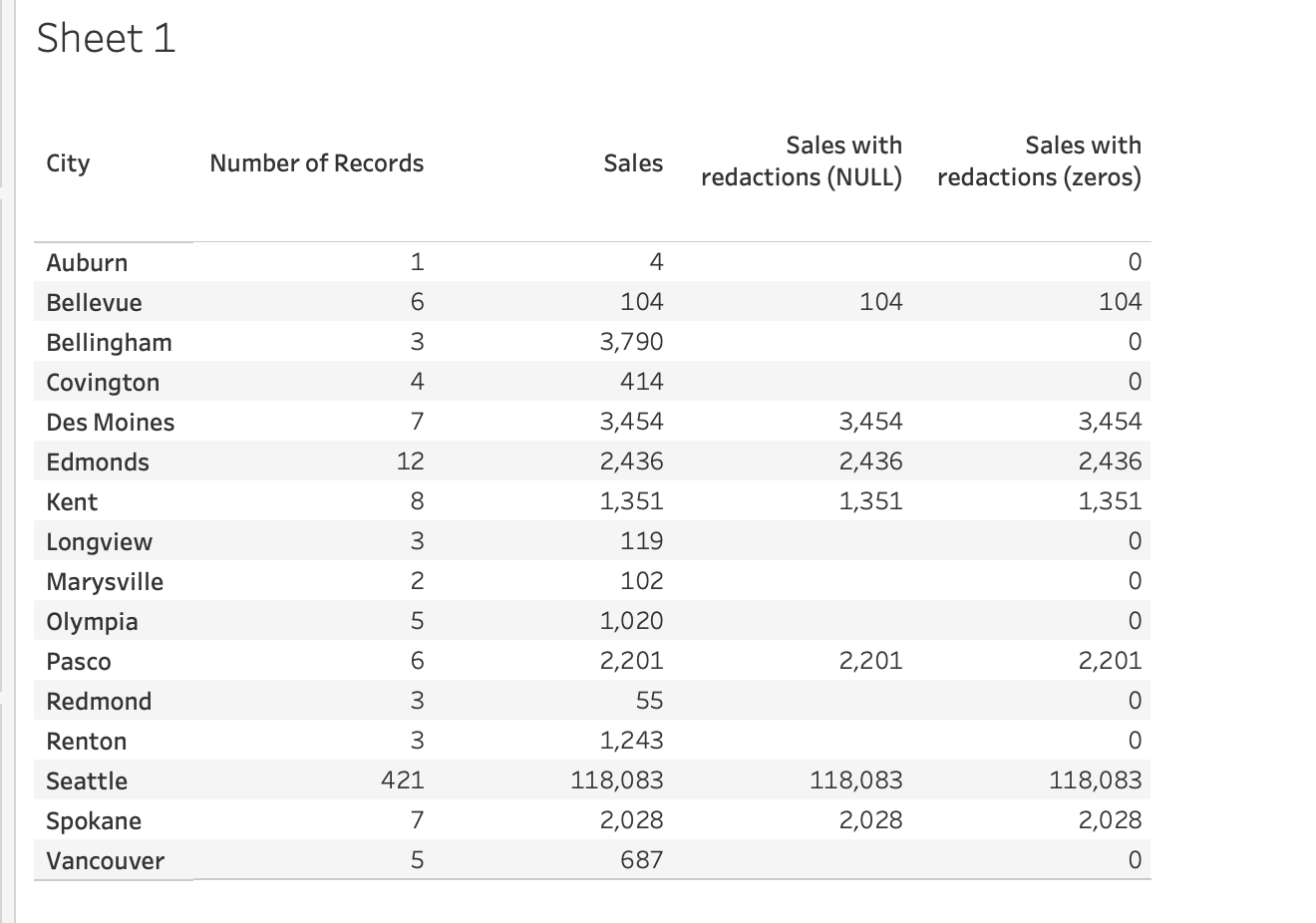
The attached example workbook uses the sample data set Superstore to demonstrate redacting sales data for cities that have had fewer than 5 orders:
- Create a calculated field, name it "Sales with redactions" and enter a formula similar to:
IF COUNTD( [Orders ID] ) > 5
THEN SUM( [Sales] )
ELSE NULL END - Replace [Sales] in the view with [Sales with redactions].
Additional Resources
Knowledge Article Number
001458088
Did this article solve your issue?
Let us know so we can improve!
