Выбрать организацию
Viewing More Than 10,000 Lines of Underlying Data
Дата публикации: Feb 23, 2026
Задача
Действия
- Click the View Data icon in the Dimensions pane.
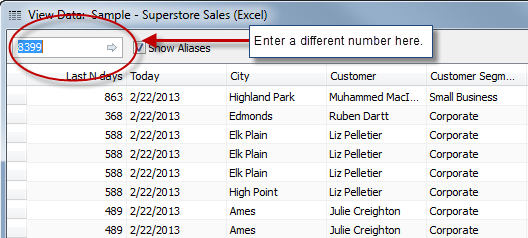
- Click the text box in the upper-left corner and change the number to the number of rows you want to display, and hit Enter or the click the arrow.
Note: If the number you type is larger than the number of rows in the underlying data, the number in the box will change to the maximum number of rows in the data.

Номер статьи базы знаний
001458144
Эта статья решила вашу проблему?
Оставьте свой отзыв, чтобы мы могли стать лучше!
