Vælg en organisation
Activating a Free Trial
Udgivelsesdato: Sep 25, 2025
Opgave
Trin
- Install Tableau Desktop as a Local Administrator.
- Open the Tableau Desktop application.
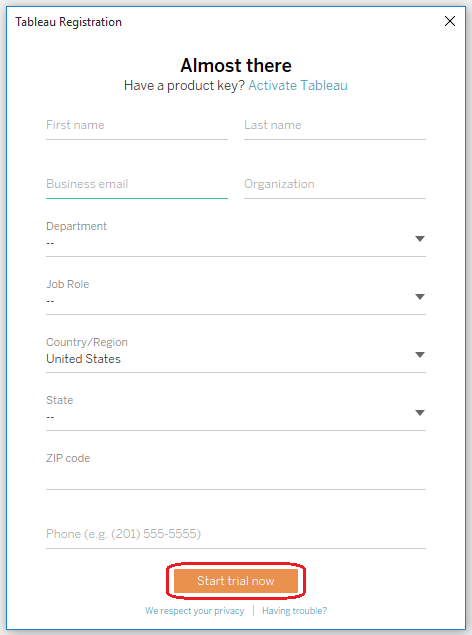
- When the Tableau Registration window opens, enter your details and click Start trial now.
Notes:
- You don't need to enter a product key when activating the trial version of Tableau Desktop.
- If you are unable to find your activation email, "Get started - Activate your Tableau site", please review the information in this KB for further assistance.
- If you receive a message that your trial has ended ("We were unable to start your trial because the following error occurred: Your trial for this version has ended"), follow the steps in Activating Tableau Desktop Trial Extension to extend the trial.
- Trial ends after 14 days and no action is required to terminate it.
Yderligere ressourcer
To see additional requirements on the installation of the Desktop client, please review the Tableau Online Help.
Tableau Product release download
Vidensartikelnummer
001458158
Løste denne artikel dit problem?
Giv os besked, så vi kan forbedre os!
