Valitse organisaatio
Preventing Workbook Downloads on Tableau Public
Julkaisupäivä: Apr 13, 2024
Tehtävä
Vaiheet
- Once the workbook has been uploaded to Tableau Public, sign in to public.tableau.com.
- Click your profile picture and select My Profile.
- From My Profile -> Vizzes tab, locate the workbook > click the Vizz thumbnail.
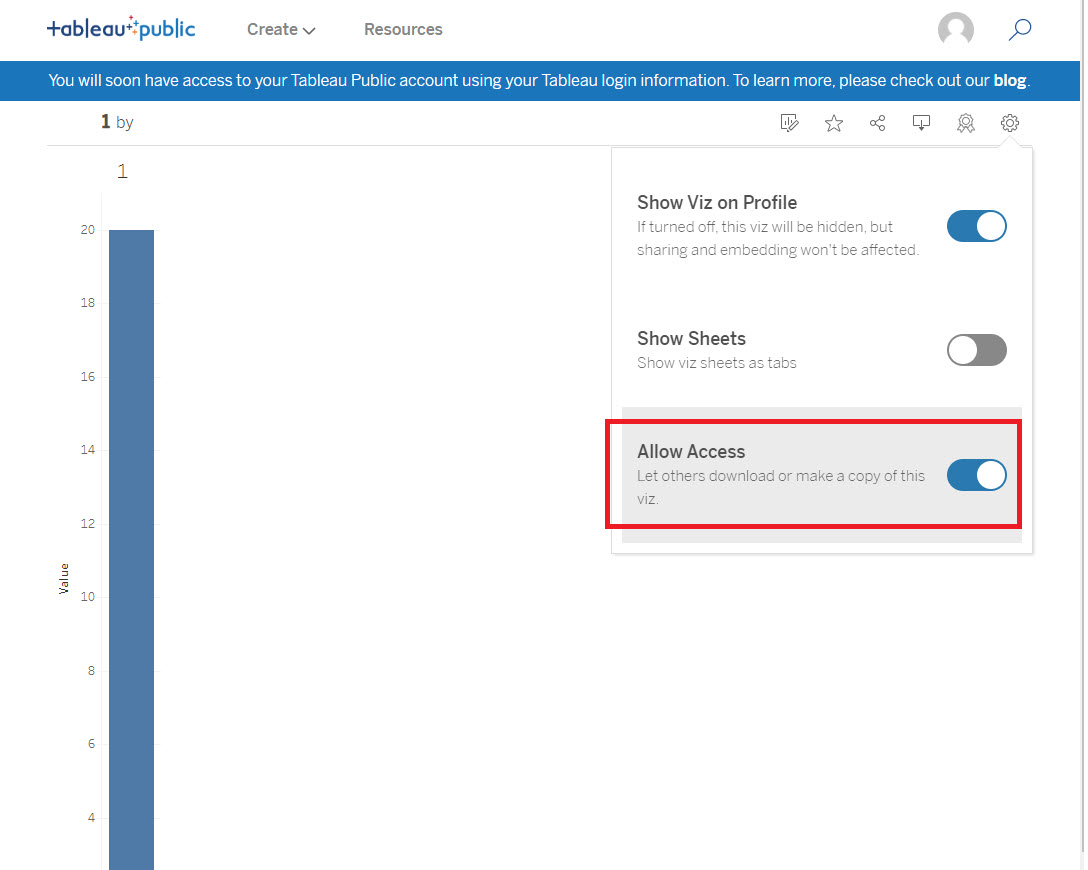
- In the toolbar, click the Settings icon.
- Turn off the Allow Access toggle.
Lisäresurssit
Knowledge-artikkelin numero
001458225
Ratkaisiko tämä artikkeli ongelmasi?
Anna palautetta, jotta voimme kehittyä!
