Выбрать организацию
Preventing Workbook Downloads on Tableau Public
Дата публикации: Apr 13, 2024
Задача
Действия
- Once the workbook has been uploaded to Tableau Public, sign in to public.tableau.com.
- Click your profile picture and select My Profile.
- From My Profile -> Vizzes tab, locate the workbook > click the Vizz thumbnail.
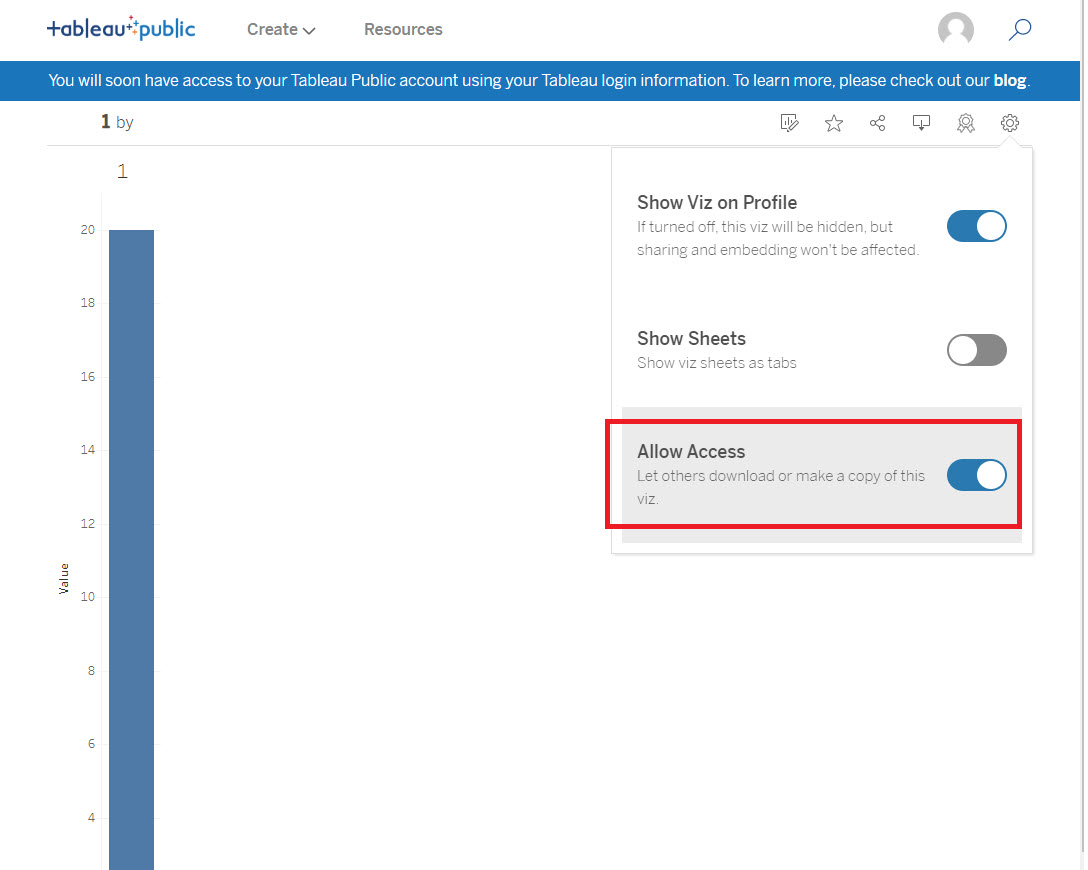
- In the toolbar, click the Settings icon.
- Turn off the Allow Access toggle.
Дополнительные ресурсы
Номер статьи базы знаний
001458225
Эта статья решила вашу проблему?
Оставьте свой отзыв, чтобы мы могли стать лучше!
