Velg en organisasjon
How to Edit the Alias of an Item in a Color Legend in Tableau Desktop
Publiseringsdato: Apr 8, 2025
Oppgave
Trinn
1. Right-click on one of the items in a color legend.
2. Select Edit Alias...
3. Enter the desired alias.
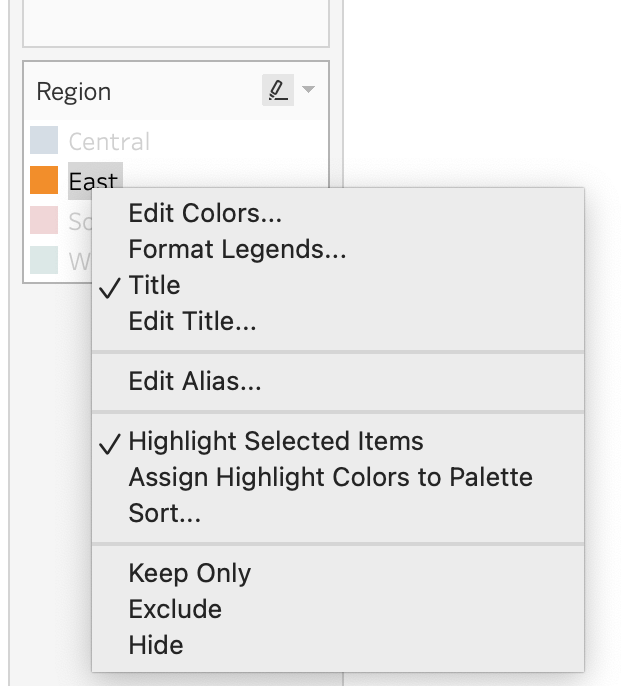
Note: The following chart items will not have the option to edit the alias for a color legend:
- Published data source
- Using a measure
- Date and time field
- Cube data source
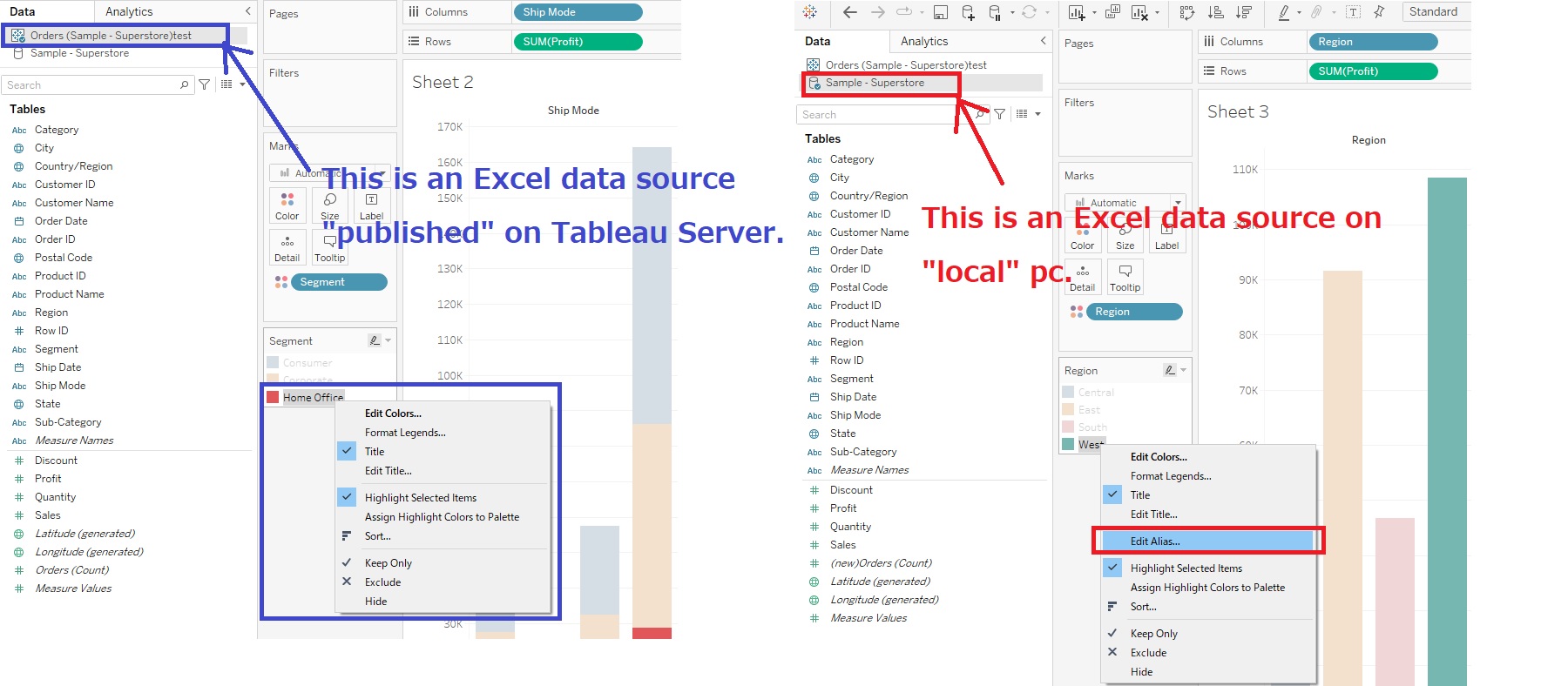
Here is an example when using a data source published on Tableau Server or Tableau Cloud, the Edit Alias option will not be available. For more information, see Editing a Published Data Source.
Flere ressurser
To view these steps in action for Tableau Desktop only, see the video below which has no sound.
Create Aliases to Rename Members in the View
Knowledge-artikkelnummer
001458255
Hjalp denne artikkelen med å løse problemet ditt?
La oss få vite det slik at vi kan forbedre!
