Выбрать организацию
Disabling Export to Crosstab Option in Published Workbooks
Дата публикации: Aug 26, 2024
Задача
Действия
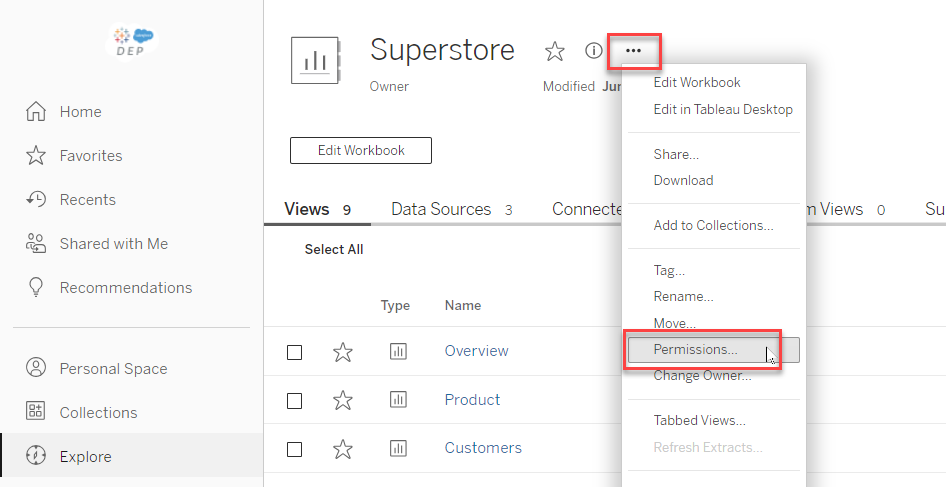
- Navigate to the workbook published on Tableau Server.
- Click the Action menu (...) next to the title.
- Click Permissions.
- Hover over the different icons and deny the Download Summary Data and Download Full Data permissions.
For more information and additional ways to deny these options, see Set Permissions for Workbooks and Views in Tableau Help.
Номер статьи базы знаний
001458278
Эта статья решила вашу проблему?
Оставьте свой отзыв, чтобы мы могли стать лучше!
