Выбрать организацию
Finding the Month-to-Date Values for the Prior Year
Дата публикации: Apr 24, 2025
Задача
Действия
The steps below are demonstrated in the attached workbook.
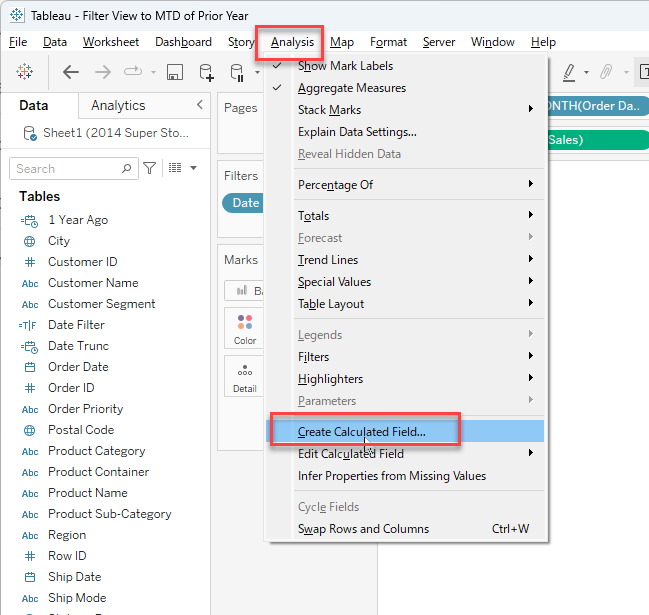
- Select Analysis > Create Calculated Field.
- Name the calculated field "1 Year Ago".
- Enter the following calculation:
DATEADD('year', -1, TODAY()) - Click OK.
- Select Analysis > Create Calculated Field.
- Name the calculated field "Date Trunc".
- Enter the following calculation:
DATETRUNC('month', DATEADD('year', -1, TODAY()) - Click OK.
- Select Analysis > Create Calculated Field.
- Name the calculated field "Date Filter".
- Enter the following calculation:
[Order Date] <= [1 Year Ago] AND [Order Date] >= [Date Trunc]
- Click OK.
- Drag the Date Filter calculated field to the Filters shelf.
- Select True and click OK.
Дополнительные ресурсы
Номер статьи базы знаний
001458281
Эта статья решила вашу проблему?
Оставьте свой отзыв, чтобы мы могли стать лучше!
