Välj en organisation
How To Manually Calculate Standard Deviation Showed By Distribution
Publiceringsdatum: Feb 21, 2025
Uppgift
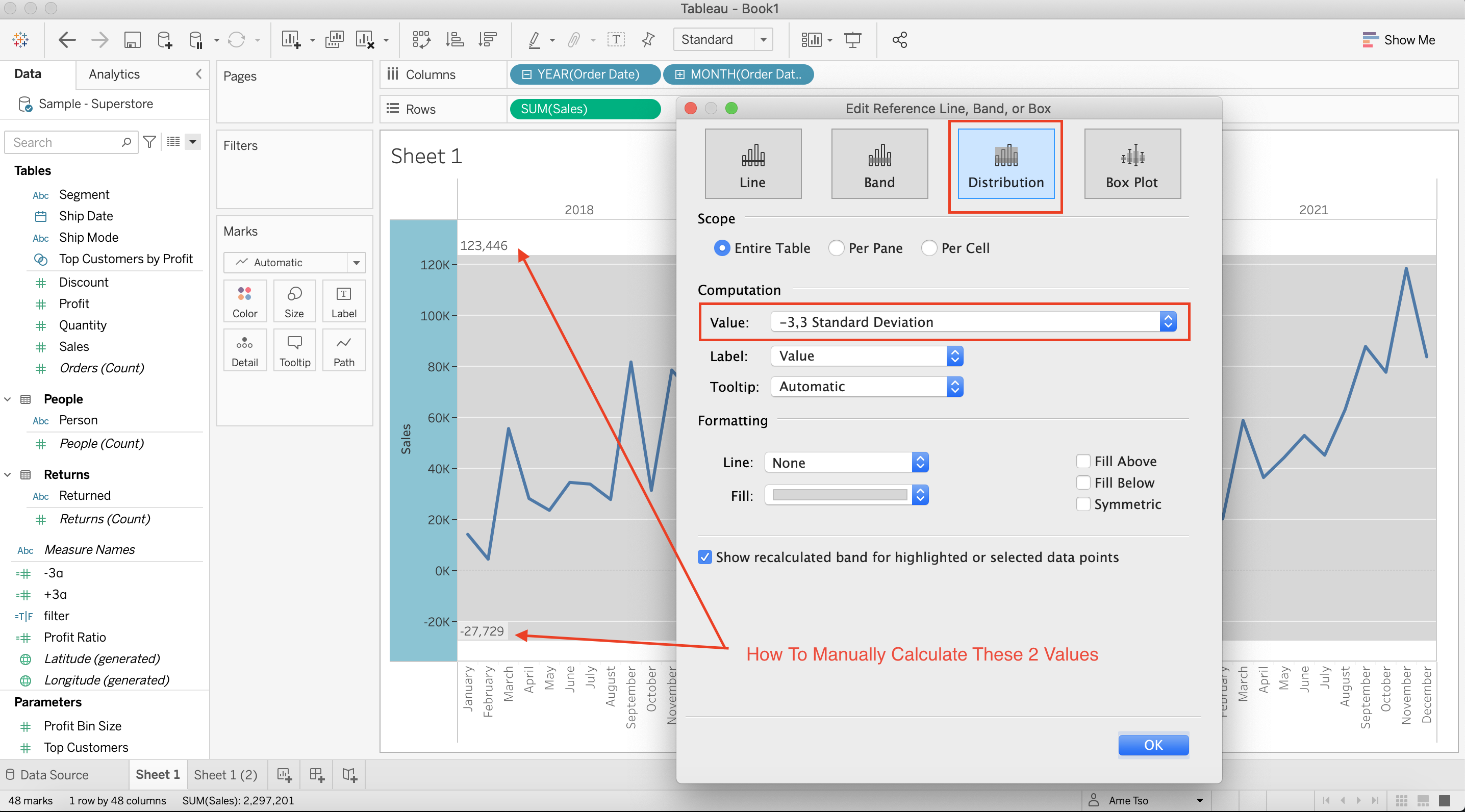
How to manually calculate standard deviation showed by distribution
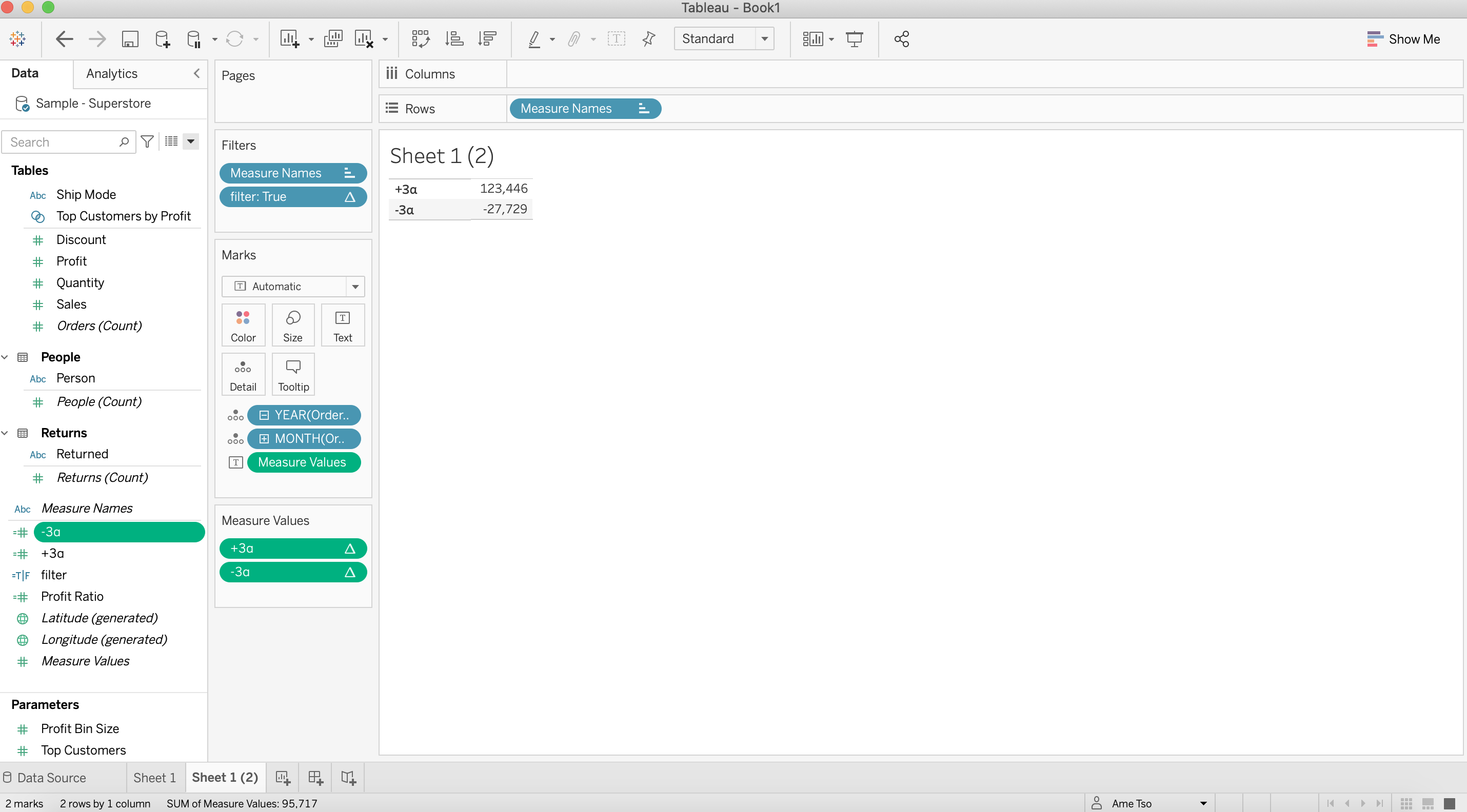
Expected
Steg
+3α:
WINDOW_AVG(SUM([Sales]))
+3*
WINDOW_STDEV(SUM([Sales]))
-3α
WINDOW_AVG(SUM([Sales]))
-3*
WINDOW_STDEV(SUM([Sales]))
*Please replace the number 3 by your desired factor
*Please use WINDOW_STDEVP instead of WINDOW_STDEV if you want to calculate population instead of sample
2. Drag [Measure Names] to Filters then select [+3α] and [-3α]
3. Drag [Order Date] to Detail and click on + mark of YEAR(Order Date)
4. Click on + mark of QUARTER(Order Date)
5. Remove QUARTER(Order Date)
6. Drag [Measure Names] to Rows
7. Drag [Measure Values] to Text
8. Right click on [+3α] in Measure Values card > Compute Using > Order Date
9. Right click on [-3α] in Measure Values card > Compute Using > Order Date
10. Create following calculation:
filter:
FIRST()=0
11. Drag [filter] to Filters
12. Right click on [filter] in Filters card > Compute Using > Order Date then select True
Ytterligare resurser
Reference Lines, Bands, Distributions, and Boxes
Knowledge-artikelnummer
001458328
Löste denna artikel ditt problem?
Berätta för oss vad vi kan förbättra!
