Выбрать организацию
How to Show "Only Relevant Values" In Filter When Using Data Blend
Дата публикации: Mar 3, 2025
Задача
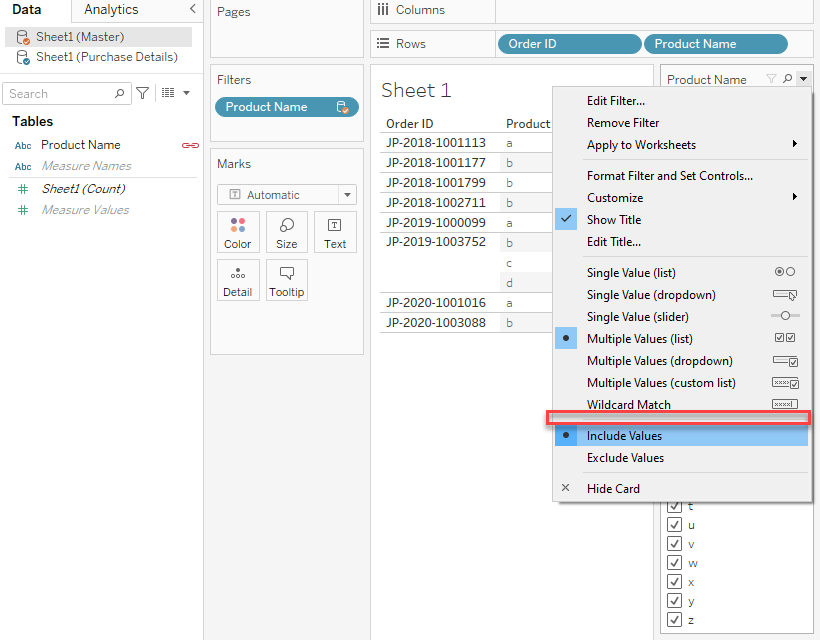
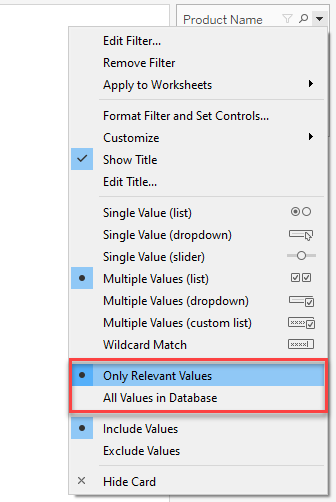
When using Data Blend, and add a field from the Secondary data source, there is no option as "Only relevant values" in the filter.
However, if you use the field from the same data source, the "Only Relevant Values" could be set.
Действия
Option 1:
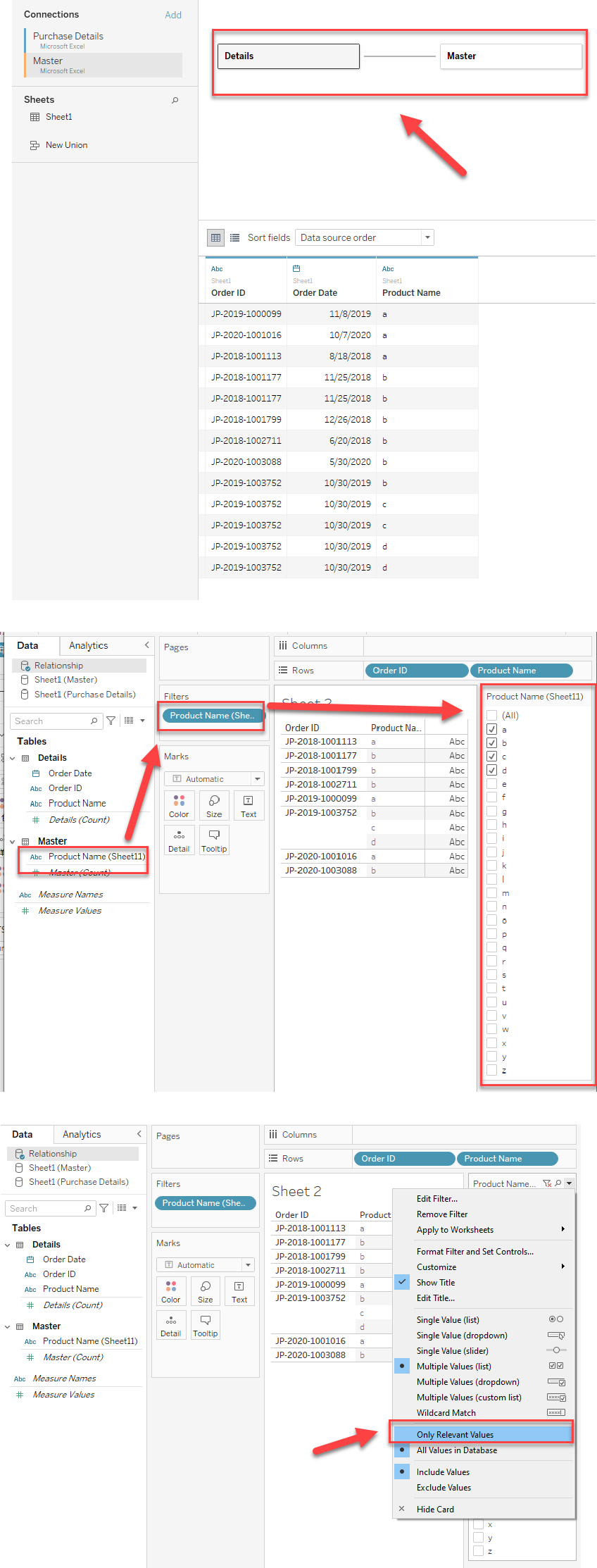
Instead of using Data Blend, please use Relationship to relate the data sources, and the "Only relevant values" option is available to show only existing values.
Please check the attached workbook for details.
Option 2:
Join tables that are in the same data source, instead of blending them.
Дополнительные ресурсы
In this situation, please consider setting the relationship of the original data sources and published it to Tableau Server.
The steps are as follows:
- In Tableau Desktop, relate the data sources in a relationship.
- Publish the merged data source to Tableau Server
- Connect to this published data source in Tableau Desktop.
- Add the field to [Filter] and set it to "Only Relevant Values".
Номер статьи базы знаний
001458358
Эта статья решила вашу проблему?
Оставьте свой отзыв, чтобы мы могли стать лучше!
