Выбрать организацию
How To Customize The Drill Down Items Of A Date Filed
Дата публикации: Apr 7, 2026
Задача
For example, if using a continuous date field, the drill down date level is Year>Quarter>Month>Week>Day, the ability to customize it into Year>Quarter>Day is not available in Tableau Desktop
Действия
Use a parameter to select the date level to be shown in the view.
1. Right click Order Date, select Create > Custom date, create the following 4 data fields.
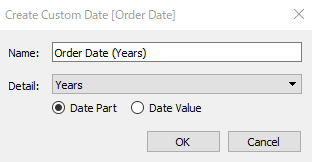
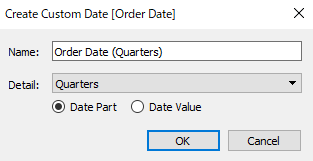
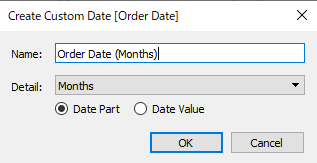
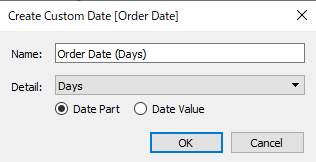
2. Create a parameter Date Level like the following.
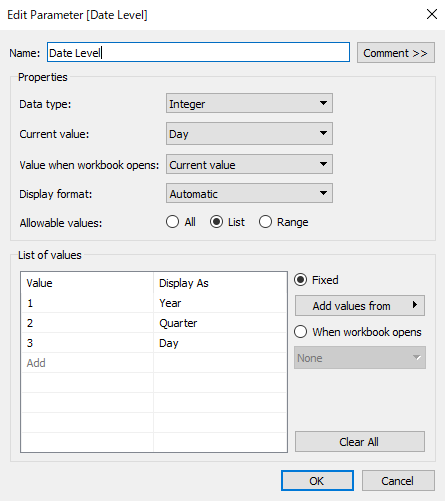
3. Create the following calculation field Date Label
case [Date Level]
when 1 then str([Order Date (Years)])
when 2 then str([Order Date (Years)])+" Q"+str([Order Date (Quarters)])
when 3 then str([Order Date (Years)])+"/"+ str([Order Date (Months)])+"/"+str([Order Date (Days)])
END
4. Add Date Label to Columns
5. Use Parameter Date Level to select the date level to display.
Номер статьи базы знаний
001458370
Эта статья решила вашу проблему?
Оставьте свой отзыв, чтобы мы могли стать лучше!
