Välj en organisation
How to Round Up Numbers At Decimal Points in Tableau Desktop
Publiceringsdatum: Apr 13, 2024
Uppgift
When the result of multiplication results in a decimal point, how to display it by truncating.
Example:
$3456.15 → 3457 OR $3456.15 → 3456.2
$3456.87 → 3457 OR $3456.87 → 3456.9
Steg
Without Parameter (Not able to specify the decimal point):
- Round up to the whole number: CEILING(SUM([Quantity]))
- Round up with decimal point: CEILING(SUM([Quantity (copy)])*10)/10
- CEILING(SUM([Quantity])*[Number])/*[Number]
- The parameter setting is as follows:
-
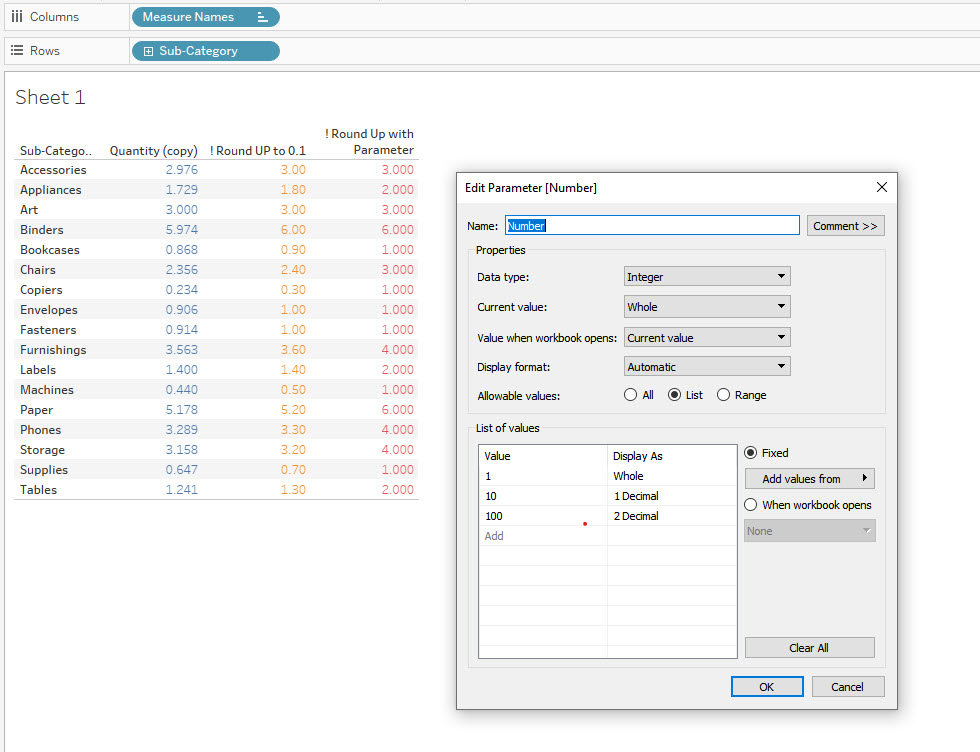
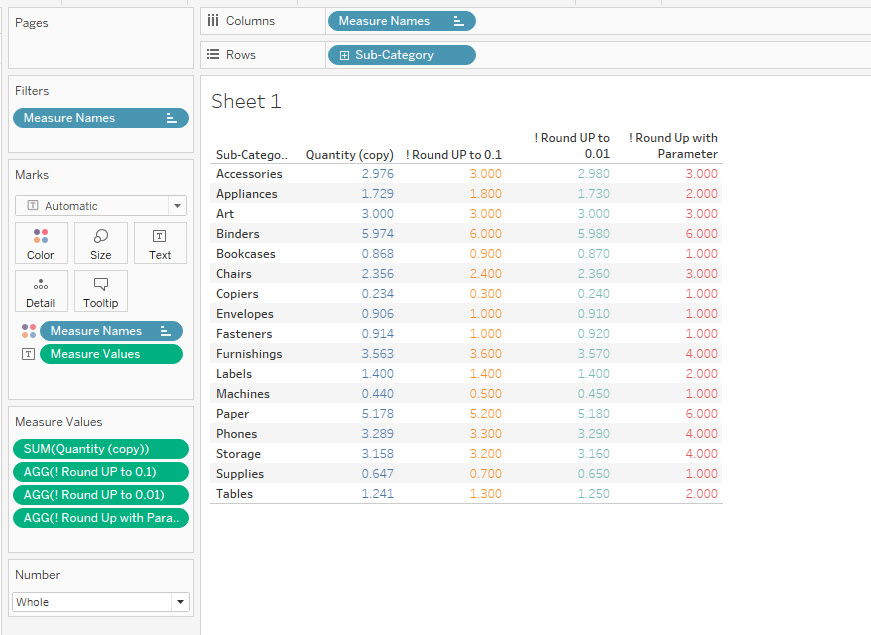
The results are as follows, please check the attached workbook for details:
Ytterligare resurser
See also How to Round Down Numbers At Decimal Points in Tableau Desktop
Knowledge-artikelnummer
001458391
Löste denna artikel ditt problem?
Berätta för oss vad vi kan förbättra!
