Valitse organisaatio
How to Determine Which Region a Country Belongs to on a Tableau Map
Julkaisupäivä: Apr 29, 2025
Tehtävä
Vaiheet
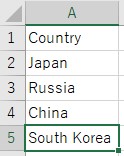
- Create a data source following way.
-
- Launch Tableau Desktop and connect to the data source you created.
- Drag and drop [ Longitude(generated) ] to Columns and [ Latitude(generated) ] to Rows.
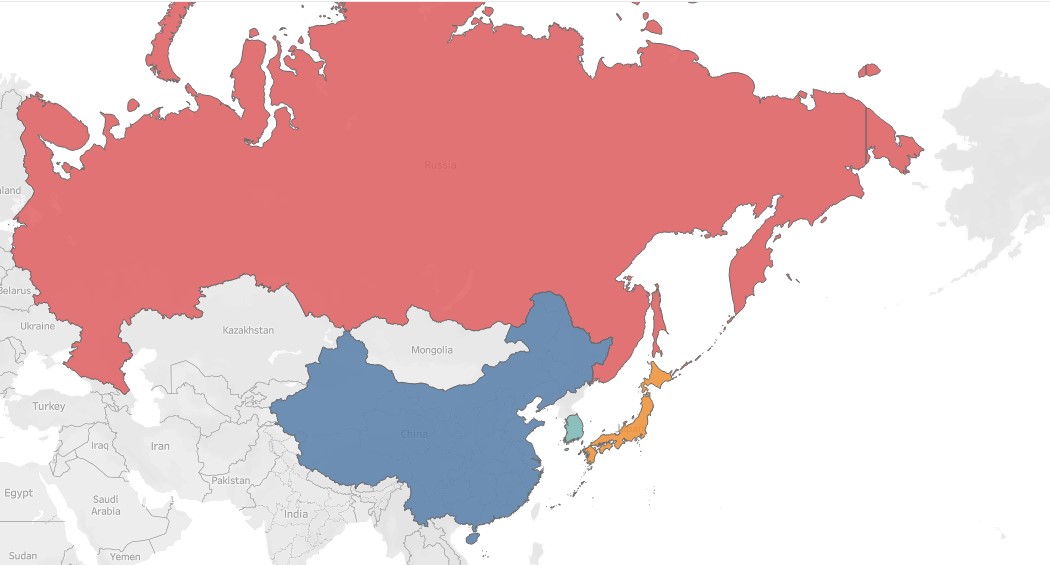
- Drag and drop [ Country ] to Color.
- Change the mark type to map.
- Zoom in on the target region and use color to determine which countries belong to the chosen region.
Knowledge-artikkelin numero
001458393
Ratkaisiko tämä artikkeli ongelmasi?
Anna palautetta, jotta voimme kehittyä!
