Select An Org
How to Change or Rename the Dimension Header in a View Without Changing the Dimension Name in Data Source
Publish Date: Feb 25, 2026
Task
How to change the dimension header in crosstab without actually changing the Dimension Name in the data source?
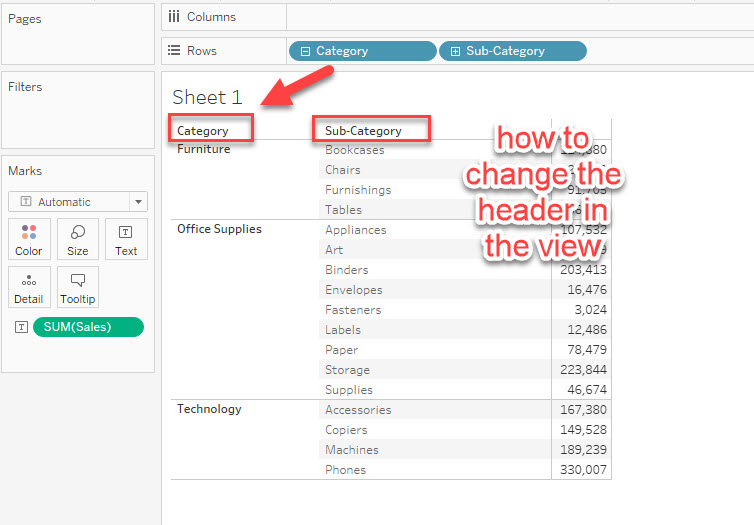
Steps
Consider the workaround which achieves similar functionality.
Please note that this method only applies to Dimensions (Discrete or Continuous). When you are using Dates, Measures, or Attributes that are other than a Dimension, this workaround is not applicable.
Follow the steps below:
1. Double-click the dimension added to the [Rows/Columns] shelf.
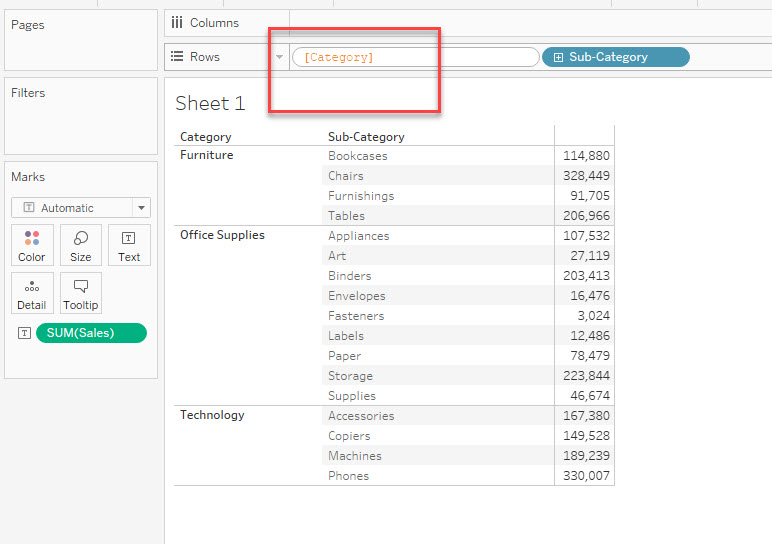
2. Add "//Dimension Name" at the beginning.
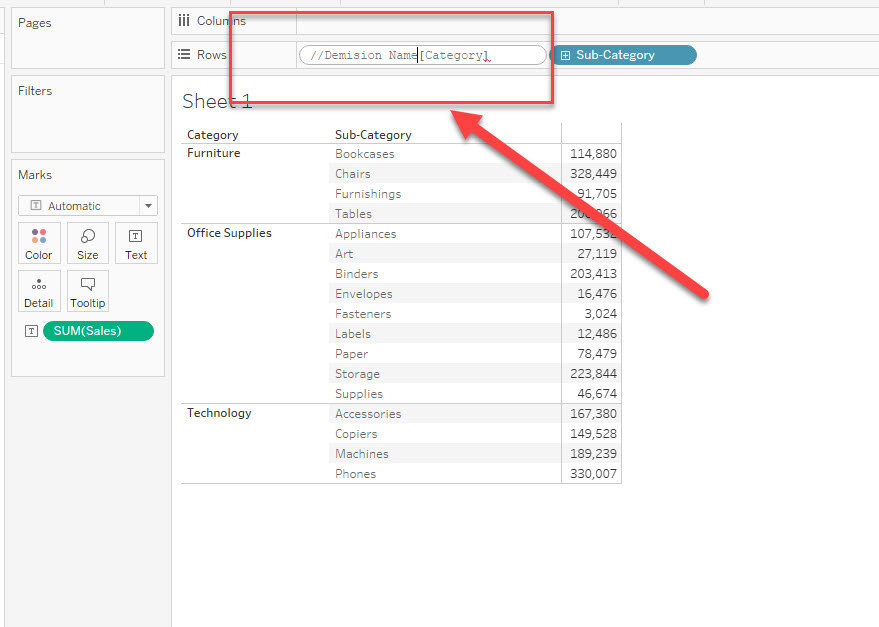
3. Press "Shift + Enter" to add a new line character.
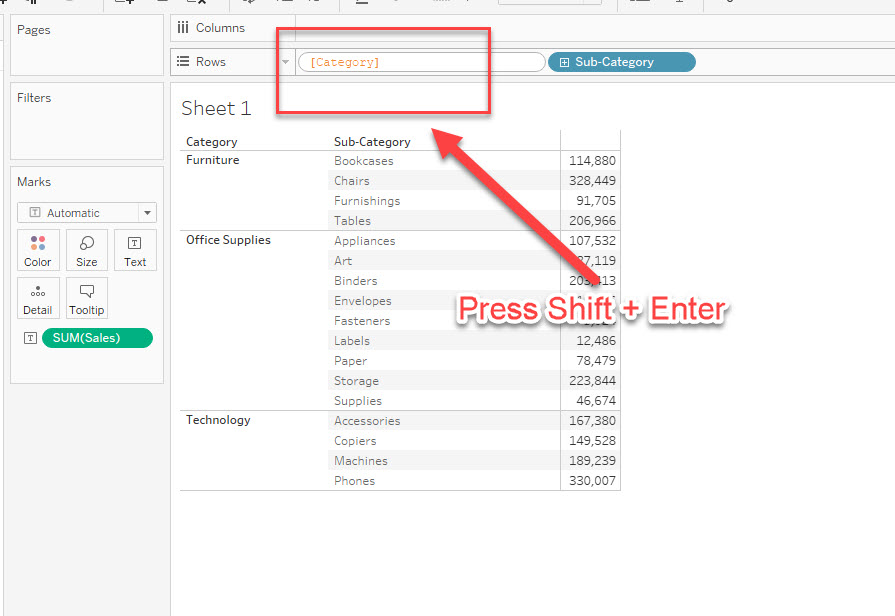
Finally, the dimension header can be changed like in the below image.
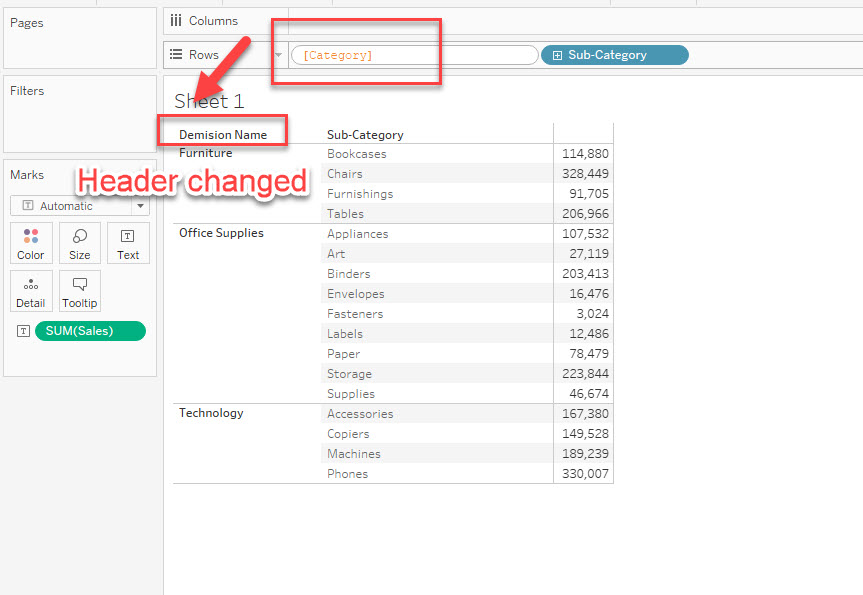
* The dimension in the [Rows/Columns] shelf has two lines like below and it will show the first line as the header and show the dimension in the second line.
---------------------
//Dimension Name
[Category]
---------------------
Please check the attached workbook for details.
Additional Resources
Knowledge Article Number
001458397
Did this article solve your issue?
Let us know so we can improve!
