Vælg en organisation
How to Hide [save to Tableau Public] Menu in Tableau Desktop
Udgivelsesdato: Apr 30, 2026
Opgave
Trin
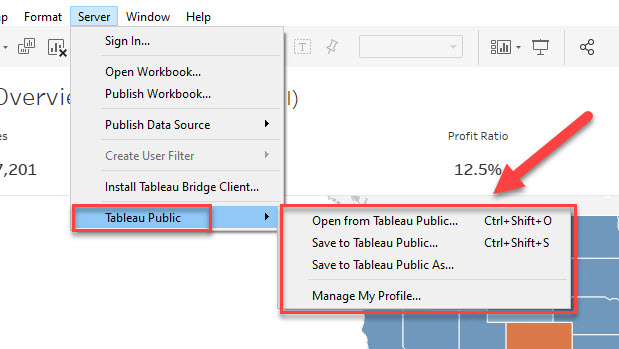
Although Tableau Desktop does not currently provide an option to hide the “Tableau Public” submenu, publishing is not possible unless you are signed in to Tableau Public.
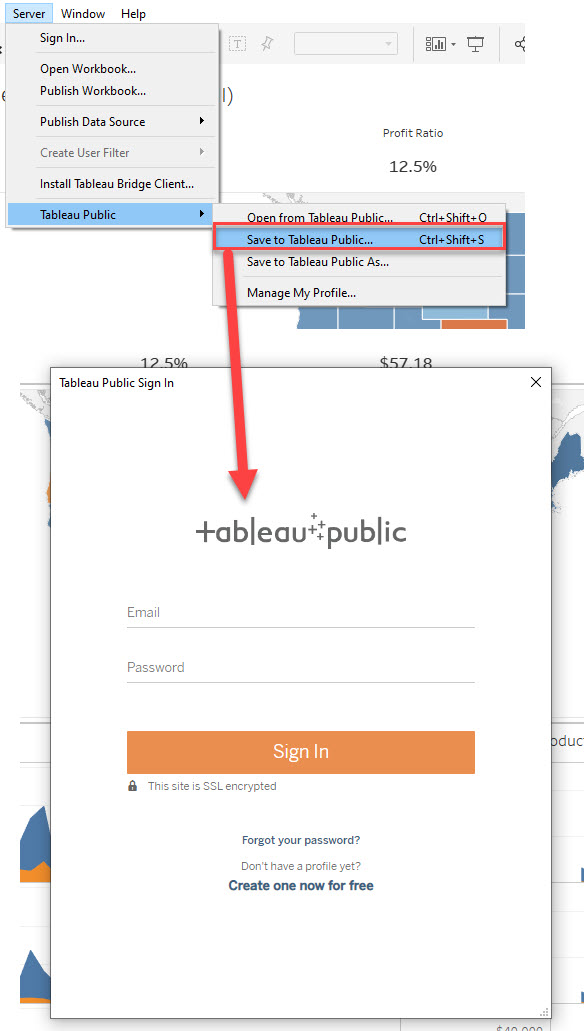
As shown in the figure below, selecting any option within the “Tableau Public” submenu prompts you to sign in to Tableau Public before proceeding.
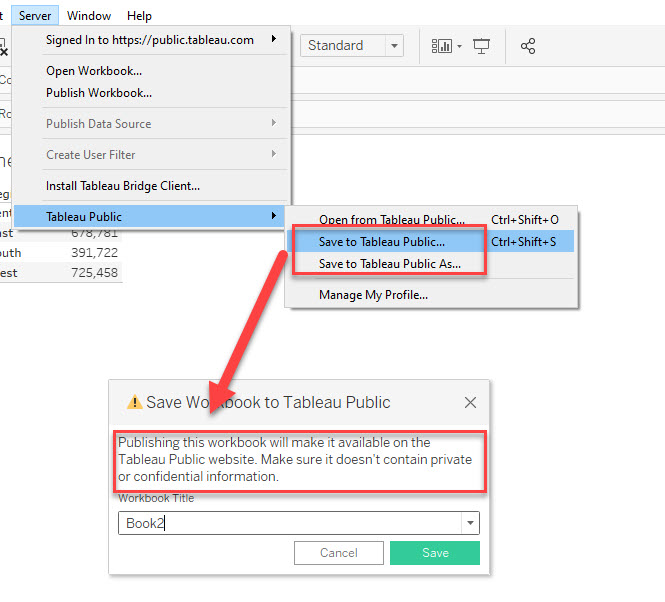
Even if you sign in to Tableau Public, you will see the following warning before you can publish your workbook.
If you select Cancel here, publishing will be stopped.
If you do not want to publish any workbook to Tableau Public, you should avoid signing in to Tableau Public from Tableau Desktop. This will prevent you from accidentally making any material public.
Yderligere ressourcer
https://help.tableau.com/current/pro/desktop/en-us/publish_workbooks_tableaupublic.htm
Vidensartikelnummer
001458429
Løste denne artikel dit problem?
Giv os besked, så vi kan forbedre os!
